AI for professionals · Free
AI for Procurement and Supply Chain
Use ChatGPT, Claude, Gemini and Copilot for real procurement and supply chain work: spend analysis, supplier risk screening, RFQs and bid comparison, contract red flags, negotiation preparation, demand forecasting, EOQ and safety stock, shipment exceptions and the AI inside procurement suites, with every number checked and supplier data kept confidential.

Inside the course
From the lessons

AI in procurement and supply chain: where it helps and where it does not
SCMDOJO

Supplier data, confidentiality and your employer's AI policy
Nicolas Boucher
![Exploring ChatGPT in Supplier Management and Evaluation [Free Webinar]](https://i.ytimg.com/vi/7E_IhCCxfgs/mqdefault.jpg)
Supplier research and risk screening with verification
Procurement Tactics

Contract clause review support and red flags
VaBarAssoc

Demand forecasting basics and where machine learning helps
The Business Doctor

Logistics, shipment tracking and exception summaries
Svitla Systems
Lesson frames belong to the creators named in the Credits below and are shown from YouTube.
What you will learn
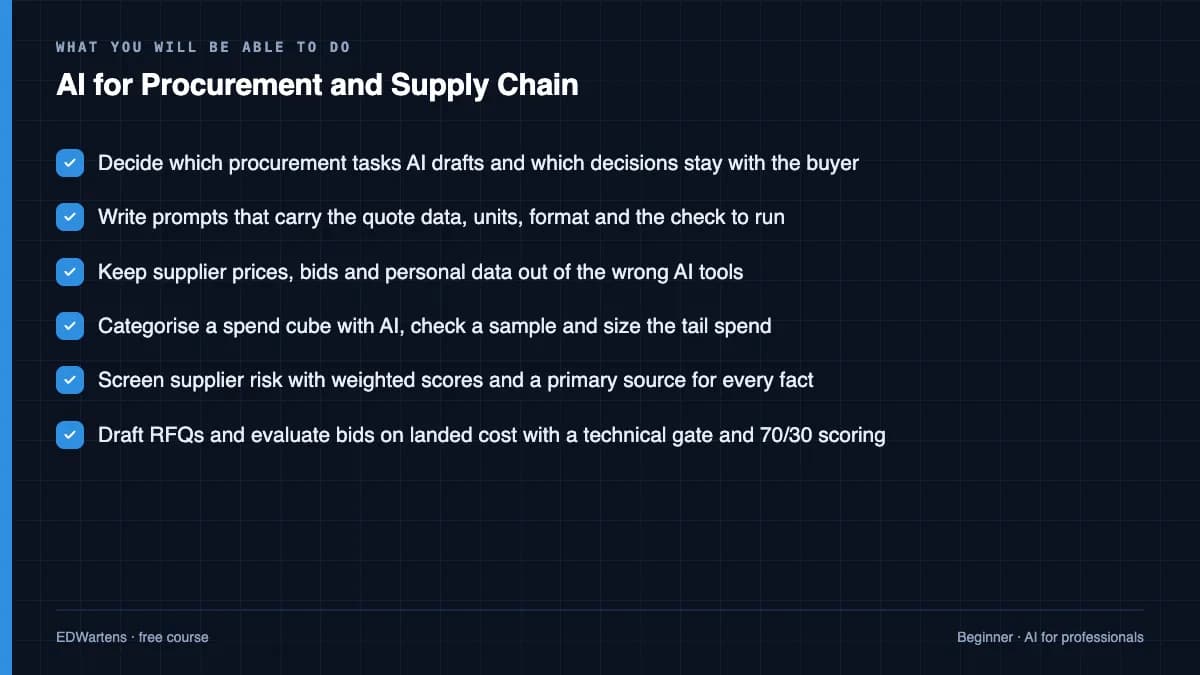
Decide which procurement and planning tasks AI may draft and which a person must decide; write prompts that carry the data, the format and the check; keep supplier data confidential under your employer's AI policy; clean and categorise a spend cube and find the tail; screen supplier risk with weighted scores and verified sources; draft RFQs and evaluate bids technically and then commercially on landed cost; extract contract clauses and spot red flags for legal; prepare a negotiation with a calculated walk-away; forecast demand with moving averages and exponential smoothing and measure the error; set EOQ, safety stock and reorder points; summarise shipment exceptions with stock cover; and judge the AI features in ERP and procurement suites.
- Decide which procurement tasks AI drafts and which decisions stay with the buyer
- Write prompts that carry the quote data, units, format and the check to run
- Keep supplier prices, bids and personal data out of the wrong AI tools
- Categorise a spend cube with AI, check a sample and size the tail spend
- Screen supplier risk with weighted scores and a primary source for every fact
- Draft RFQs and evaluate bids on landed cost with a technical gate and 70/30 scoring
- Prepare negotiations with a calculated walk-away, and spot contract red flags for legal
- Forecast demand, set EOQ, safety stock and reorder points, and judge AI in procurement suites
For you
Taking AI for Procurement and Supply Chain from the United States
- Free in the United States, as everywhere, and self-paced: lessons, notes and the final assessment are open at any hour, so your time zone and shift pattern do not matter.
- The optional certificate for learners in the United States is a one-off US$23.99. What you get for it
- Plants across the Americas most often run Allen-Bradley, Siemens and Inductive Automation; each has its own free course to take next.
- See automation and engineering jobs in the United States, and what the industry looks like in Houston, Detroit and Chicago.
- EDWartens also has a regional site for the United States, for classroom training and local support: edwartens.com/us.
The course project · about 10 hours
An AI-assisted sourcing event for a valve package: supplier screen, bid evaluation, negotiation plan and award recommendation
Run a complete sourcing event the way a modern procurement team does: summarise the category spend, screen the bidders with verified sources, draft the RFQ, tabulate three bids on landed cost with a technical gate, prepare the negotiation with a calculated walk-away, and write the award recommendation, with AI drafting each step and every number checked by you. Invented data only. The sample pack shows each document for a butterfly valve package on a water treatment plant.
Sample document pack, 4 documents, filled in for the scenario
- RegisterSupplier screening register: butterfly valve package
- ReportBid evaluation: butterfly valves DN150 to DN300
- PlanNegotiation plan: V1, butterfly valve package
- ReportAward recommendation and AI pilot report
Read inside the course and download as a workbook. The project is optional practice, marked when you submit it; the certificate needs only the modules and the final assessment.
Course content
13 modules · 31 lessons · 9h 33m
In order, at whatever pace suits you. Each module ends with a practice task that builds on the last.
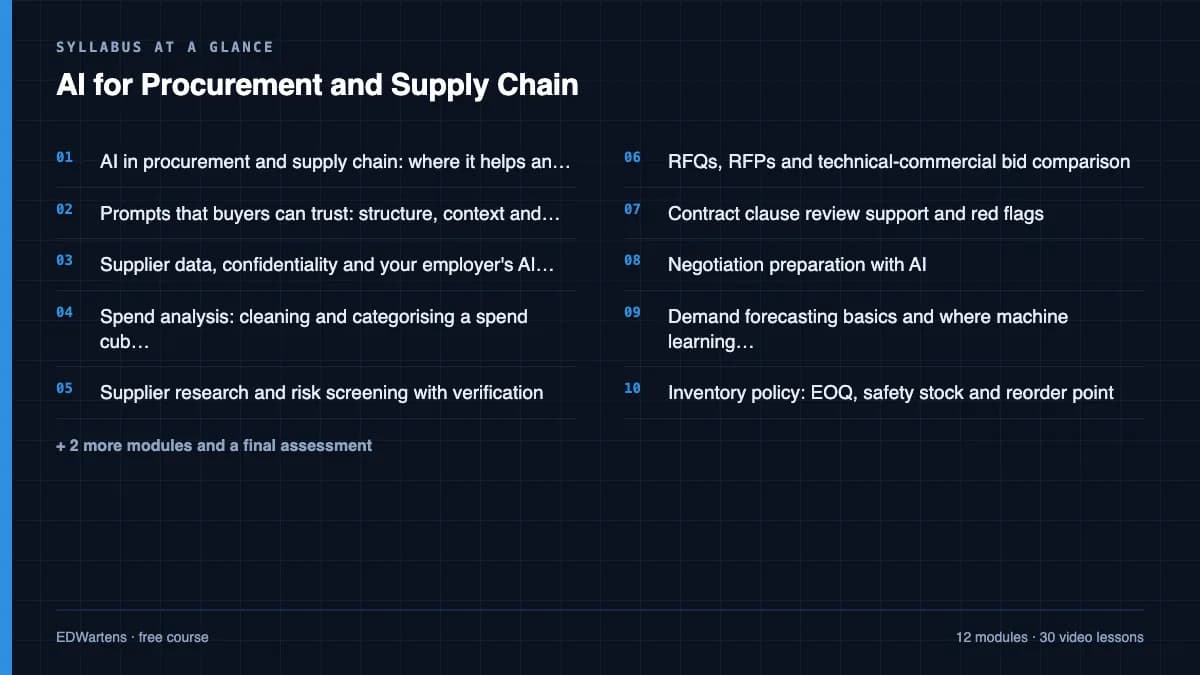
- 01AI in procurement and supply chain: where it helps and where it does not3 lessons26m
- 02Prompts that buyers can trust: structure, context and checks1 lesson36m
- 03Supplier data, confidentiality and your employer's AI policy3 lessons59m
- 04Spend analysis: cleaning and categorising a spend cube with AI3 lessons27m
- 05Supplier research and risk screening with verification3 lessons1h 27m
- 06RFQs, RFPs and technical-commercial bid comparison2 lessons1h 1m
- 07Contract clause review support and red flags1 lesson58m
- 08Negotiation preparation with AI2 lessons39m
Requirements
- Who it is for
- Beginner to intermediate. For buyers, category managers, expediters, planners, storekeepers and project procurement engineers. You should know your own purchasing or planning work; no AI or coding background is needed.
- Software
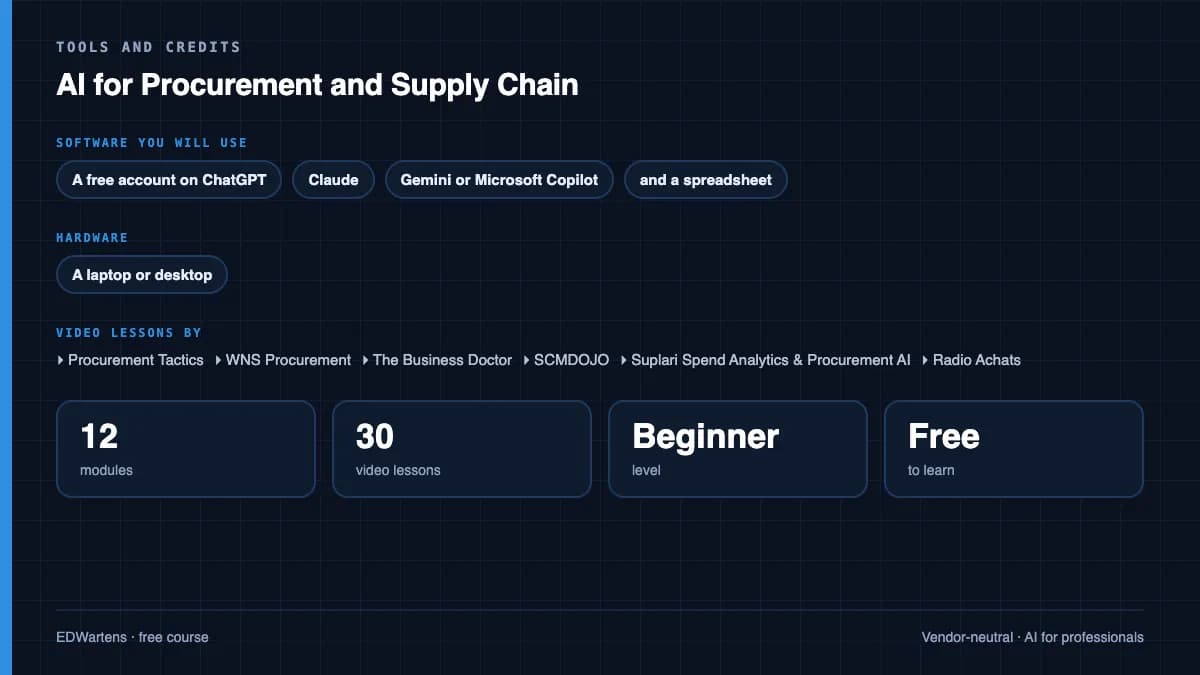
- A free account on ChatGPT, Claude, Gemini or Microsoft Copilot, and a spreadsheet (Microsoft Excel or Google Sheets). No paid procurement software is needed; SAP Ariba, Oracle, Coupa and Dynamics 365 features are shown in demonstrations. What to download, and how
- Hardware
- A laptop or desktop.
Software you need
What to download, where from, what it costs and how to install it. Every link goes to the maker's own site, never a mirror.
Never paste supplier bank details, personal data or sealed bids into a public AI tool. SAP Ariba, Oracle, Coupa and Dynamics 365 are only shown in demonstrations.
One AI assistant
Any one is enough.
- 01Free plan with limits
ChatGPT
OpenAI, in the browser
- Runs on
- Any modern web browser, plus mobile and desktop apps
- Account
- A free OpenAI account
The Free plan allows everyday text chats. File uploads, image creation, voice and data analysis have tighter limits than paid plans, and ads may appear in some countries. Paid plans raise the limits.
Steps
- 1.Open chatgpt.com.
- 2.Click Sign up and create an account with your email, or a Google, Microsoft or Apple account.
- 3.Verify your email and confirm your details.
- 4.Type your question in the message box.
- Do not paste personal data, passwords or confidential work files.
- ChatGPT tells you when you reach a limit. Wait for it to reset or switch to a lighter task.
Open ChatGPTchatgpt.com - 02Free plan with limits
Claude
Anthropic, in the browser
- Runs on
- Any modern web browser, plus desktop and mobile apps
- Account
- A free Claude account (you must be 18 or over)
The Free plan covers chat on web, desktop and mobile, web search, file creation and Artifacts. Usage limits reset on a rolling five-hour window and depend on message length and features used. Paid plans give more usage.
Steps
- 1.Open claude.ai (or see the plans at claude.com/pricing).
- 2.Sign up with your email or Google account and confirm your email.
- 3.Confirm you are 18 or over and accept the terms.
- 4.Type your question in the message box.
- Long conversations and large files use up your limit faster. Start a new chat for a new topic.
- Do not paste personal data or confidential work files.
Open Claudeclaude.com - 03Free with limits
Google Gemini
Google, in the browser
- Runs on
- Any modern web browser, plus Android and iOS apps
- Account
- A free Google account
Free with a Google account, including a Flash model, limited access to the Pro model, image generation, Deep Research and Gems. Paid Google AI plans give higher limits. Some features require you to be 18 or over.
Steps
- 1.Open gemini.google.com.
- 2.Sign in with your Google account.
- 3.Accept the terms the first time you use it.
- 4.Type your question or upload a file in the prompt box.
- Use a personal Google account. Work or school accounts depend on your administrator's settings.
Open Google Geminigemini.google.com - 04Free
Microsoft Copilot and Microsoft 365 Copilot Chat
Microsoft, in the browser
- Runs on
- Any modern web browser, plus Windows, macOS, Android and iOS apps
- Account
- None needed
Microsoft Copilot is free for individuals; you must be at least 13 (older in some countries). Microsoft 365 Copilot Chat is included at no extra cost for organisations with an eligible Microsoft 365 licence and needs a work or school (Microsoft Entra ID) account.
Steps
- 1.Open copilot.microsoft.com.
- 2.Optionally click Sign in and use your personal Microsoft account.
- 3.Type your question in the message box.
- 4.For work or school use, sign in at microsoft365.com with your organisation account and open Copilot Chat.
- Copilot Chat with a work or school account adds enterprise data protection. Use it for work material if your organisation provides it.
Open Microsoft Copilot and Microsoft 365 Copilot Chatcopilot.microsoft.com
One spreadsheet
Any one is enough.
- 05Free web version with limits
Microsoft Excel
Microsoft
- Runs on
- Excel for the web in any modern browser; desktop apps for Windows and macOS with a Microsoft 365 subscription
- Account
- A free Microsoft account
Excel for the web is free with a Microsoft account and 5 GB of cloud storage. The desktop app comes with a paid Microsoft 365 subscription, which offers a free trial. Python in Excel is not available on free licences, and fuller Copilot features need an eligible paid plan.
Steps
- 1.Open the Excel page on microsoft.com and select Sign up for free, or Sign in.
- 2.Create or sign in to your Microsoft account.
- 3.Select Open Excel to start Excel for the web.
- 4.Upload the course workbook to OneDrive and open it.
- 5.If a lesson needs a desktop-only feature, consider the Microsoft 365 free trial.
- Most formulas, tables and charts work in Excel for the web; some advanced tools, such as Power Pivot and many add-ins, need the desktop app.
- Check the Python in Excel availability page before a Python lesson.
Official download pagemicrosoft.comAlternatives
- LibreOffice Calc: Free desktop spreadsheet for Windows, macOS and Linux.
- Google Sheets: Free browser spreadsheet with a Google Account.
- 06Free
Google Sheets
Google, in the browser
- Runs on
- Web browser; apps for Android and iOS
- Account
- A free Google Account
Anyone with a Google Account can use Google Sheets free. Some Gemini features in Sheets need a paid Google Workspace plan.
Steps
- 1.Open Google Sheets and sign in with your Google Account, or create one.
- 2.Select Blank spreadsheet, or open a template.
- 3.Use File, Import to load the course's CSV or Excel file.
- 4.Your work saves automatically to Google Drive.
- 5.Use File, Download to save an .xlsx copy if needed.
- Most Excel formulas work the same in Sheets; a few functions have different names.
Open Google Sheetsworkspace.google.com
Checked against each maker's own page on 27 September 2026. Trial lengths and editions change; the maker's page is the final word.
AI for Procurement and Supply Chain at a glance
AI for Procurement and Supply Chain is a free, self-paced online course from EDWartens for buyers, category managers, expediters, supply planners, storekeepers and project procurement engineers at manufacturers, EPC contractors and operators. It has 13 modules and 9h 33m of video lessons by Procurement Tactics, WNS Procurement, The Business Doctor and others, with written notes and worked problems, a practical project with a document pack and a 15-question final assessment (pass mark 60%). Learning is free with an account; an optional certificate with a public verification code is issued when you pass. Last updated 27 September 2026.
All course factsHide course facts
- Price
- Free, for good. No trial, no card. The only paid item is the optional certificate, a small one-off fee.
- Who it is for
- Buyers, category managers, expediters, supply planners, storekeepers and project procurement engineers at manufacturers, EPC contractors and operators
- Format
- 13 self-paced modules, 9h 33m of video, written notes, a practice task per module and one final assessment.
- Level
- Beginner. Beginner to intermediate. For buyers, category managers, expediters, planners, storekeepers and project procurement engineers. You should know your own purchasing or planning work; no AI or coding background is needed.
- Brand
- Vendor-neutral
- Software
- A free account on ChatGPT, Claude, Gemini or Microsoft Copilot, and a spreadsheet (Microsoft Excel or Google Sheets). No paid procurement software is needed; SAP Ariba, Oracle, Coupa and Dynamics 365 features are shown in demonstrations.
- Hardware
- A laptop or desktop.
- Certificate
- Optional EDWartens Certificate of Completion, verifiable by code. Not a vendor credential.
- Video lessons by
- Procurement Tactics, WNS Procurement, The Business Doctor, SCMDOJO, Suplari Spend Analytics & Procurement AI, Radio Achats, SuperNegotiate, Oracle, VaBarAssoc, RapidCanvas, SITMI Academy !, Jameel Hye - Supply Chain Career Coach, Svitla Systems, Anubhav Trainings (official channel), Microsoft Dynamics 365, Market Dojo, CrossCountry Consulting, Nicolas Boucher, Higher Logic, Efficio (independent creators, credited below)
- Language
- English
- Last updated
- 27 September 2026
A shareable EDWartens certificate
Finish every module and pass the final assessment, and the optional EDWartens certificate is yours. It carries a unique verification code on a public page anyone can check, so it stands up when a recruiter looks it up. See it below.
The course itself stays free whether or not you ever buy one.
Stuck? Ask a practising engineer
A free course usually means a comment section and hope. This one does not. Every module has an Ask-your-trainer panel that reaches the same engineers who teach our paid programme: people who commission panels for a living, not moderators.
Pairs well with
 FreeAI for professionals · FreeMicrosoft 365 Copilot and Copilot Studio AgentsUse Microsoft 365 Copilot well and build your first agent: what Copilot, Copilot Chat and Copilot Studio each are, how grounding works, Copilot in Word, Excel, Outlook and PowerPoint, prompting and saved prompts, the Researcher and Analyst agents, building and grounding an agent in Copilot Studio, and responsible use.
 FreePLC programming · FreeSiemens TIA PortalFree Siemens TIA Portal course for beginners: write ladder logic for a simulated S7-1200 and WinCC HMI. Learning is free; the certificate is optional and paid.
 FreePLC programming · FreeSiemens TIA Portal in Three HoursThe first three hours of the Siemens TIA Portal course, cut to end on a win: what a PLC is, how it is wired, a project configured in TIA Portal, and your first ladder program running in simulation. Finish it in an evening or two, earn a certificate, and carry straight on into the full course.
 FreePLC programming · FreeTIA Portal: Build a MachineOne machine, start to finish. Take a bottle filling line from a written specification and an I/O list to a structured S7-1200 program with a fill station, a capper, a reject sorter and an operator screen with alarms, then test it against a written record and archive it for hand-over. The lessons are the reference; the machine is yours, and it is what you submit.
More free courses: Free AI courses for professionals
Learner reviews
No reviews yet
Reviews here are written only by learners who have finished every module of AI for Procurement and Supply Chain, and they are published exactly as written. Finish the course and yours will be the first.
Common questions
What is the AI for Procurement and Supply Chain course?
It is a free-to-learn online course that teaches buyers and planners to use ChatGPT, Claude, Gemini and Microsoft Copilot on real procurement and supply chain work: spend analysis, supplier risk, RFQs and bid evaluation, contract red flags, negotiation preparation, demand forecasting, inventory policy and shipment exceptions. Every module pairs the AI workflow with the check that keeps the numbers right and the supplier data confidential.
Who is this AI for procurement course for?
It is for buyers, category managers, sourcing specialists, expediters, demand and supply planners, storekeepers and project procurement engineers at manufacturers, EPC contractors and operators. It suits procurement teams in the Gulf, South Asia, Africa and the UK as much as anywhere, because it uses free tools and invented data rather than one country's systems.
Do I need AI, coding or paid software to start?
No. You need to know your own purchasing or planning work, a free account on one AI assistant, and Excel or Google Sheets. SAP Ariba, Oracle, Coupa and Dynamics 365 AI features are shown in demonstrations, so you do not need a licence for any of them.
Is the course free to learn?
Yes. Every module, the notes, the worked problems, the optional project and the final assessment are free to learn. The certificate is optional.
Is it safe to paste supplier quotes into ChatGPT?
Not into a personal account. The course teaches four data classes, how to code supplier names and aggregate figures, the difference between consumer and business AI accounts, and how to follow your employer's AI policy; bank details, personal data and sealed bids never go into a public AI tool.
How long does the AI for Procurement and Supply Chain course take?
About 15 hours at your own pace, of which about 9.5 hours is video from procurement educators, vendors and supply chain teachers. The optional capstone sourcing event project takes about 10 hours more.
What certificate do I get, and is it a CIPS or ASCM qualification?
You get a verifiable certificate of completion from EDWartens when you finish the modules and pass the 15-question final at 60 percent; it has a unique number, a QR code and a public page showing the course, the modules and your score. It is not a CIPS or ASCM (APICS) qualification and does not carry their credit; it covers practical skills that support those studies.
What job does this course help with?
It helps you work faster and more safely as a buyer, category manager, procurement engineer or supply planner, and gives you a portfolio piece: a complete AI-assisted sourcing event with a supplier screen, bid evaluation, negotiation plan and award recommendation.
What you walk away with
Your certificate for AI for Procurement and Supply Chain
Finish the course, pass the final, and this is the document with your name on it.
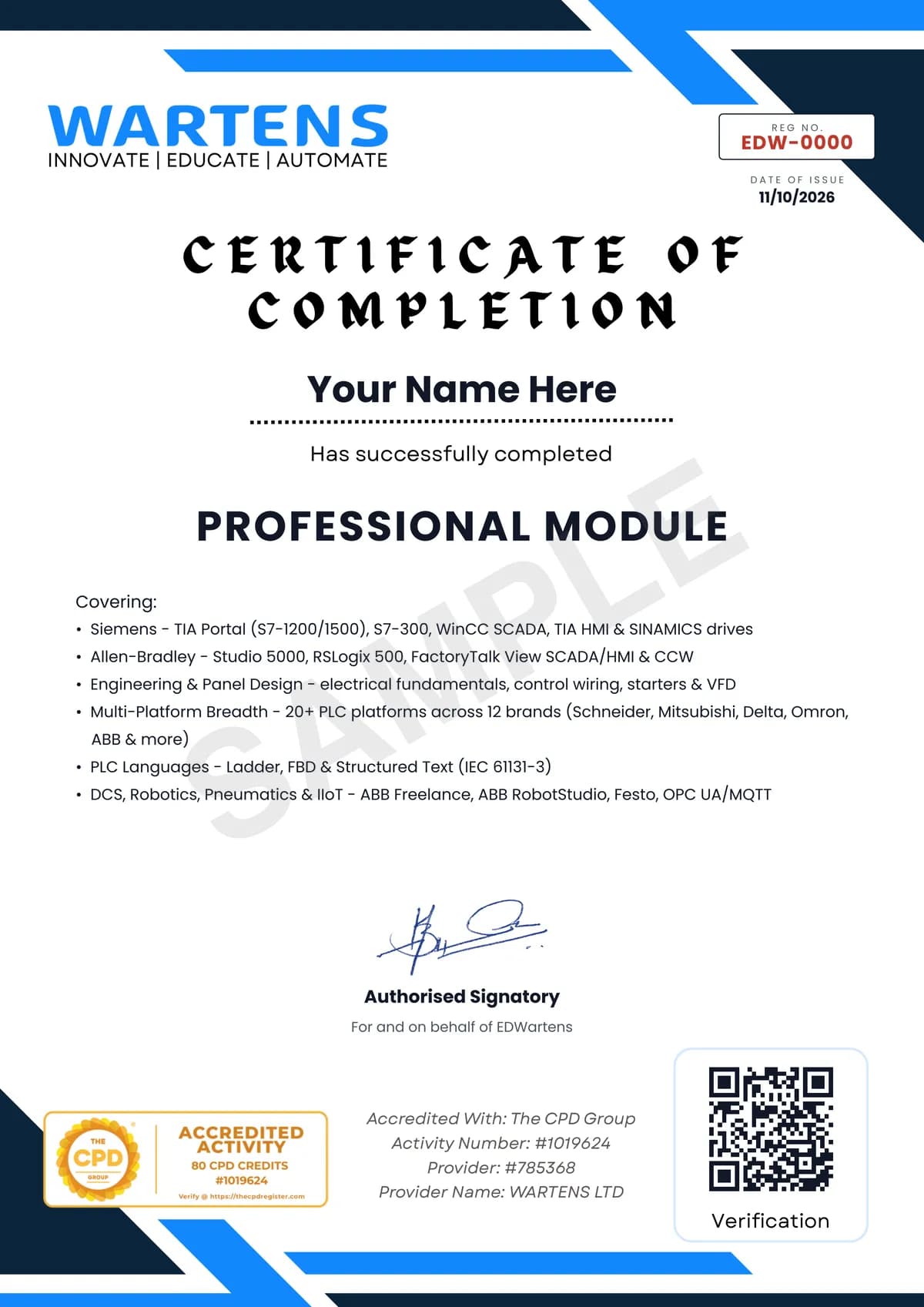
Verifiable by anyone
Adds to LinkedIn in one click
QR code on the certificate
Names what you can do
A permanent link
Earned, not attended
Learning is free. The certificate is optional.
Add it now and pay only when you have finished the course, or come back for it later. One-off, US$23.99, with a receipt.
Issued by EDWartens, the training division of Wartens, as a Certificate of Completion for this self-paced course. Sold by Wartens Ltd (England and Wales). It is not a vendor certification, a university award or a CPD-accredited activity, and it does not certify competence on live equipment. Delivered electronically; see the refund policy.
Credits
Who made the video lessons
The video lessons in this course were created by the people below, not by EDWartens. Every lesson streams from its creator's own YouTube channel; EDWartens neither hosts nor sells that footage, and the creators are not affiliated with EDWartens and do not endorse this course. What EDWartens wrote is the study plan, the notes, the practice tasks and the assessments.
- Procurement Tacticsthe free webinars on AI and ChatGPT fundamentals in procurement, prompt engineering, AI readiness with Suplari, supplier management and evaluation, automating the procurement process, negotiation strategy and negotiation tactics with ChatGPT, and the overview of useful AI tools
- WNS Procurementthe CIPS x WNS webinar on how AI is changing supplier risk management
- The Business Doctorthe operations management lessons on time series forecasting, the economic order quantity and the reorder point
- SCMDOJOthe AI in procurement basics lesson that opens the course
- Suplari Spend Analytics & Procurement AIthe guide to spend analysis for procurement
- Radio Achatsthe six steps of spend analysis
- SuperNegotiatethe worked spend analysis challenge that finds the hidden tail spend
- Oraclethe demonstrations of AI for supplier management in Oracle Procurement and the agentic sourcing command centre
- VaBarAssocthe Virginia Bar Association session on contract review with ChatGPT, used for the clause review module
- RapidCanvasthe demonstration of an AI supply chain forecasting assistant
- SITMI Academy !safety stock, reorder point, EOQ and min-max levels calculated in Excel
- Jameel Hye - Supply Chain Career Coachbuilding a supply chain inventory optimiser in Excel and Power Query with ChatGPT
- Svitla Systemsthe session on practical AI for logistics and supply chain
- Anubhav Trainings (official channel)how SAP Joule works with SAP Ariba
- Microsoft Dynamics 365the Copilot capabilities in Dynamics 365 Supply Chain Management
- Market Dojohow AI agents support sourcing teams
- CrossCountry Consultingthe review of Coupa AI capabilities and agents for finance and procurement
- Nicolas Boucherkeeping company data confidential when using AI
- Higher Logicavoiding exposing confidential data when working with AI
- Efficiothe short recap on the benefits of AI in procurement before the final
If you are one of these creators and would like a lesson removed or credited differently, write to info@wartens.com.