Maintenance · Free
Maintenance Planning, Scheduling and CMMS with SAP PM
The work management skills a maintenance planner is hired for: maintenance strategies, asset hierarchy and criticality (ISO 14224), the work-order lifecycle, job planning and work packs, weekly scheduling, backlog and KPIs such as MTBF, MTTR and schedule compliance, spares and kitting, PM programmes, a hands-on open-source CMMS, and SAP PM technical objects, notifications, orders and maintenance plans.

Inside the course


From the lessons

Maintenance strategies and why planning pays
RS Engineering Insights

Work identification, notifications and priorities
IDCON Reliability and Maintenance
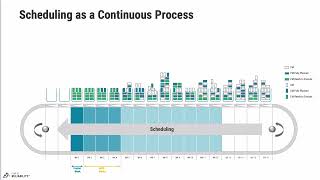
Scheduling: weekly and daily schedules and compliance
Reliability Academy

Spares, MRO stores and kitting
JAES Company

CMMS: choosing one, data quality and hands-on with Odoo
Limble

SAP PM corrective maintenance: notifications and orders
SAP dude
Lesson frames belong to the creators named in the Credits below and are shown from YouTube.
What you will learn
Choose a maintenance strategy for an asset; build an asset hierarchy and rank assets by criticality; screen and prioritise work requests; plan a job with steps, crafts, hours and a work pack; build a weekly schedule from forecast crew hours and measure schedule compliance; manage backlog and calculate MTBF, MTTR, availability and PM compliance; set reorder points and judge critical spares; write and size a PM programme; set up equipment and recurring maintenance in a CMMS; and work with SAP PM functional locations, equipment, notifications, orders, task lists and maintenance plans, including call horizons and shift factors.
- Choose a maintenance strategy per asset and explain how planning raises wrench time
- Build an asset hierarchy on the ISO 14224 taxonomy and rank assets by criticality
- Screen work requests, rank the backlog with a priority index and close orders with failure codes
- Plan a job with steps, crafts, duration, labour hours and a complete work pack
- Forecast crew hours, load a weekly schedule and measure schedule compliance and backlog
- Calculate MTBF, MTTR, availability, PM compliance, reorder points and critical spare risk
- Write and size a PM programme, and set up equipment and recurring PMs in Odoo Maintenance
- Work with SAP PM functional locations, equipment, notifications, orders, task lists and maintenance plans
For you
Taking Maintenance Planning, Scheduling and CMMS with SAP PM from the United States
- Free in the United States, as everywhere, and self-paced: lessons, notes and the final assessment are open at any hour, so your time zone and shift pattern do not matter.
- The optional certificate for learners in the United States is a one-off US$23.99. What you get for it
- Plants across the Americas most often run Allen-Bradley, Siemens and Inductive Automation; each has its own free course to take next.
- See automation and engineering jobs in the United States, and what the industry looks like in Houston, Detroit and Chicago.
- EDWartens also has a regional site for the United States, for classroom training and local support: edwartens.com/us.
The course project · about 10 hours
Building the maintenance programme for a water booster pump station: asset register, PM plan, job plan, spares and KPI report
Set up planned maintenance for a booster pump station as the utility's new maintenance planner: build the asset register and criticality ranking, write the PM programme with triggers and hours, a standard job plan for the most common repair, the spares and min/max list, and a monthly KPI report with a 90-day improvement plan. The sample pack shows each document for a station near Cape Town, South Africa.
Sample document pack, 5 documents, filled in for the scenario
- RegisterAsset register and criticality: Silverstream booster station
- PlanPreventive maintenance programme: Silverstream booster station
- ProcedureStandard job plan: cartridge mechanical seal change, P-201 pumps
- RegisterSpares register and stock levels: P-201 pumps and generator
- ReportMonthly maintenance KPI report and 90-day plan: area crew
Read inside the course and download as a workbook. The project is optional practice, marked when you submit it; the certificate needs only the modules and the final assessment.
Course content
14 modules · 59 lessons · 9h 58m
In order, at whatever pace suits you. Each module ends with a practice task that builds on the last.
- 01Maintenance strategies and why planning pays3 lessons16m
- 02Asset hierarchy, master data and criticality4 lessons15m
- 03Work identification, notifications and priorities5 lessons42m
- 04Job planning: scope, estimates and work packs6 lessons57m
- 05Scheduling: weekly and daily schedules and compliance7 lessons38m
- 06Backlog management and maintenance KPIs4 lessons49m
- 07Spares, MRO stores and kitting4 lessons50m
- 08Preventive and condition-based maintenance programmes4 lessons39m
Requirements
- Who it is for
- Beginner to intermediate. For maintenance technicians, supervisors and engineers moving into planning, and for graduates aiming at maintenance planner or SAP PM end-user roles. You need basic arithmetic and a spreadsheet; no SAP access or prior planning experience is needed.
- Software
- A spreadsheet (LibreOffice Calc is free) for schedules, backlog and KPIs. Odoo Community with its Maintenance app (free, open source, LGPL-3) for the CMMS exercises, installed locally or with Docker. SAP is shown on video and in the notes; the course does not provide SAP system access, and SAP Learning's free online courses are a good next step. What to download, and how
- Hardware
- None. Any laptop that runs a browser and a spreadsheet is enough; running Odoo locally needs about 4 GB of free memory.
Software you need
What to download, where from, what it costs and how to install it. Every link goes to the maker's own site, never a mirror.
Nothing to install for most modules: a spreadsheet, or paper, is enough for every calculation
SAP is shown on video; no SAP access is needed.
Odoo Community is used in MPS9 and the optional project; run it with Docker Desktop or install the Community packages.
Optional
Useful, not needed to finish the course.
- 01Free
LibreOffice
The Document Foundation
- Runs on
- Windows 10 or 11, macOS 11 or newer (Intel or Apple silicon), Linux
- Account
- None needed
- Size
- up to 1.5 GB of disk space on Windows
LibreOffice is free, open-source software under the Mozilla Public License 2.0, for any use including business. Calc is its spreadsheet.
Steps
- 1.Open the LibreOffice download page.
- 2.Check the page has picked your operating system, then select Download.
- 3.Run the installer (administrator rights are needed on Windows).
- 4.Start LibreOffice Calc for spreadsheet work.
- 5.Save as .xlsx if you need to share files with Excel users.
- Choose the latest main version unless your organisation asks for the older, more conservative release.
Official download pagelibreoffice.org - 02Free and open source
Odoo Community (Maintenance app)
Odoo S.A. (open source Community edition)
- Runs on
- Windows, macOS (with Docker) and Linux
- Account
- None needed
Odoo Community, including its Maintenance app, is released under the LGPL-3 and is free for any use. The download page asks for an email address; the official Docker image needs no account. The paid Enterprise edition is not needed for this course.
Steps
- 1.Install Docker Desktop, or on Linux install Docker Engine.
- 2.Start a PostgreSQL container and the official odoo container linked to it, as described on the odoo image page on Docker Hub (or install the Community package from odoo.com/page/download).
- 3.Open http://localhost:8069 and create a new database.
- 4.Open Apps, search for Maintenance and install it.
- 5.Create equipment categories, a maintenance team and your first equipment records.
- Recurrent preventive requests repeat by days, weeks, months or years; the next one appears when the current one is completed.
- The Community app has no parent-child equipment hierarchy; put the hierarchy into tag names and categories, as MPS9 shows.
Official download pageodoo.com - 03Free for personal use, education and small businesses
Docker Desktop
Docker, Inc.
- Runs on
- Windows 10 64-bit version 22H2 (build 19045) or Windows 11 64-bit version 23H2 (build 22631) or later, with WSL 2 and hardware virtualisation on, 8 GB RAM. Also macOS and Linux.
- Account
- None needed
Free for personal use, education, non-commercial open source projects, and businesses with fewer than 250 employees and less than 10 million US dollars in annual revenue. Larger businesses need a paid subscription. Docker Engine on Linux is open source and is not covered by these terms.
Steps
- 1.Open docker.com/products/docker-desktop and download the installer for your system.
- 2.On Windows, install WSL first (wsl --install) if you do not have it.
- 3.Run the installer and keep the WSL 2 option selected.
- 4.Restart if asked, then start Docker Desktop and accept the subscription terms.
- 5.Open a terminal and run: docker run hello-world
- Turn on virtualisation in BIOS or UEFI if Docker says it is not available.
- On Linux servers, install Docker Engine instead of Docker Desktop.
Official download pagedocker.comAlternatives
- Docker Engine (Linux): Free, open source engine for Linux. Not covered by the Docker Desktop subscription terms.
Checked against each maker's own page on 27 September 2026. Trial lengths and editions change; the maker's page is the final word.
Maintenance Planning, Scheduling and CMMS with SAP PM at a glance
Maintenance Planning, Scheduling and CMMS with SAP PM is a free, self-paced online course from EDWartens for maintenance technicians, supervisors and engineers moving into planning, scheduling and CMMS or SAP PM roles in plants, utilities and facilities worldwide. It has 14 modules and 9h 58m of video lessons by IDCON Reliability and Maintenance, Reliability Academy, SAP dude and others, with written notes and worked problems, a practical project with a document pack and a 15-question final assessment (pass mark 60%). Learning is free with an account; an optional certificate with a public verification code is issued when you pass. Last updated 27 September 2026.
All course factsHide course facts
- Price
- Free, for good. No trial, no card. The only paid item is the optional certificate, a small one-off fee.
- Who it is for
- Maintenance technicians, supervisors and engineers moving into planning, scheduling and CMMS or SAP PM roles in plants, utilities and facilities worldwide
- Format
- 14 self-paced modules, 9h 58m of video, written notes, a practice task per module and one final assessment.
- Level
- Beginner. Beginner to intermediate. For maintenance technicians, supervisors and engineers moving into planning, and for graduates aiming at maintenance planner or SAP PM end-user roles. You need basic arithmetic and a spreadsheet; no SAP access or prior planning experience is needed.
- Brand
- Vendor-neutral
- Software
- A spreadsheet (LibreOffice Calc is free) for schedules, backlog and KPIs. Odoo Community with its Maintenance app (free, open source, LGPL-3) for the CMMS exercises, installed locally or with Docker. SAP is shown on video and in the notes; the course does not provide SAP system access, and SAP Learning's free online courses are a good next step.
- Hardware
- None. Any laptop that runs a browser and a spreadsheet is enough; running Odoo locally needs about 4 GB of free memory.
- Certificate
- Optional EDWartens Certificate of Completion, verifiable by code. Not a vendor credential.
- Video lessons by
- IDCON Reliability and Maintenance, Reliability Academy, SAP dude, SAP Help and Learning, Odoo, Cybrosys Technologies, Limble, MaintainX (An Autodesk Company), Tractian, UpKeep, Spartakus APM, Reliabilityweb TV, Joe Kuhn, JAES Company, RS Engineering Insights, Nauci me, Learn with EngrWaqas (independent creators, credited below)
- Language
- English
- Last updated
- 27 September 2026
A shareable EDWartens certificate
Finish every module and pass the final assessment, and the optional EDWartens certificate is yours. It carries a unique verification code on a public page anyone can check, so it stands up when a recruiter looks it up. See it below.
The course itself stays free whether or not you ever buy one.
Stuck? Ask a practising engineer
A free course usually means a comment section and hope. This one does not. Every module has an Ask-your-trainer panel that reaches the same engineers who teach our paid programme: people who commission panels for a living, not moderators.
Pairs well with
 FreePLC programming · FreeSiemens TIA PortalFrom zero electrical knowledge to a working, simulated S7-1200 program, for nothing.
 FreePLC programming · FreeSiemens TIA Portal in Three HoursThe first three hours of the Siemens TIA Portal course, cut to end on a win: what a PLC is, how it is wired, a project configured in TIA Portal, and your first ladder program running in simulation. Finish it in an evening or two, earn a certificate, and carry straight on into the full course.
 FreePLC programming · FreeTIA Portal: Build a MachineOne machine, start to finish. Take a bottle filling line from a written specification and an I/O list to a structured S7-1200 program with a fill station, a capper, a reject sorter and an operator screen with alarms, then test it against a written record and archive it for hand-over. The lessons are the reference; the machine is yours, and it is what you submit.
 FreeInstrumentation · FreeInstrumentation for PLC EngineersThe half of the loop that is not code. Follow one measurement from the transmitter in the field, down the 4-20 mA loop, into the analog card, through NORM_X and SCALE_X into engineering units, out again to a valve, and back to the control room when the reading is wrong.
Learner reviews
No reviews yet
Reviews here are written only by learners who have finished every module of Maintenance Planning, Scheduling and CMMS with SAP PM, and they are published exactly as written. Finish the course and yours will be the first.
Common questions
What is this maintenance planning and SAP PM course?
It is a free-to-learn online course in maintenance planning and scheduling, CMMS use and the core of SAP PM (now SAP S/4HANA Asset Management). It covers strategies, asset hierarchy and criticality, work orders, job plans, weekly schedules, backlog and KPIs, spares, PM programmes, a hands-on open-source CMMS, and SAP functional locations, notifications, orders and maintenance plans.
Who is the course for, and what do I need to know first?
It is for maintenance technicians, supervisors and engineers moving into planning, and for graduates aiming at maintenance planner or SAP PM end-user roles. Basic arithmetic and a spreadsheet are enough; no SAP access or planning experience is needed.
Does the course give SAP access or an SAP certification?
No. It teaches the SAP PM concepts, objects and transactions on video and in the notes, so you can follow an SAP site and an interview, but it gives no system access and does not lead to an SAP certification. SAP Learning's free online courses, such as Exploring Preventive Maintenance in SAP S/4HANA Asset Management, are a good next step.
Which software do I use?
A spreadsheet such as LibreOffice Calc for schedules, backlog and KPIs, and Odoo Community with its Maintenance app (free and open source) for the CMMS exercises, installed with the official Docker image or the packages from odoo.com. Every calculation can also be done on paper.
How long does the course take, and is it free?
About 17 hours at your own pace, of which about 10 hours is video, plus about 10 hours for the optional project. Every module, the notes, worked problems, practice tasks, project and final assessment are free to learn.
What certificate do I get, and how is it verified?
You get a verifiable certificate of completion when you finish the modules and pass the 15-question final at 60 percent. It has a unique certificate number, a QR code and a public verification page that shows the course, the modules covered and your final score. It is a completion certificate, not an SAP, SMRP (CMRP) or other professional credential.
Which standards and metrics does the course use?
The asset hierarchy follows the ISO 14224 taxonomy, the KPIs follow the definitions used in EN 15341 and the SMRP best practice metrics, and the SAP content follows SAP S/4HANA Asset Management. Standards are explained in our own words; no standard text is reproduced.
What jobs does it prepare me for?
It prepares you for maintenance planner, maintenance scheduler, CMMS or SAP PM key user and junior maintenance engineer roles in plants, utilities, oil and gas, mining and facilities. Employers across the Gulf, Africa and Asia that run SAP PM or another CMMS look for exactly these work management skills.
What you walk away with
Your certificate for Maintenance Planning, Scheduling and CMMS with SAP PM
Finish the course, pass the final, and this is the document with your name on it.

Verifiable by anyone
Adds to LinkedIn in one click
QR code on the certificate
Names what you can do
A permanent link
Earned, not attended
Learning is free. The certificate is optional.
Add it now and pay only when you have finished the course, or come back for it later. One-off, US$23.99, with a receipt.
Issued by EDWartens, the training division of Wartens, as a Certificate of Completion for this self-paced course. Sold by Wartens Ltd (England and Wales). It is not a vendor certification, a university award or a CPD-accredited activity, and it does not certify competence on live equipment. Delivered electronically; see the refund policy.
Credits
Who made the video lessons
The video lessons in this course were created by the people below, not by EDWartens. Every lesson streams from its creator's own YouTube channel; EDWartens neither hosts nor sells that footage, and the creators are not affiliated with EDWartens and do not endorse this course. What EDWartens wrote is the study plan, the notes, the practice tasks and the assessments.
- IDCON Reliability and Maintenancethe planning and scheduling series: why plants need it, management's role, initiating and screening work, priorities, scoping, standard job plans, work packages, the planner's and scheduler's jobs, scheduling meetings, cutoff times, backlog, the technical database, and shutdown and turnaround strategy and scheduling
- Reliability AcademyPS100 lessons on what planning and scheduling is, its value, the principles of maintenance planning, and scheduling as a continuous process
- SAP dudethe SAP PM/EAM tutorials on functional locations, equipment, notifications, work orders, BOMs, measuring points, scheduling parameters, preventive maintenance, MRO kitting, work packs, PM versus EAM, and the phase-based maintenance process in S/4HANA
- SAP Help and LearningSAP's own overview demo of asset and service management
- Odoothe official Maintenance app tour and the lessons on maintenance requests and recurrent maintenance
- Cybrosys Technologiesthe walkthrough of the Maintenance module in Odoo 19 Community
- Limblethe complete guide to what a CMMS is, building a preventive maintenance plan, and the spare parts inventory webinar
- MaintainX (An Autodesk Company)building a preventive maintenance programme from scratch
- Tractiancalculating MTBF, MTTR, availability and downtime from maintenance data
- UpKeepRicky Smith on what ISO 14224 says about structures and hierarchies
- Spartakus APMasset master data with ISO 14224, MRO inventory balance, and preventive maintenance optimisation
- Reliabilityweb TVthe PM optimisation talk 'PMO like a PRO'
- Joe Kuhna beginner's look at asset criticality and how it drives plant results
- JAES Companywhat maintenance, repair and operations (MRO) spares are and how their supply chain works
- RS Engineering Insightsreactive, preventive and predictive maintenance compared, which opens the course
- Nauci mecreating a task list and a maintenance plan in SAP, step by step
- Learn with EngrWaqasplant shutdown management with Primavera P6
If you are one of these creators and would like a lesson removed or credited differently, write to info@wartens.com.