Online · Free
AI for Project Management Internship
8 short weeks. Free. Start any date.
By Wartens Ltd (UK), delivered through EDWartens.
- Free
- Online
- Any start date
- 1 to 8 weeks
Who it suits
Made for beginners.
- Students of management, engineering, computer science, commerce and construction.
- Anyone who wants to write clearer plans, keep risks visible and run tidier meetings.
- Read the notes on a phone, a tablet or a laptop.
What you will learn
Eight weeks, one picture each
Week 1
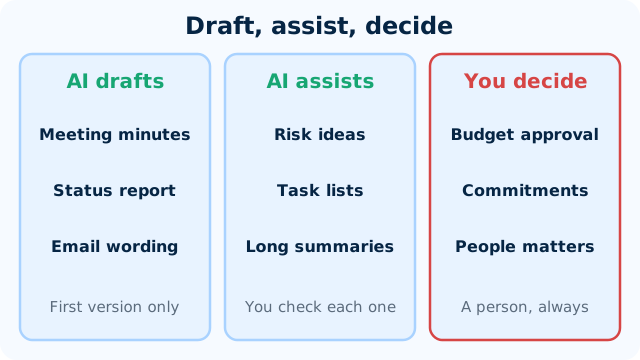
Where AI helps a project manager
Sort project tasks into draft, assist and decide, name how an AI assistant goes wrong, and run the four checks on any draft.
Week 2
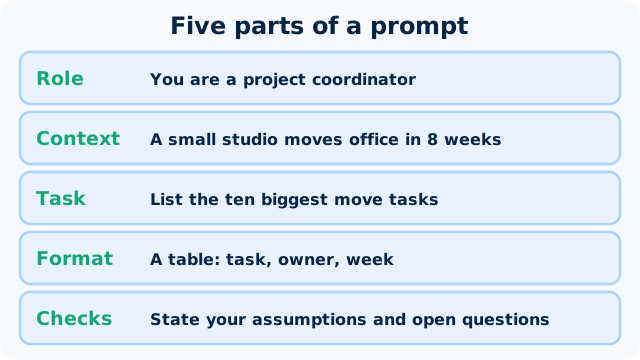
Prompt patterns for project work
Write a prompt with role, context, task, format and checks, ask for assumptions, and save a reusable template.
Week 3
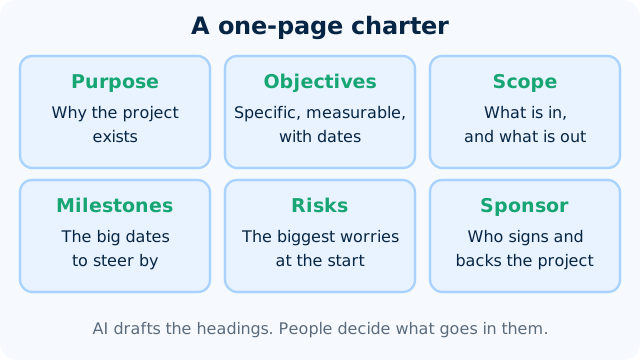
Charter, scope and WBS with AI
Turn rough notes into a draft charter and a three-tier work breakdown structure with an assistant, then check both for gaps, overlap and invented facts.
Week 4
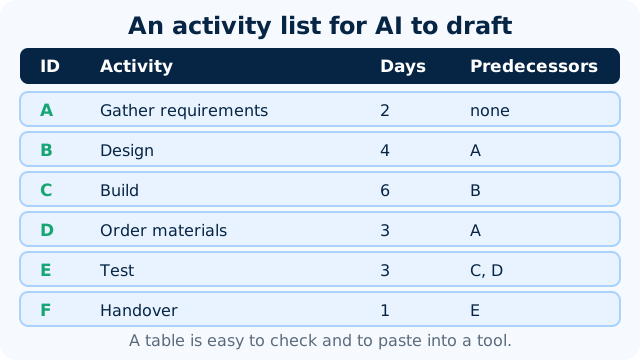
Schedules and estimates, and their limits
Ask an assistant for an activity list, find the critical path yourself, work out a three-point estimate, and say where AI schedules and estimates cannot be trusted.
Week 5
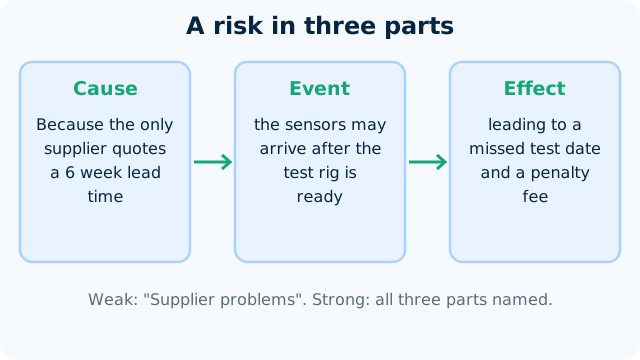
Risk registers and issue logs
Write a risk as cause, event and effect, score it by probability times impact, pick a response, and keep an issue log apart from the risk register.
Week 6
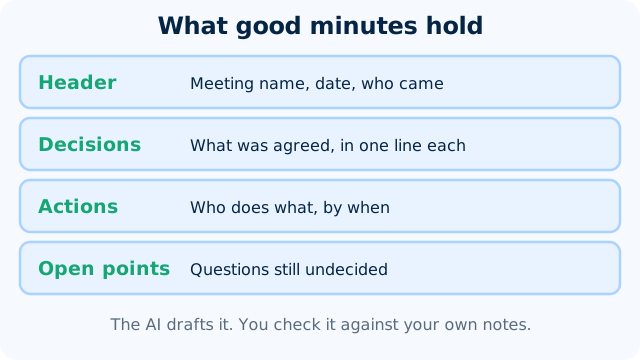
Meetings, minutes and status reports
Turn rough meeting notes into minutes with a checked action table, and write a status report whose RAG colour follows a written rule.
Week 7
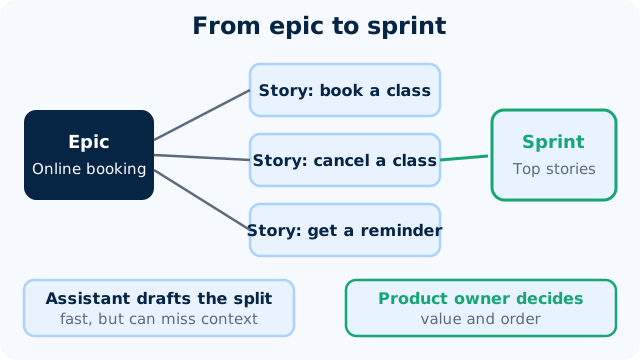
AI in agile teams and PM tools
Turn a feature idea into checked user stories with an assistant and judge an AI feature in a PM tool before you switch it on.
Week 8
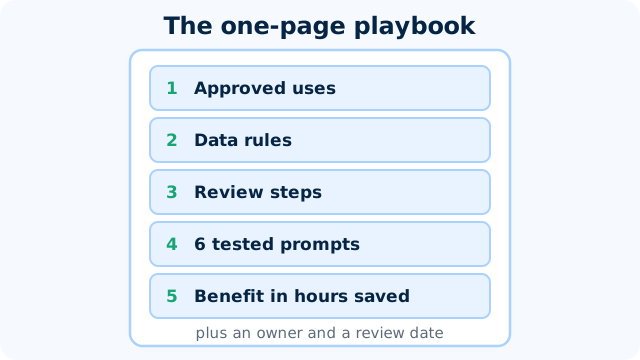
A team AI playbook and benefits
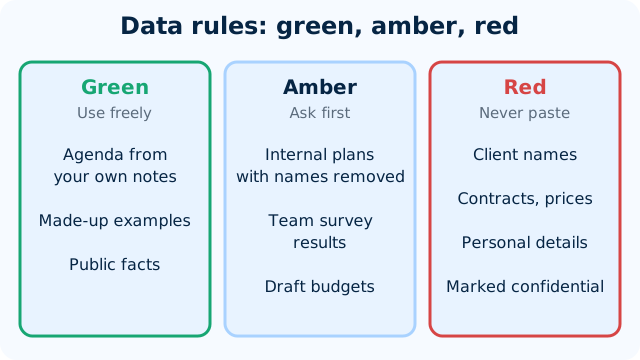
Write a one-page team AI playbook with data rules, review steps and tested prompts, and show the benefit as time saved.
Practice, if you like
Try it on a made-up project.
- Free tools: a free chat assistant, Google Sheets and a free board tool such as Trello.
- An invented project, or your own college project, never a client's private plans.
- A mini project in week 8: a team AI playbook with its benefits.
- Best on a laptop or tablet. A phone works for reading.
Your pace
Choose a start date and a length.
Any length from 1 to 8 weeks. Start on any date from today. Retry the weekly checks and the final quiz as often as you like.
Certificate and documents
Want proof? Add it later.
Questions
Quick answers
Is the AI for Project Management Internship really free?
Yes. Joining is free and so are all eight weeks, the weekly checks and the final quiz. You pay only if you choose an optional add-on.
How long can I take?
This internship runs for 1 to 8 weeks. You pick a start date and can change your plan later. All eight weeks are open from day one, so a short plan moves fast and a long one gives you room.
What do I need?
A laptop or phone, Google Sheets, a free board tool such as Trello and a free AI assistant account. Every tool used is free or has a free tier, so there is nothing to buy. The notes also read well on a phone.
What will I actually do?
You read short notes with diagrams, watch a few videos and take an easy check each week. Each week ends with a worked exercise, such as drafting a project charter, breaking work into tasks, building a small risk register or turning rough meeting notes into minutes. Week 8 turns what you learned into a short playbook.
What do I get at the end?
A certificate of completion is an optional paid document, issued by Wartens Ltd (UK). It has a QR code and a number, so anyone can verify it at edwartens.com/verification. The lessons stay free, and you can finish without buying anything.
Is this a paid position?
No. It is training, not employment. Nothing is paid to you, and nothing here promises work with any company.
Who wrote the course?
OFORO, the Wartens AI company, wrote the notes and exercises. OFORO builds the AI behind Wartens' engineering and training work. The internship is run by Wartens Ltd (UK) and delivered through EDWartens.
What about privacy and wrong answers?
AI can write a tidy plan that is wrong: estimates and schedules need your judgement and your team's knowledge. Never paste confidential project, client or personal data into a public chatbot: privacy and contract duties apply everywhere. AI drafts, and the project manager decides.
Your first lesson is free.
- No card to start
- Start any date
- Verify with a QR code