Online · Free
Computer Vision Internship
8 short weeks. Free. Start any date.
By Wartens Ltd (UK), delivered through EDWartens.
- Free
- Online
- Any start date
- 1 to 8 weeks
Who it suits
Made for beginners.
- Students of computer science, electronics, electrical, mechatronics and mechanical engineering.
- Anyone curious how a camera can count items, read a label or spot a defect.
- Read the notes on a phone, a tablet or a laptop.
What you will learn
Eight weeks, one picture each
Week 1
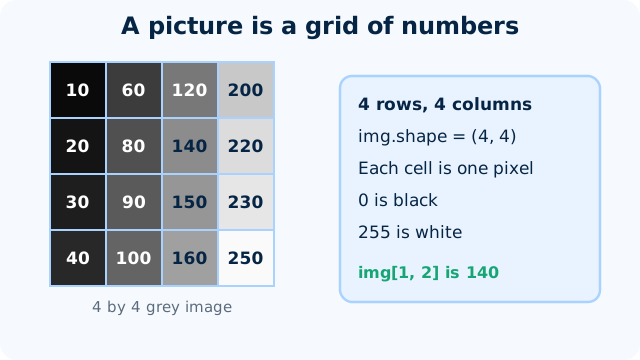
How computers see: pixels, colour, images
Explain how a picture is stored as numbers, read a pixel by row and column, and say why OpenCV colour order is BGR.
Week 2
Image processing with OpenCV
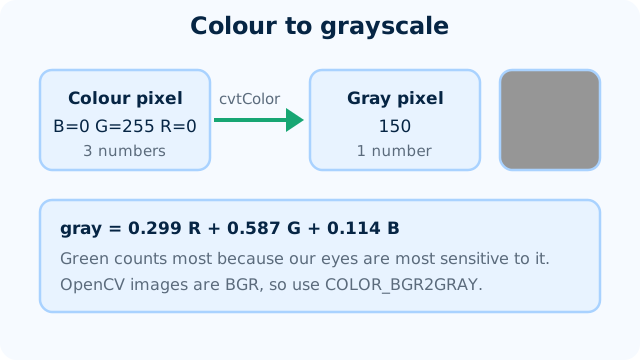
Convert an image to grayscale, threshold it to black and white, blur away noise and clean up the result with erode and dilate.
Week 3
Features, edges and contours
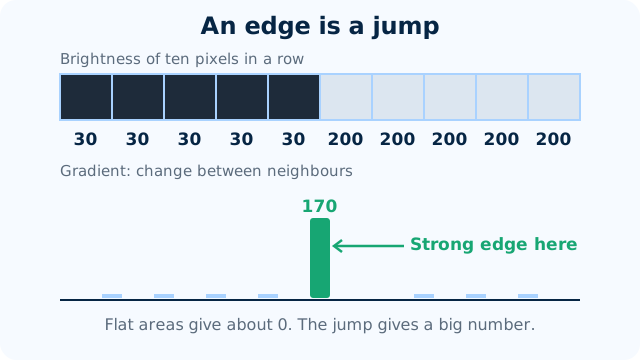
Turn a picture into edges, turn the edges into outlines, and count and measure the shapes in it with OpenCV.
Week 4
Classification with deep learning (CNNs)
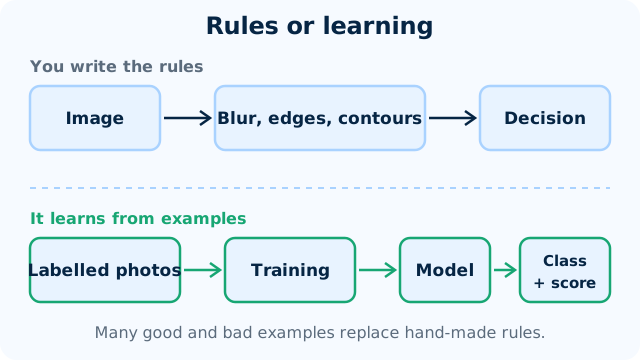
Explain how a convolutional network sorts images into classes, read its training curves, and train a small classifier of your own.
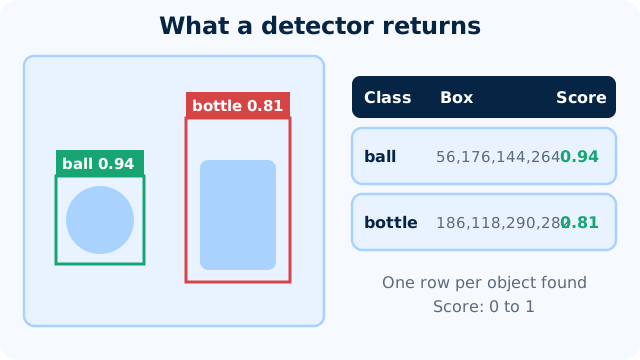
Week 5
Object detection and counting
Read a detector's output, work out the overlap of two boxes as IoU, explain confidence and thresholds, and count objects without counting any twice.
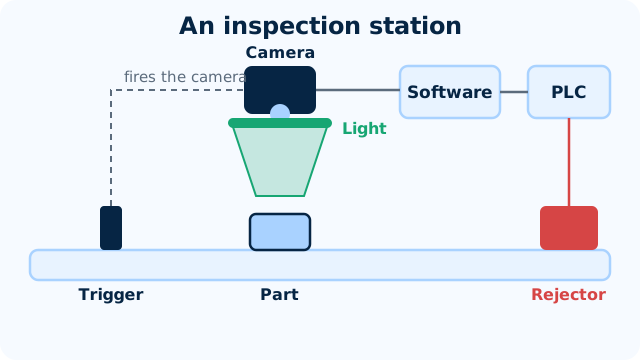
Week 6
Machine vision for quality inspection
Pick a light and a camera set-up for a given inspection, work out a lens and a pixel size, and tell which defects need rules and which need a trained model.
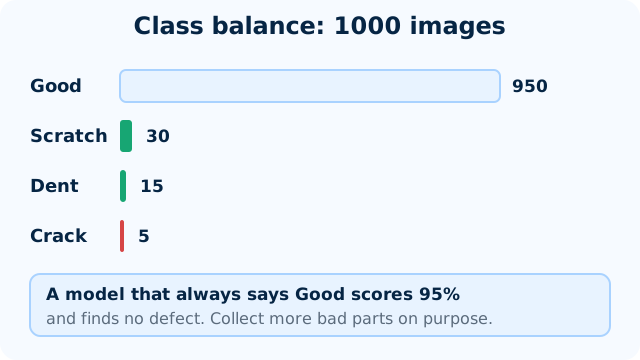
Week 7
Data, labelling and accuracy
Collect and label a small image set with clear rules, split it fairly, and read the results of a pass or fail model without being fooled by a high score.
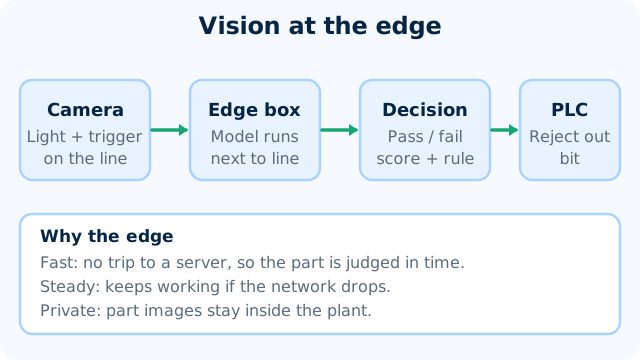
Week 8
Deploying vision at the edge
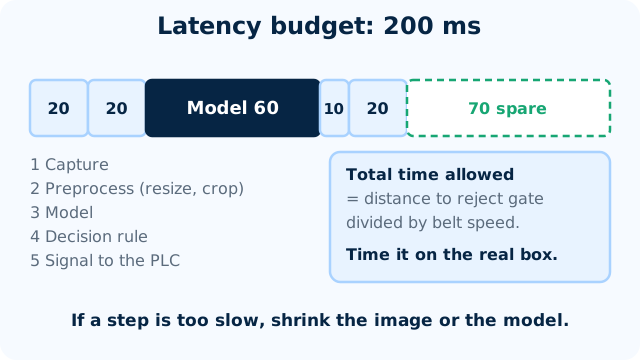
Plan a vision inspection from camera to reject, and say how it is timed, handed to the PLC and watched once it is running.
Practice, if you like
Try it on a few images.
- Free tools: Google Colab, OpenCV and Teachable Machine in your browser.
- Your own photos of objects, or any image you have the right to use.
- A mini project in week 8: a small vision model ready for a small device.
- Best on a laptop or tablet. A phone works for reading.
Your pace
Choose a start date and a length.
Any length from 1 to 8 weeks. Start on any date from today. Retry the weekly checks and the final quiz as often as you like.
Certificate and documents
Want proof? Add it later.
Questions
Quick answers
Is the Computer Vision Internship really free?
Yes. Joining is free and so are all eight weeks, the weekly checks and the final quiz. You pay only if you choose an optional add-on.
How long can I take?
This internship runs for 1 to 8 weeks. You pick a start date and can change your plan later. All eight weeks are open from day one, so a short plan moves fast and a long one gives you room.
What do I need?
A laptop or tablet, a free Google account for Colab, and a free AI assistant. A phone camera is handy for taking your own test pictures. Every tool used is free or has a free tier, so there is nothing to buy. The notes also read well on a phone.
What will I actually do?
You read short notes with diagrams, watch a few videos and take an easy check each week. Each week ends with a worked exercise, such as turning a picture grey, finding edges, counting objects or judging how accurate a classifier is. Week 8 is about running a small model close to the camera.
What do I get at the end?
A certificate of completion is an optional paid document, issued by Wartens Ltd (UK). It has a QR code and a number, so anyone can verify it at edwartens.com/verification. The lessons stay free, and you can finish without buying anything.
Is this a paid position?
No. It is training, not employment. Nothing is paid to you, and nothing here promises work with any company.
Who wrote the course?
OFORO, the Wartens AI company, wrote the notes and exercises. OFORO builds the AI behind Wartens' engineering and training work. The internship is run by Wartens Ltd (UK) and delivered through EDWartens.
What about privacy and wrong answers?
Vision models make mistakes in poor light and on things they have not seen, and the course teaches you to measure that. Photos of people are personal data, so use pictures of objects or images you have the right to use. Never upload other people's photos or confidential images to a public tool.
Your first lesson is free.
- No card to start
- Start any date
- Verify with a QR code