Online · Free
SCADA and HMI Internship
8 short weeks. Free. Start any date.
By Wartens Ltd (UK), delivered through EDWartens.
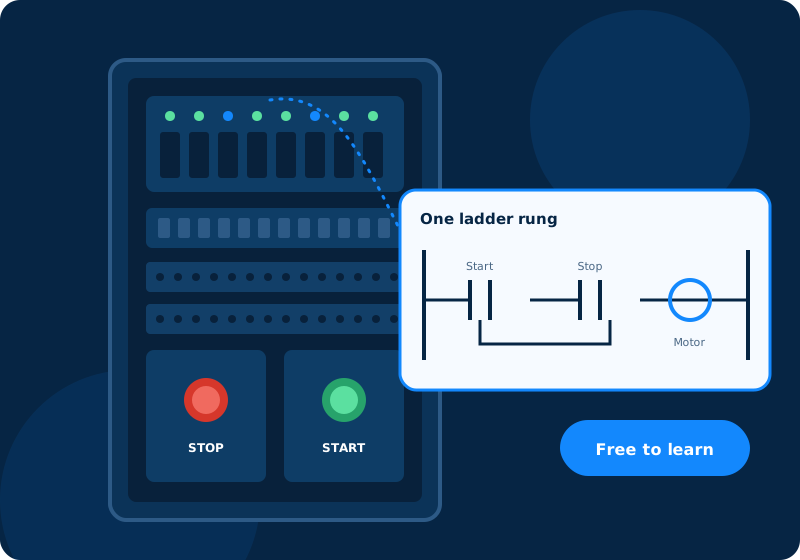
- Free
- Online
- Any start date
- 1 week to 24 months
Who it suits
Made for beginners.
- Students of electrical, electronics, instrumentation, computer science and mechatronics.
- Anyone who wants to learn how an operator screen is designed, how alarms are tested and how a system is handed over.
- Read the notes on a phone, a tablet or a laptop.
What you will learn
Eight weeks, one picture each
Week 1
What SCADA and HMI do
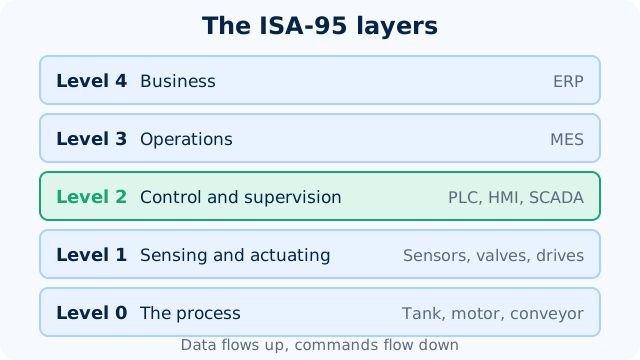
See what SCADA and HMI do and how a server, a PLC and a screen fit together.
Week 2
Tags and communication
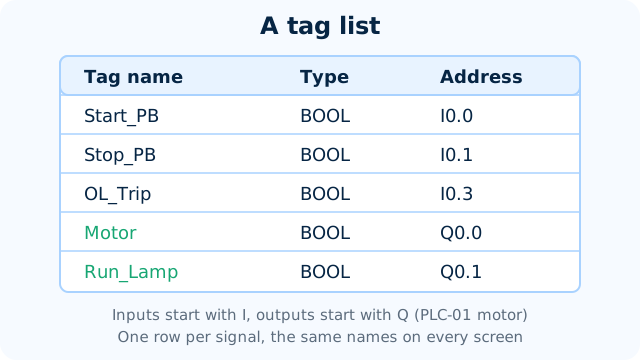
Write a tag list with names, types and addresses, and see how values reach a screen.
Week 3
Screen design
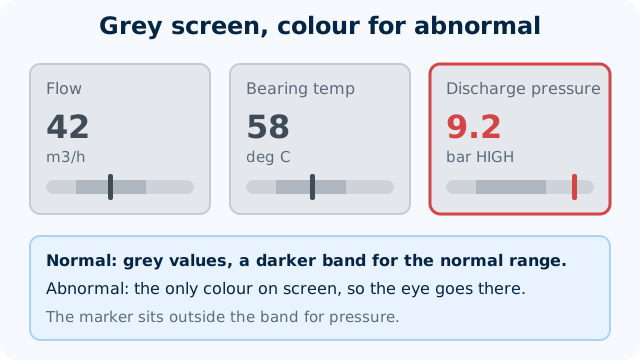
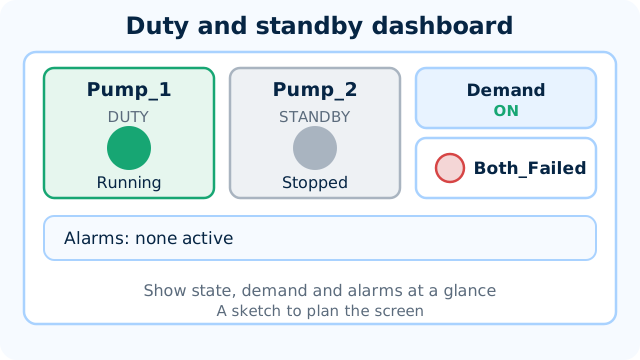
Sketch a calm operator screen where only abnormal values stand out.
Week 4
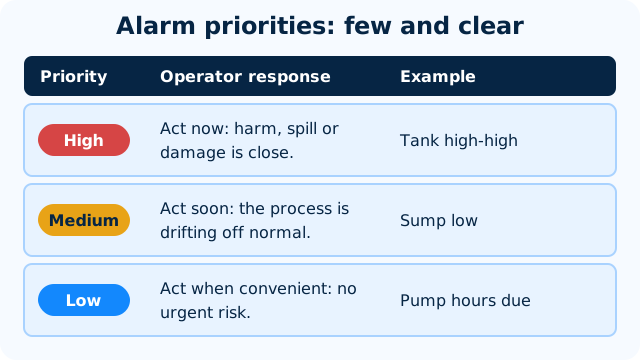
Alarms
Write an alarm list with a priority and an action for each alarm.
Week 5
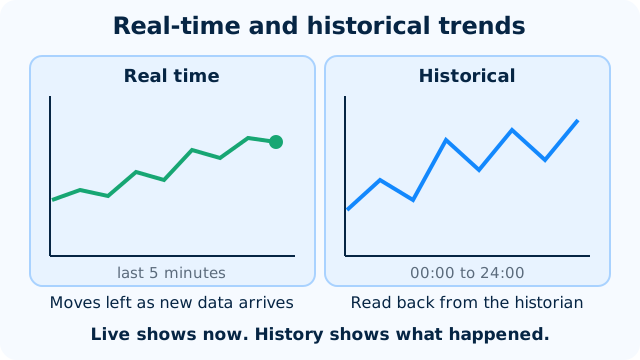
Trends and history
See how history is stored and read a trend to spot a stale value or a drift.
Week 6
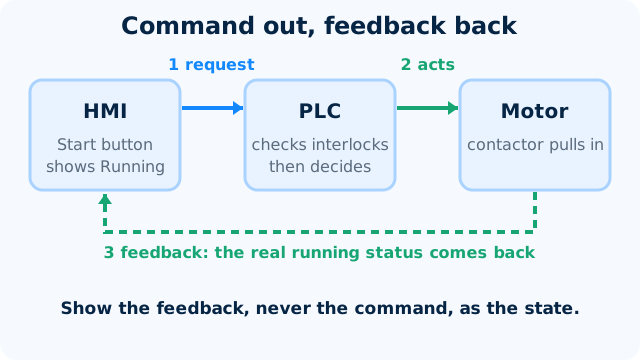
Control from the screen
Design safe commands from a screen, with confirmation, feedback and an audit trail.
Week 7
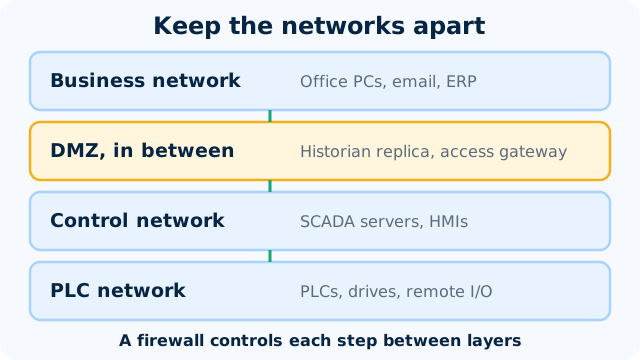
Networks and security
Sort devices into zones and see why backups and change control matter.
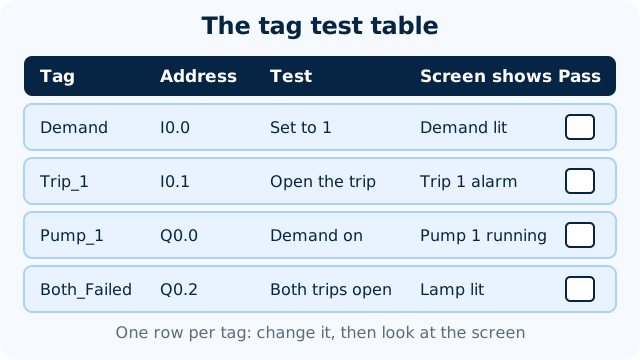
Week 8
Testing and handover
Test tags, screens and alarms, then list what goes in a handover pack.
Practice, if you like
Build the control in LADX Mini. See a value on a screen with Node-RED.
- Four LADX Mini tasks, from a motor start and stop to duty and standby pumps.
- LADX Mini runs automatic tests on your ladder logic.
- Week exercises use free Node-RED to make a simple dashboard.
- Best on a laptop or tablet. A phone works for reading and the checks.
Your pace
Choose a start date and a length.
Any length from 1 week to 24 months. Start on any date from today. Retry the weekly checks and the final quiz as often as you like.
Certificate and documents
Want proof? Add it later.
Questions
Quick answers
Is the SCADA and HMI internship really free?
Yes. Joining is free and so are all eight weeks, the weekly checks and the final quiz. You pay only if you choose an optional add-on.
How long can I take?
Any length from 1 week to 24 months. You pick a start date and can change your plan later. All eight weeks are open from day one.
What do I need?
A laptop if you want to install Node-RED. LADX Mini runs in your browser and is best on a laptop or tablet. A phone is fine for reading the notes and taking the checks.
What will I actually do?
You read short notes with diagrams, watch a few videos and take an easy check each week. Four weeks end with an optional LADX Mini task, such as a motor start and stop or duty and standby pumps. The other weeks have an exercise such as writing a tag list, an alarm list or a test table.
How are the practice tasks checked?
LADX Mini runs automatic tests on your ladder logic, like a factory acceptance test (FAT), and shows which tests pass. You can try again as often as you like. The tasks are optional practice.
Is there a certificate?
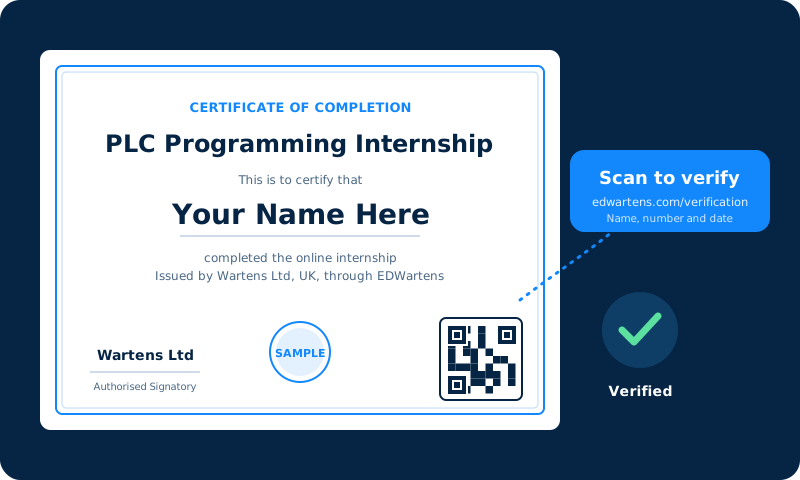
A certificate of completion is an optional paid document, issued by Wartens Ltd (UK). It has a QR code and a number, so anyone can verify it at edwartens.com/verification. The lessons stay free.
Is this a paid position?
No. It is training, not employment. Nothing is paid to you, and nothing here promises work with any company.
Do I need experience?
No. Basic electrical or computing knowledge is enough. The first week explains what SCADA and HMI do and how a server, a PLC and a screen fit together.
Your first lesson is free.
- No card to start
- Start any date
- Verify with a QR code