Motion control · Free
Allen-Bradley Kinetix Servo Motion with Studio 5000
Rockwell motion from the axis tree to cams: the Kinetix family and Motion Analyzer, axis setup and hook-up tests, the RSLogix 5000 servo series, command operation and control bits, tuning with S-curves and trends, gearing and MRP, registration and event tasks, MAPC, MCCP and MAOC cams, coordinated and SFC motion, Kinetix 6000, 5500, 5300, 5700 and Sercos hardware, and diagnostics.

Inside the course
From the lessons

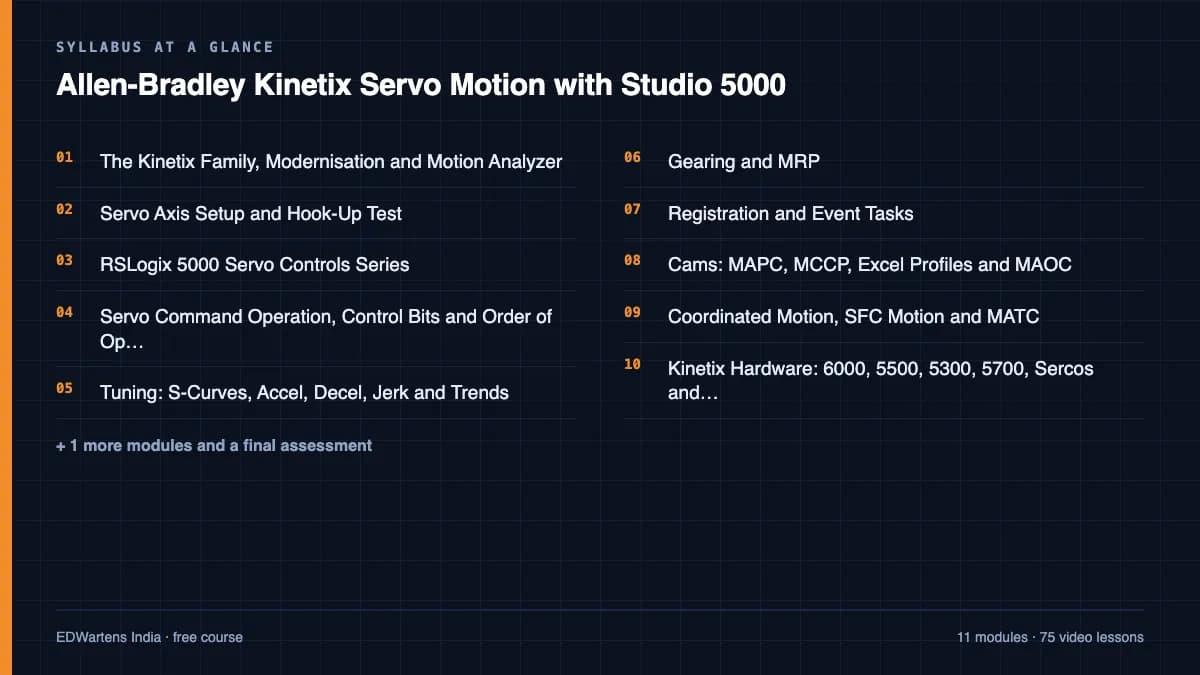
The Kinetix Family, Modernisation and Motion Analyzer
Rockwell Automation

Servo Axis Setup and Hook-Up Test
Shane Welcher SR

RSLogix 5000 Servo Controls Series
Shane Welcher SR

Servo Command Operation, Control Bits and Order of Operation
Shane Welcher SR

Tuning: S-Curves, Accel, Decel, Jerk and Trends
Shane Welcher SR

Gearing and MRP
Shane Welcher SR
Lesson frames belong to the creators named in the Credits below and are shown from YouTube.
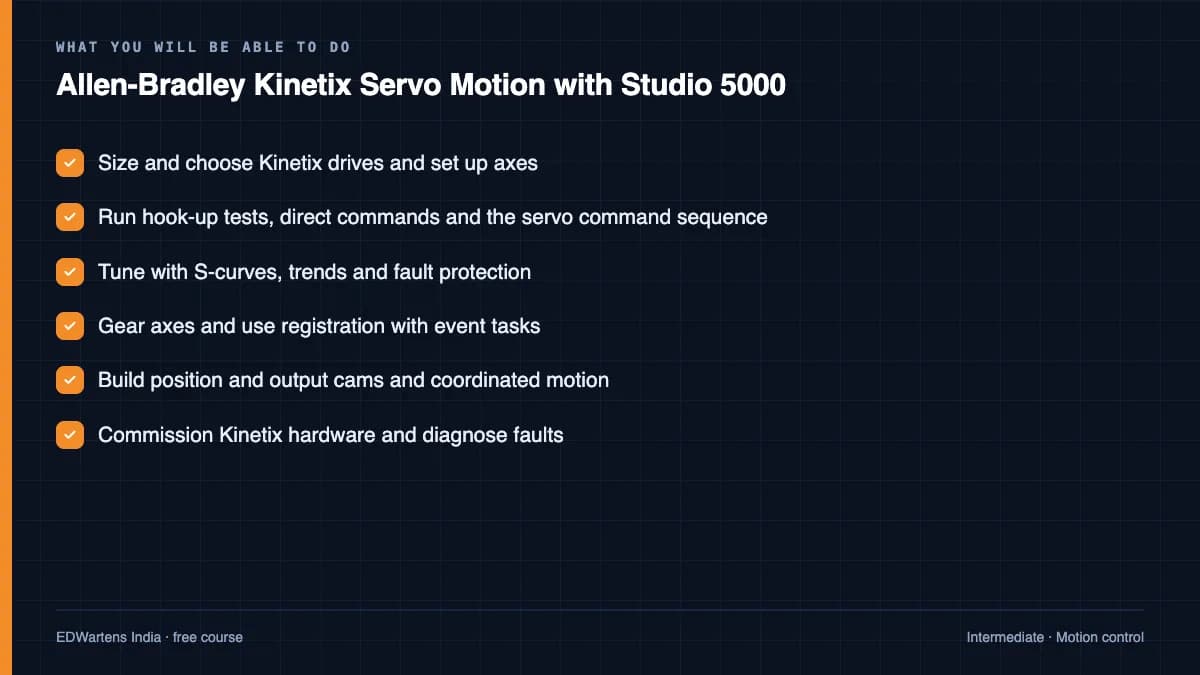
What you will learn
Set up Kinetix axes in Studio 5000, run hook-up tests and direct commands, understand servo command operation and control bits, tune with S-curves and trends, gear axes with MAG and MRP, use registration with MAR and event tasks, build position cams with MAPC and MCCP and output cams with MAOC, run coordinated and SFC motion, commission Kinetix hardware and diagnose motion faults.
- Size and choose Kinetix drives and set up axes
- Run hook-up tests, direct commands and the servo command sequence
- Tune with S-curves, trends and fault protection
- Gear axes and use registration with event tasks
- Build position and output cams and coordinated motion
- Commission Kinetix hardware and diagnose faults
For you
Taking Allen-Bradley Kinetix Servo Motion with Studio 5000 from the United States
- Free in the United States, as everywhere, and self-paced: lessons, notes and the final assessment are open at any hour, so your time zone and shift pattern do not matter.
- The optional certificate for learners in the United States is a one-off US$28.99. What you get for it
- Allen-Bradley is one of the automation brands most widely installed across the Americas, so this is a skill plants and integrators near you ask for.
- See automation and engineering jobs in the United States, and what the industry looks like in Houston, Detroit and Chicago.
- EDWartens also has a regional site for the United States, for classroom training and local support: edwartens.com/us.
The course project · about 24 hours
Corrugator flying-knife cut-to-length: Kinetix 5700 two-axis retrofit with MAPC camming, registration and Safe Stop 1
Design, size, program, tune and document a two-axis Kinetix 5700 retrofit of the rotary cut-off knife on a corrugated-board line: a knife axis position-cammed to the web with a profile that is synchronous through the cut and recalculated online when the sheet length changes, a draw-roll axis geared to the web with overdraw, a CIP Motion encoder as master, registration for pre-printed liner, and integrated STO and SS1 on the drives. You deliver the Logix project with the cam arithmetic, your own axis list and drive parameter record, and the tuning report. The sample pack shows what a motion integrator hands a plant.
Sample document pack, 8 documents, filled in for the scenario
- Axis listAxis List and Motion Profile: Cut-Off Knife CO-1
- SDSSoftware Design Specification: Cut-Off Knife CO-1 Motion Program
- Control narrativeSequence of Operations: Cut-Off Knife CO-1
- I/O listI/O List: Panel CP-CO1 (standard, safety and motion network)
- SRSSafety Requirements Specification: Cut-Off Knife CO-1 (STO and SS1)
- Drive parameter listDrive and Axis Parameter Record: Kinetix 5700 on CP-CO1
- Test reportTuning and Cut-Length Accuracy Report: Cut-Off Knife CO-1
- FATFactory Acceptance Test Record: Panel CP-CO1 and Kinetix 5700 System
Read inside the course and download as a workbook. The project is optional practice, marked when you submit it; the certificate needs only the modules and the final assessment.
Course content
12 modules · 76 lessons · 17h 7m
In order, at whatever pace suits you. Each module ends with a practice task that builds on the last.
- 01The Kinetix Family, Modernisation and Motion Analyzer4 lessons36m
- 02Servo Axis Setup and Hook-Up Test6 lessons1h 13m
- 03RSLogix 5000 Servo Controls Series6 lessons1h 59m
- 04Servo Command Operation, Control Bits and Order of Operation7 lessons1h 53m
- 05Tuning: S-Curves, Accel, Decel, Jerk and Trends5 lessons1h 5m
- 06Gearing and MRP4 lessons47m
- 07Registration and Event Tasks7 lessons2h 5m
- 08Cams: MAPC, MCCP, Excel Profiles and MAOC12 lessons3h 18m
Requirements
- Who it is for
- Intermediate. The free servo and motion course and the Studio 5000 course are the prerequisites.
- Software
- Studio 5000 Logix Designer (trial) with Logix Emulate for virtual axes What to download, and how
- Hardware
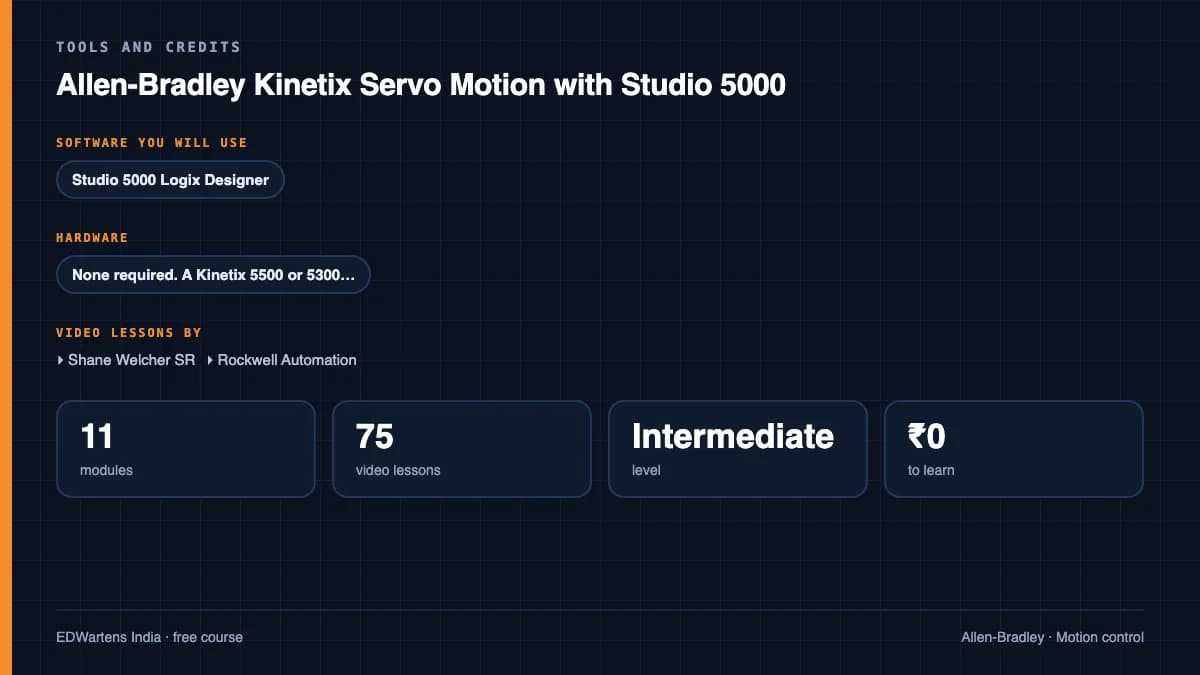
- None required. A Kinetix 5500 or 5300 with one motor makes the hardware modules real.
Software you need
What to download, where from, what it costs and how to install it. Every link goes to the maker's own site, never a mirror.
Logix Emulate is what lets you run virtual axes without a drive.
Required
- 01Paid only
Studio 5000 Logix Designer
Rockwell Automation
- Runs on
- Windows (check the Studio 5000 entry on the Product Compatibility and Download Center for exact versions)
- Account
- A Rockwell Automation account plus a purchased licence (serial number or subscription)
Rockwell sells Studio 5000 Logix Designer as a perpetual licence or a paid subscription. Rockwell's product page offers no public free trial or free edition.
Steps
- 1.If your employer or college has a Studio 5000 licence, ask for access and the serial number.
- 2.Sign in to the Rockwell Product Compatibility and Download Center and search for Studio 5000 Logix Designer.
- 3.Download the version that matches your controller firmware.
- 4.Install it as administrator and activate the licence with FactoryTalk Activation Manager.
- 5.If you have no licence, use one of the free Rockwell tools listed below instead.
- Match the Logix Designer major version to the controller firmware you will use.
Rockwell Automation product pagerockwellautomation.comLegitimate free routes
- Connected Components Workbench Standard Edition: Free. Programs Micro800 controllers and includes a demo Micro800 Simulator.
- FactoryTalk Design Workbench: Free Rockwell tool for Micro800 controllers, listed with the free downloads on PCDC.
- RSLogix Micro Starter Lite: Free edition for MicroLogix 1000 and 1100.
- FactoryTalk Design Studio free trial: Rockwell's cloud-based Logix design software with a free 90-day trial in the browser.
- Rockwell Automation training: Instructor-led Studio 5000 courses; an employer licence is the other legitimate route.
Optional
Useful, not needed to finish the course.
- 02Paid, 30-day Logix Echo trial on request
Studio 5000 Logix Emulate and FactoryTalk Logix Echo
Rockwell Automation
- Runs on
- Windows
- Account
- A Rockwell Automation account; the Logix Echo trial is requested through a form on Rockwell's page
Both emulators are paid Rockwell products. Rockwell offers a 30-day FactoryTalk Logix Echo trial licence on request; Logix Emulate has no trial on its product page. Both also need a licensed Studio 5000 Logix Designer to create the programs you emulate.
Steps
- 1.Open the FactoryTalk Logix Echo page on rockwellautomation.com.
- 2.Fill in the trial request form to ask for a 30-day trial licence.
- 3.Download Logix Echo from the Product Compatibility and Download Center.
- 4.Install it and activate the trial licence you receive.
- 5.Create an emulated controller in Logix Echo and download a Studio 5000 project to it.
- Logix Echo needs a feature-compatible version of Studio 5000 Logix Designer; without a Logix Designer licence the trial is of little use.
Rockwell Automation product pagerockwellautomation.comLegitimate free routes
- Connected Components Workbench Standard Edition: Free, with a demo Micro800 Simulator for testing without hardware.
- FactoryTalk Design Studio free trial: Free 90-day cloud trial; Rockwell says projects can be deployed to Logix Echo.
Checked against each maker's own page on 27 September 2026. Trial lengths and editions change; the maker's page is the final word.
Allen-Bradley Kinetix Servo Motion with Studio 5000 at a glance
Allen-Bradley Kinetix Servo Motion with Studio 5000 is a free, self-paced online course from EDWartens for engineering students, ITI and diploma holders, and working engineers in machine building and automation. It has 12 modules and 17h 7m of video lessons by Shane Welcher SR, Rockwell Automation, with written notes and worked problems, a practical project with a document pack and a 15-question final assessment (pass mark 60%). Learning is free with an account; an optional certificate with a public verification code is issued when you pass. Last updated 27 September 2026.
All course factsHide course facts
- Price
- Free, for good. No trial, no card. The only paid item is the optional certificate, a small one-off fee.
- Who it is for
- Engineering students, ITI and diploma holders, and working engineers in machine building and automation
- Format
- 12 self-paced modules, 17h 7m of video, written notes, a practice task per module and one final assessment.
- Level
- Intermediate. Intermediate. The free servo and motion course and the Studio 5000 course are the prerequisites.
- Brand
- Allen-Bradley
- Software
- Studio 5000 Logix Designer (trial) with Logix Emulate for virtual axes
- Hardware
- None required. A Kinetix 5500 or 5300 with one motor makes the hardware modules real.
- Certificate
- Optional EDWartens Certificate of Completion, verifiable by code. Not a vendor credential.
- Video lessons by
- Shane Welcher SR, Rockwell Automation (independent creators, credited below)
- Language
- English
- Last updated
- 27 September 2026
A shareable EDWartens certificate
Finish every module and pass the final assessment, and the optional EDWartens certificate is yours. It carries a unique verification code on a public page anyone can check, so it stands up when a recruiter looks it up. See it below.
The course itself stays free whether or not you ever buy one.
Stuck? Ask a practising engineer
A free course usually means a comment section and hope. This one does not. Every module has an Ask-your-trainer panel that reaches the same engineers who teach our paid programme: people who commission panels for a living, not moderators.
Pairs well with
 PLC programming · FreeAllen-Bradley Studio 5000CompactLogix and ControlLogix from the wiring up: tags, instructions, timers, data, drives, messaging and Modbus, in Rockwell's Studio 5000.
 PLC programming · FreeAllen-Bradley RSLogix 500 and MicroLogixThe MicroLogix and SLC 500 on real hardware: file-based addressing, every instruction group, analog scaling, faults and forces, in RSLogix 500.
 PLC programming · FreeAllen-Bradley Micro800 with Connected Components WorkbenchThe Micro820/850 from wiring to motion: CCW, the simulator, bit logic, timers, counters, analog, UDFBs, high-speed counters, PTO motion, PowerFlex and Logix messaging, Modbus TCP, PID, and migration from MicroLogix.
 SCADA · FreeFactoryTalk View Site Edition SCADARockwell's plant SCADA: applications and clients, displays and navigation, Logix tag references, global objects, FactoryTalk Alarms and Events, TrendPro, data logging and databases, RecipePro+, security and e-signatures, VBA, ViewPoint, backup and migration.
More free courses: Free Allen-Bradley PLC courses · Free VFD and servo courses
Learner reviews
No reviews yet
Reviews here are written only by learners who have finished every module of Allen-Bradley Kinetix Servo Motion with Studio 5000, and they are published exactly as written. Finish the course and yours will be the first.
Common questions
How is this different from the servo and motion course?
That course introduces servos across brands; this one goes deep on Rockwell Kinetix: cams, registration, Sercos, firmware and diagnostics.
Do I need a drive?
No. Virtual axes in Logix Emulate run every exercise except the hardware module, which is demonstrated on video.
Is the Kinetix 6000 still relevant?
Yes: thousands run in packaging plants and the troubleshooting skills transfer to the 5500 and 5700.
Is the Allen-Bradley Kinetix Servo Motion with Studio 5000 course really free?
Yes. Every module, practice task and assessment. You create an account so your progress is saved and the assessments can be marked. The certificate is the only paid item, and only if you want it.
What certificate do I get, and is it a vendor qualification?
An EDWartens Certificate of Completion, issued when you pass the final assessment, with a verification code anyone can check. It is not a vendor credential and is never described as one.
Who made the video lessons in the Allen-Bradley Kinetix Servo Motion with Studio 5000 course?
The creators named in the Credits block at the foot of this page, on their own YouTube channels. EDWartens did not make the videos and the creators are not affiliated with EDWartens. What EDWartens wrote is the study plan, the notes, the practice tasks and the assessments.
How long does the Allen-Bradley Kinetix Servo Motion with Studio 5000 course take?
Plan on about 23 hours in all, including the video lessons, notes and practice tasks. It is self-paced, so you work through the twelve modules at your own speed.
What you walk away with
Your certificate for Allen-Bradley Kinetix Servo Motion with Studio 5000
Finish the course, pass the final, and this is the document with your name on it.
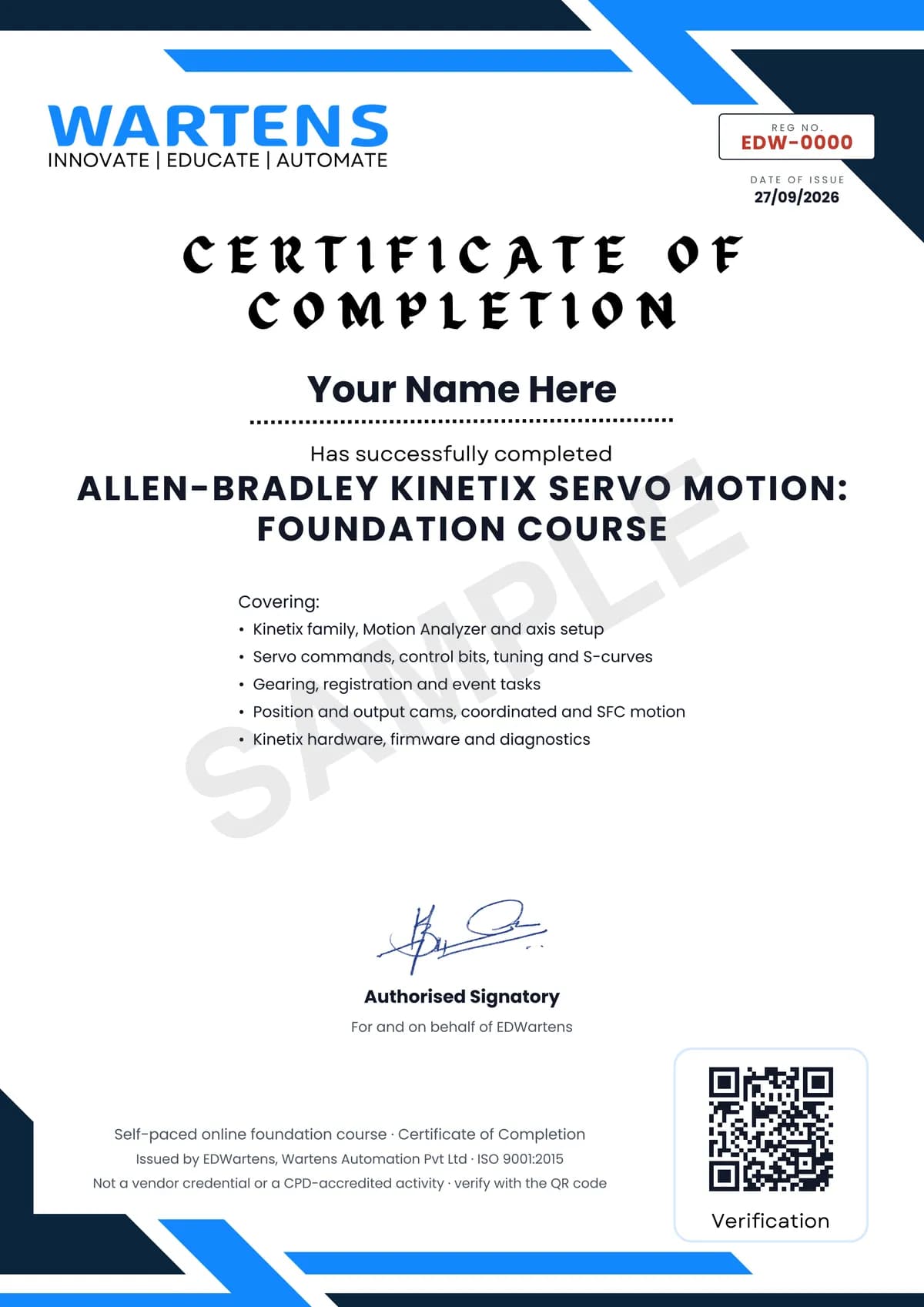
Verifiable by anyone
Adds to LinkedIn in one click
QR code on the certificate
Names what you can do
A permanent link
Earned, not attended
Learning is free. The certificate is optional.
Add it now and pay only when you have finished the course, or come back for it later. One-off, US$28.99, with a receipt.
Issued by EDWartens, the training division of Wartens, as a Certificate of Completion for this self-paced course. Sold by Wartens Ltd (England and Wales). It is not a vendor certification, a university award or a CPD-accredited activity, and it does not certify competence on live equipment. Delivered electronically; see the refund policy.
Credits
Who made the video lessons
The video lessons in this course were created by the people below, not by EDWartens. Every lesson streams from its creator's own YouTube channel; EDWartens neither hosts nor sells that footage, and the creators are not affiliated with EDWartens and do not endorse this course. What EDWartens wrote is the study plan, the notes, the practice tasks and the assessments.
- Shane Welcher SRthe servo controls using RSLogix 5000 playlist
- Shane Welcher SRthe servo controls using Studio 5000 playlist
- Shane Welcher SRthe Studio 5000 servo controls 2023 playlist
- Rockwell Automationthe Kinetix motion control tutorials
If you are one of these creators and would like a lesson removed or credited differently, write to info@wartens.com.