AI and machine learning · Free
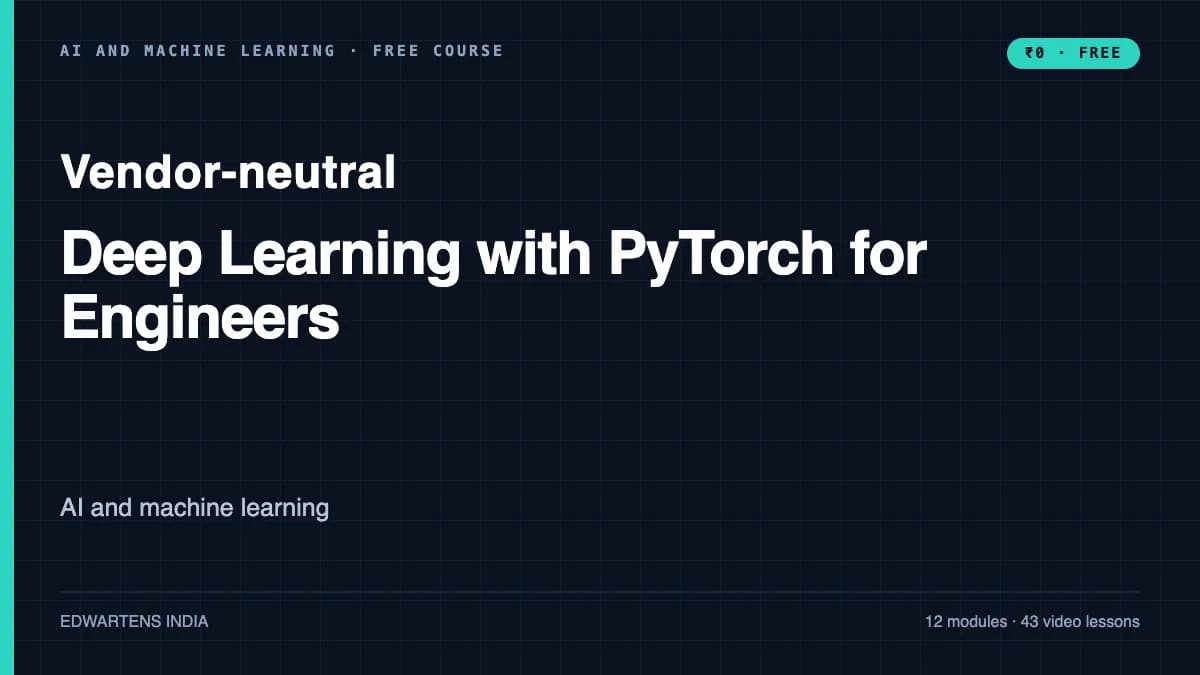
Deep Learning with PyTorch for Engineers
Deep learning in PyTorch on engineering data: tensors and autograd, nn.Module and a training loop you write yourself, Datasets and DataLoaders over sensor logs, CNNs and transfer learning for defect images, 1-D CNNs and LSTMs for vibration and process tags, experiment tracking, Hugging Face models, and export to ONNX for a line PC.
Inside the course
From the lessons

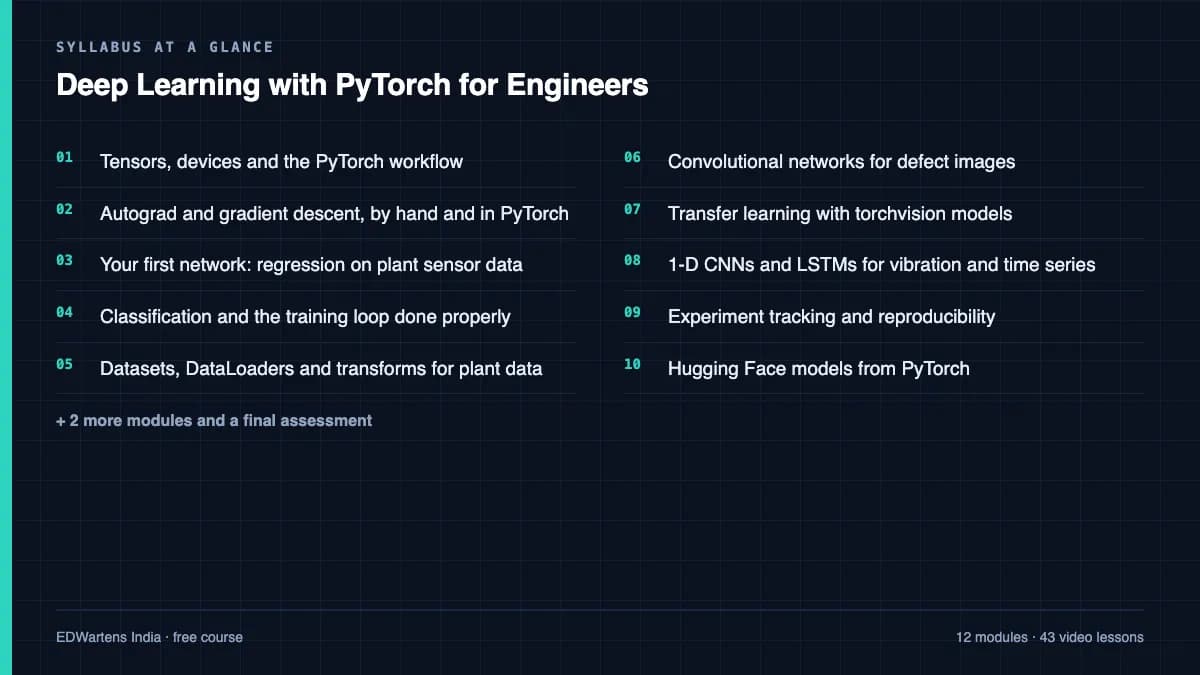
Tensors, devices and the PyTorch workflow
Fireship

Your first network: regression on plant sensor data
Jeff Heaton
Datasets, DataLoaders and transforms for plant data
Patrick Loeber

Transfer learning with torchvision models
Patrick Loeber

Experiment tracking and reproducibility
Patrick Loeber

Export: saving, torch.export, ONNX and ONNX Runtime for line PCs
Patrick Loeber
Lesson frames belong to the creators named in the Credits below and are shown from YouTube.
What you will learn
Build and train PyTorch models on plant data: create and move tensors, use autograd, write nn.Module networks and a full training loop with validation, early stopping and the right metrics; serve sensor windows and images through Datasets and DataLoaders without leakage; train CNNs and fine-tune torchvision models for defect images; classify and forecast signals with 1-D CNNs and LSTMs; track experiments reproducibly; use Hugging Face models; and export to ONNX with a parity and latency check.
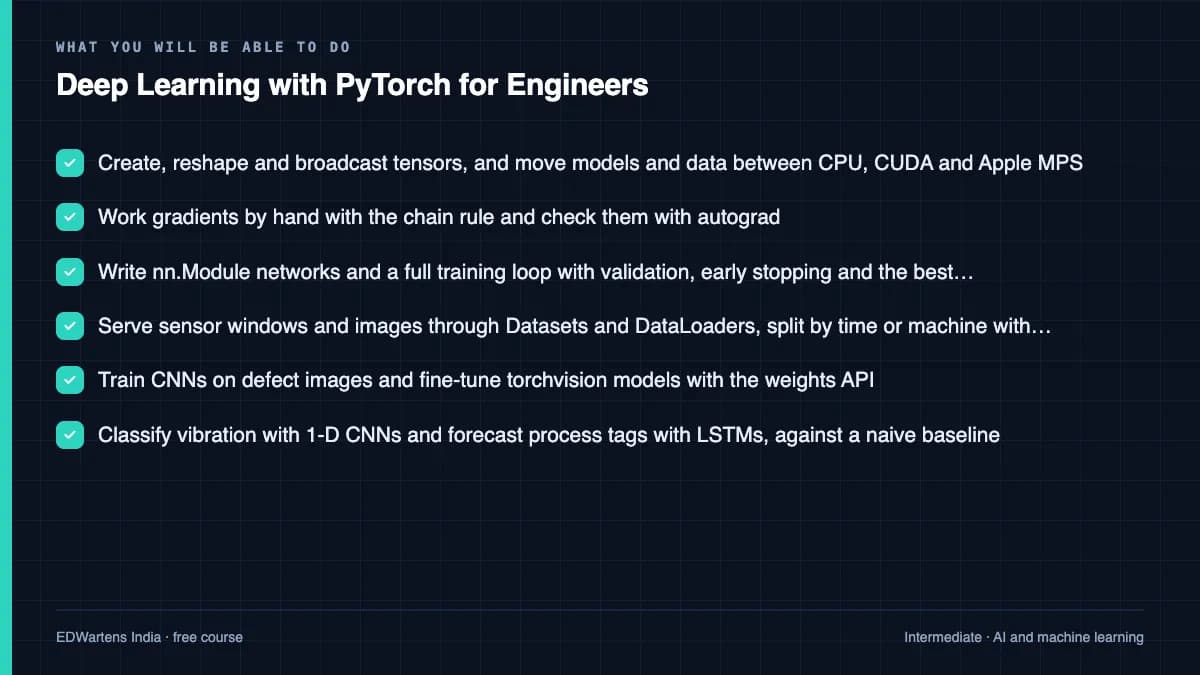
- Create, reshape and broadcast tensors, and move models and data between CPU, CUDA and Apple MPS
- Work gradients by hand with the chain rule and check them with autograd
- Write nn.Module networks and a full training loop with validation, early stopping and the best checkpoint
- Serve sensor windows and images through Datasets and DataLoaders, split by time or machine without leakage
- Train CNNs on defect images and fine-tune torchvision models with the weights API
- Classify vibration with 1-D CNNs and forecast process tags with LSTMs, against a naive baseline
- Make runs reproducible, track them, and use Hugging Face models as ordinary PyTorch modules
- Export to ONNX and prove the file with a parity test and a latency budget for a line PC
For you
Taking Deep Learning with PyTorch for Engineers from the United States
- Free in the United States, as everywhere, and self-paced: lessons, notes and the final assessment are open at any hour, so your time zone and shift pattern do not matter.
- The optional certificate for learners in the United States is a one-off US$28.99. What you get for it
- Plants across the Americas most often run Allen-Bradley, Siemens and Inductive Automation; each has its own free course to take next.
- See automation and engineering jobs in the United States, and what the industry looks like in Houston, Detroit and Chicago.
- EDWartens also has a regional site for the United States, for classroom training and local support: edwartens.com/us.
The course project · about 16 hours
A bearing-fault classifier in PyTorch, tested at an unseen load and exported to ONNX for a PC
Train a 1-D CNN in PyTorch that names a bearing's condition (normal, inner race, ball or outer race) from a short vibration window, using the public CWRU recordings. Split by motor load so the test is a load the model has not seen, report recall per class over five seeds, export to ONNX, and prove with a parity and latency test that the exported file is the same model and fast enough for the analysts' PC.
Sample document pack, 5 documents, filled in for the scenario
- URSRequirements for the bearing-fault pre-screening classifier
- DatasheetData record: CWRU drive-end recordings as used in the trial
- RegisterExperiment log: every run, its settings and its validation result
- Test reportAcceptance test record: classifier R06 (seed 42) and its ONNX file
- ReportModel report: bearing-fault pre-screening classifier R06
Read inside the course and download as a workbook. The project is optional practice, marked when you submit it; the certificate needs only the modules and the final assessment.
Course content
13 modules · 43 lessons · 16h 16m
In order, at whatever pace suits you. Each module ends with a practice task that builds on the last.
- 01Tensors, devices and the PyTorch workflow3 lessons33m
- 02Autograd and gradient descent, by hand and in PyTorch5 lessons3h 26m
- 03Your first network: regression on plant sensor data4 lessons47m
- 04Classification and the training loop done properly6 lessons1h 38m
- 05Datasets, DataLoaders and transforms for plant data3 lessons50m
- 06Convolutional networks for defect images2 lessons32m
- 07Transfer learning with torchvision models4 lessons2h 40m
- 081-D CNNs and LSTMs for vibration and time series5 lessons1h 56m
Requirements
- Who it is for
- Intermediate. For engineers and final-year students who have done Machine Learning with Python or equivalent and can write a Python function and use NumPy. The maths needed (derivatives and the chain rule) is taught in module 2.
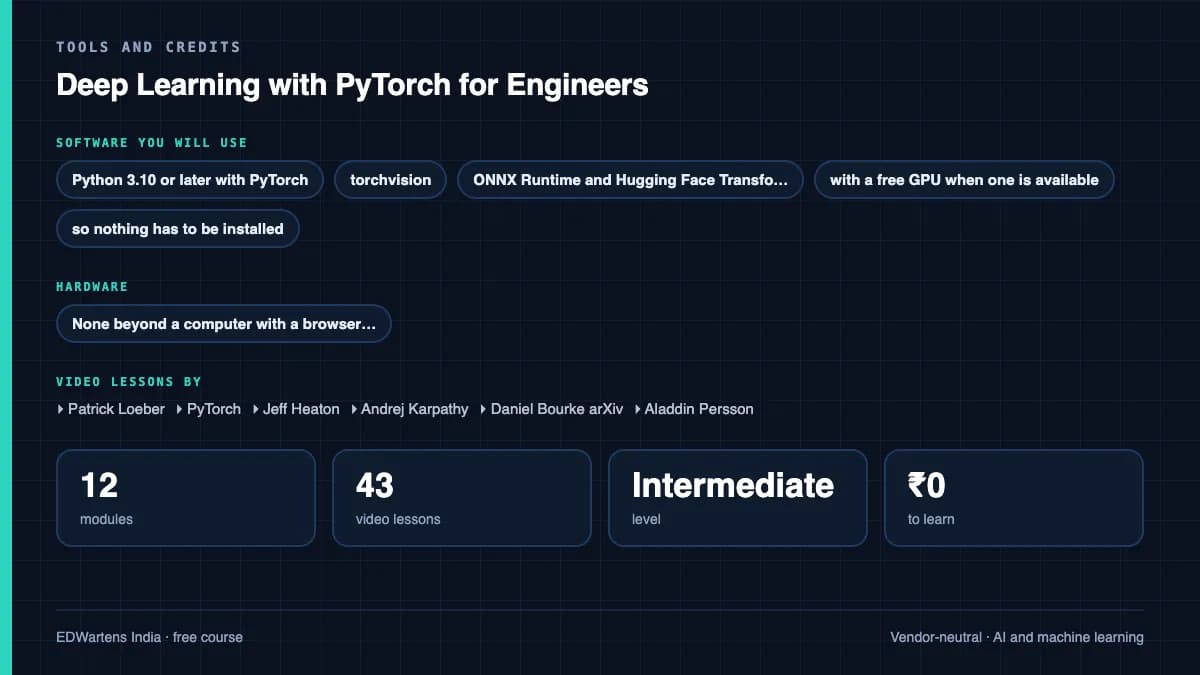
- Software
- Python 3.10 or later with PyTorch, torchvision, ONNX Runtime and Hugging Face Transformers. Google Colab runs every exercise in a browser, with a free GPU when one is available, so nothing has to be installed. What to download, and how
- Hardware
- None beyond a computer with a browser. A local NVIDIA GPU or an Apple silicon Mac is useful but not required.
Software you need
What to download, where from, what it costs and how to install it. Every link goes to the maker's own site, never a mirror.
PyTorch is installed from pytorch.org/get-started/locally if you work outside Colab. PyTorch, torchvision and Hugging Face Transformers are already installed in Colab. For the export module run pip install onnx onnxruntime in Colab or locally; Netron (netron.app) opens ONNX files in a browser.
Required
- 01Free, GPU time not guaranteed
Google Colab
Google, in the browser
- Runs on
- Any modern web browser
- Account
- A free Google account
Colab is free to use. In the free version GPUs and TPUs are heavily restricted and not guaranteed, sessions can run for at most 12 hours, and idle sessions are stopped. Paid plans give more reliable access.
Steps
- 1.Open colab.research.google.com and sign in with your Google account.
- 2.Click New notebook (or open the notebook your course links to).
- 3.For a GPU, choose Runtime, then Change runtime type, then pick a GPU if one is offered.
- 4.Type code in a cell and press Shift and Enter to run it.
- Save a copy to your Google Drive so your changes are kept.
- Files on the runtime are deleted when the session ends. Save outputs to Drive.
Open Google Colabcolab.research.google.com
Optional
Useful, not needed to finish the course.
- 02Free
Python
Python Software Foundation
- Runs on
- Windows (not Windows 7 or earlier), macOS and Linux. Windows builds for x64, 32-bit and Arm64.
- Account
- None needed
Python is free, open source software. You can use it for learning and for commercial work at no cost.
Steps
- 1.Open python.org/downloads and click the download button for your system.
- 2.On Windows, run the Python install manager (or the classic 64-bit installer) you downloaded.
- 3.If you use the classic installer, tick "Add python.exe to PATH" on the first screen, then click Install Now.
- 4.Open a new Command Prompt or Terminal and run: python --version (on Windows you can also run: py --version).
- 5.Install packages with pip, for example: python -m pip install requests
- pip comes with Python. Run it as python -m pip so it always matches the Python you are using.
- Python.org now recommends the Python install manager on Windows. If it offers to add its folder to PATH, say yes so the python command works everywhere.
- Make a virtual environment for each project: python -m venv .venv
Official download pagepython.orgAlternatives
- Anaconda Distribution: Python with 600+ data science packages and Jupyter already included.
- 03Free
Visual Studio Code
Microsoft
- Runs on
- Windows 64-bit (supported Windows client versions), macOS (latest and two previous releases), Linux (Ubuntu 20.04, Debian 10, RHEL 8, Fedora 36 or later)
- Account
- None needed
- Size
- Less than 200 MB download, under 500 MB installed
Free to download and use. Extensions from the Marketplace each have their own licence.
Steps
- 1.Open code.visualstudio.com/download.
- 2.Pick the installer for your system (on Windows, the User Installer is fine).
- 3.Run the installer. On Windows, tick "Add to PATH" if it is offered.
- 4.Open VS Code and install the extensions your course uses, for example the Python extension.
- Hardware needs are small: a 1.6 GHz processor and 1 GB of RAM.
- On Windows, the "Open with Code" options in the installer let you open folders from File Explorer.
Official download pagecode.visualstudio.com - 04Free
PyTorch
PyTorch Foundation, a Python or npm package
- Runs on
- Python 3.10 or later. Windows 10 or later, macOS on Apple silicon or Intel, and current Linux distributions (Ubuntu 20.04 or later).
- Account
- None needed
Free, open source under a BSD-style (BSD-3-Clause) licence.
Steps
- 1.Install a supported Python (3.10 or later) and create a virtual environment.
- 2.Open pytorch.org/get-started/locally and pick your OS, pip, Python and your compute platform (CUDA version, ROCm or CPU).
- 3.Run the command the page gives you, for example on Windows or macOS: pip3 install torch torchvision
- 4.Test it: python -c "import torch; print(torch.__version__, torch.cuda.is_available())"
- On an Apple silicon Mac the GPU is used through the mps device: torch.backends.mps.is_available() should print True.
- If you have no GPU, use Google Colab, where PyTorch is already installed.
- Install ONNX Runtime separately for the export module: pip install onnxruntime
Official download pagepytorch.org
Checked against each maker's own page on 27 September 2026. Trial lengths and editions change; the maker's page is the final word.
Deep Learning with PyTorch for Engineers at a glance
Deep Learning with PyTorch for Engineers is a free, self-paced online course from EDWartens for instrumentation, electrical, mechanical and automation engineers and final-year students worldwide who work with sensor data, inspection images and plant tags and want to build deep learning models in PyTorch. It has 13 modules and 16h 16m of video lessons by Patrick Loeber, PyTorch, Jeff Heaton and others, with written notes and worked problems, a practical project with a document pack and a 15-question final assessment (pass mark 60%). Learning is free with an account; an optional certificate with a public verification code is issued when you pass. Last updated 27 September 2026.
All course factsHide course facts
- Price
- Free, for good. No trial, no card. The only paid item is the optional certificate, a small one-off fee.
- Who it is for
- Instrumentation, electrical, mechanical and automation engineers and final-year students worldwide who work with sensor data, inspection images and plant tags and want to build deep learning models in PyTorch
- Format
- 13 self-paced modules, 16h 16m of video, written notes, a practice task per module and one final assessment.
- Level
- Intermediate. Intermediate. For engineers and final-year students who have done Machine Learning with Python or equivalent and can write a Python function and use NumPy. The maths needed (derivatives and the chain rule) is taught in module 2.
- Brand
- Vendor-neutral
- Software
- Python 3.10 or later with PyTorch, torchvision, ONNX Runtime and Hugging Face Transformers. Google Colab runs every exercise in a browser, with a free GPU when one is available, so nothing has to be installed.
- Hardware
- None beyond a computer with a browser. A local NVIDIA GPU or an Apple silicon Mac is useful but not required.
- Certificate
- Optional EDWartens Certificate of Completion, verifiable by code. Not a vendor credential.
- Video lessons by
- Patrick Loeber, PyTorch, Jeff Heaton, Andrej Karpathy, Daniel Bourke arXiv, Aladdin Persson, StatQuest with Josh Starmer, PyData, CoreWeave, Hugging Face, AssemblyAI, ONNX Runtime, Abhishek Thakur, Zachary Huang, Fireship (independent creators, credited below)
- Language
- English
- Last updated
- 27 September 2026
A shareable EDWartens certificate
Finish every module and pass the final assessment, and the optional EDWartens certificate is yours. It carries a unique verification code on a public page anyone can check, so it stands up when a recruiter looks it up. See it below.
The course itself stays free whether or not you ever buy one.
Stuck? Ask a practising engineer
A free course usually means a comment section and hope. This one does not. Every module has an Ask-your-trainer panel that reaches the same engineers who teach our paid programme: people who commission panels for a living, not moderators.
Pairs well with
 PLC programming · FreeSiemens TIA PortalFrom zero electrical knowledge to a working, simulated S7-1200 program, for nothing.
 PLC programming · FreeSiemens TIA Portal in Three HoursThe first three hours of the Siemens TIA Portal course, cut to end on a win: what a PLC is, how it is wired, a project configured in TIA Portal, and your first ladder program running in simulation. Finish it in an evening or two, earn a certificate, and carry straight on into the full course.
 PLC programming · FreeTIA Portal: Build a MachineOne machine, start to finish. Take a bottle filling line from a written specification and an I/O list to a structured S7-1200 program with a fill station, a capper, a reject sorter and an operator screen with alarms, then test it against a written record and archive it for hand-over. The lessons are the reference; the machine is yours, and it is what you submit.
 Instrumentation · FreeInstrumentation for PLC EngineersThe half of the loop that is not code. Follow one measurement from the transmitter in the field, down the 4-20 mA loop, into the analog card, through NORM_X and SCALE_X into engineering units, out again to a valve, and back to the control room when the reading is wrong.
More free courses: Free AI courses for engineers
Learner reviews
No reviews yet
Reviews here are written only by learners who have finished every module of Deep Learning with PyTorch for Engineers, and they are published exactly as written. Finish the course and yours will be the first.
Common questions
Who is this PyTorch course for?
It is for engineers and final-year engineering students who know basic machine learning and want to build deep learning models themselves: instrumentation, electrical, mechanical and automation engineers working with sensor data, inspection images and plant tags. Data engineers in manufacturing will find it useful too.
Is the course free to learn?
Yes. Every module, the notes, the worked problems, the practice tasks, the project and the final assessment are free, and all the software is free. The certificate is optional.
What do I need to know before starting?
You should be able to write a Python function and use NumPy, and know what training and test sets are. Machine Learning with Python is the course before this one. The calculus needed, derivatives and the chain rule, is taught in module 2.
Do I need a GPU or any software installed?
No. Google Colab runs every exercise in a browser and offers a free GPU when one is available. If you want to work locally, install Python 3.10 or later and PyTorch from pytorch.org; an NVIDIA GPU or an Apple silicon Mac speeds training but is not required. PyTorch 2.13 was current in October 2026, so check the version you install.
How is this different from the TensorFlow deep learning course?
Deep Learning with TensorFlow and Keras teaches the ideas through Keras's built-in training. This course is about PyTorch itself: you write the training loop, the Dataset and the export, which is how most current research models, Ultralytics YOLO and Hugging Face models are built. The examples are sensor time series, defect images and tabular plant data, and the course ends with ONNX export for a line PC.
How long does the Deep Learning with PyTorch for Engineers course take?
About 23 hours at your own pace, of which about 16 hours is video and the rest is notes and practice. The optional bearing-fault project takes about 16 hours more.
What certificate does the Deep Learning with PyTorch for Engineers course give?
An EDWartens certificate of completion, issued when you finish the modules and pass the 15-question final at 60 percent, with a number anyone can verify on our site. It is not a certification from the PyTorch Foundation, Meta, Hugging Face or any creator, none of whom is affiliated with EDWartens.
What jobs does PyTorch lead to?
PyTorch is the framework behind most vision, language and robot-learning models, so it is asked for in machine learning engineer, computer vision engineer and industrial AI roles at manufacturers, automation firms and engineering service companies. Go on to Machine Vision and Quality Inspection, Predictive Maintenance with Machine Learning or MLOps Model Deployment and Monitoring to aim at a specific role.
What you walk away with
Your certificate for Deep Learning with PyTorch for Engineers
Finish the course, pass the final, and this is the document with your name on it.
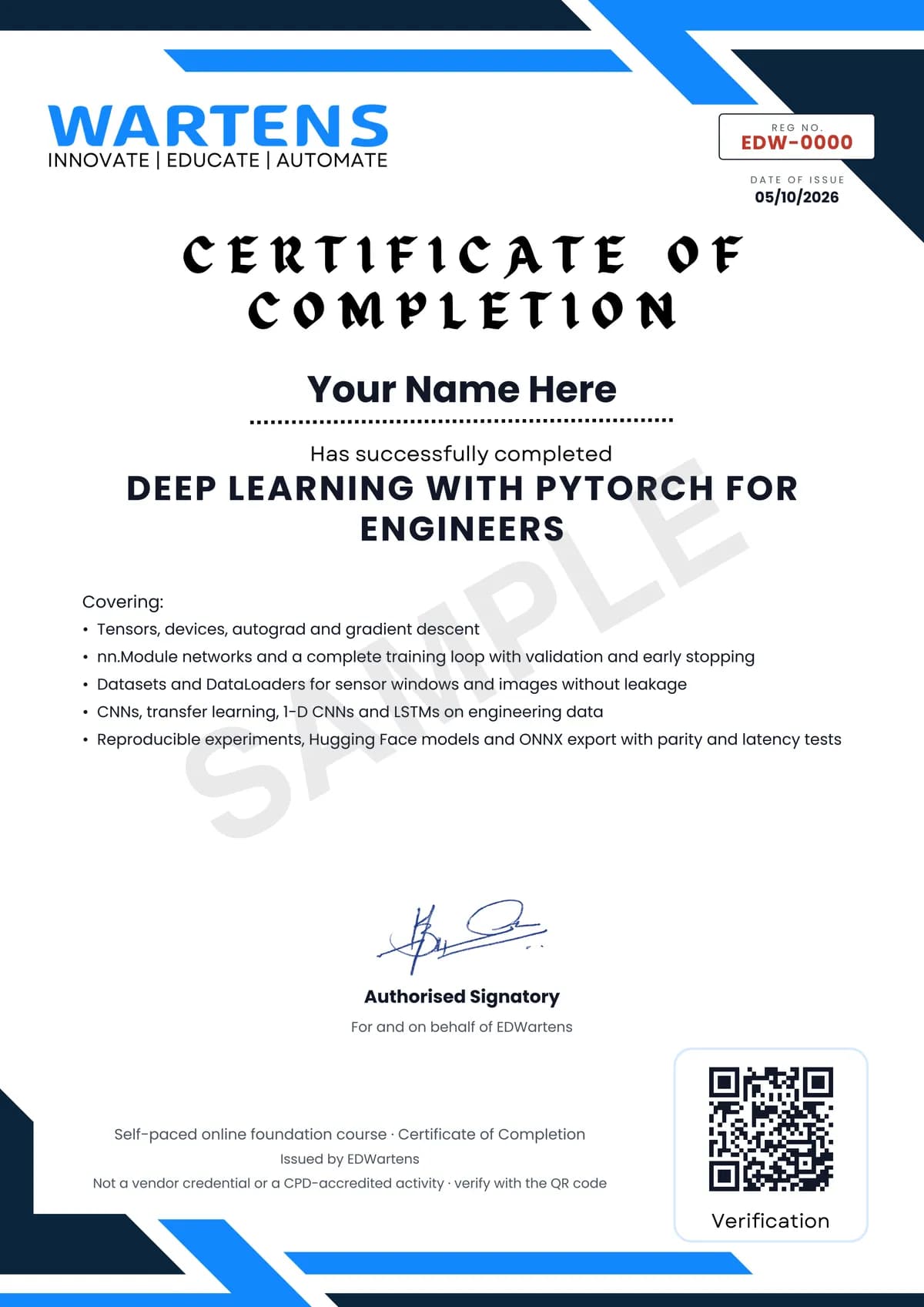
Verifiable by anyone
Adds to LinkedIn in one click
QR code on the certificate
Names what you can do
A permanent link
Earned, not attended
Learning is free. The certificate is optional.
Add it now and pay only when you have finished the course, or come back for it later. One-off, US$28.99, with a receipt.
Issued by EDWartens, the training division of Wartens, as a Certificate of Completion for this self-paced course. Sold by Wartens Ltd (England and Wales). It is not a vendor certification, a university award or a CPD-accredited activity, and it does not certify competence on live equipment. Delivered electronically; see the refund policy.
Credits
Who made the video lessons
The video lessons in this course were created by the people below, not by EDWartens. Every lesson streams from its creator's own YouTube channel; EDWartens neither hosts nor sells that footage, and the creators are not affiliated with EDWartens and do not endorse this course. What EDWartens wrote is the study plan, the notes, the practice tasks and the assessments.
- Patrick Loeberthe PyTorch Tutorials series (tensors, autograd, backpropagation, the training pipeline, regression and classification, Dataset and DataLoader, transforms, softmax and cross entropy, activations, feed-forward and convolutional networks, transfer learning, TensorBoard, saving and loading, RNN, LSTM and GRU, the learning-rate scheduler and PyTorch Lightning) and the LSTM time-sequence forecasting tutorial
- PyTorchthe official Introduction to PyTorch and The Fundamentals of Autograd videos, and Philipp Schmid's talk on PyTorch 2.0 with Hugging Face Transformers
- Jeff Heatonlectures from Applications of Deep Neural Networks with PyTorch: introductions to PyTorch and to networks, reading weights by hand, multi-class metrics with ROC and AUC, pretrained networks, hyperparameters and LSTM time series
- Andrej Karpathybuilding micrograd, an autograd engine written from scratch
- Daniel Bourke arXivthe long PyTorch transfer learning session
- Aladdin Perssonthe PyTorch CNN example and the transfer learning and fine-tuning tutorial
- StatQuest with Josh StarmerLong Short-Term Memory, clearly explained
- PyDatathe talk on 1-D convolutional neural networks for time series by Nathan Janos and Jeff Roach
- CoreWeavethe Weights & Biases tutorial on integrating experiment tracking with PyTorch
- Hugging Facewhat happens inside the pipeline function (PyTorch)
- AssemblyAIgetting started with Hugging Face transformers, pipelines, tokenizers and models
- ONNX Runtimeconverting models to the ONNX format
- Abhishek Thakurconverting a PyTorch model to ONNX and serving it
- Zachary HuangPyTorch in one hour, the recap in the project module
- FireshipPyTorch in 100 seconds
If you are one of these creators and would like a lesson removed or credited differently, write to info@wartens.com.