HMI · Free
FactoryTalk Optix HMI and Edge
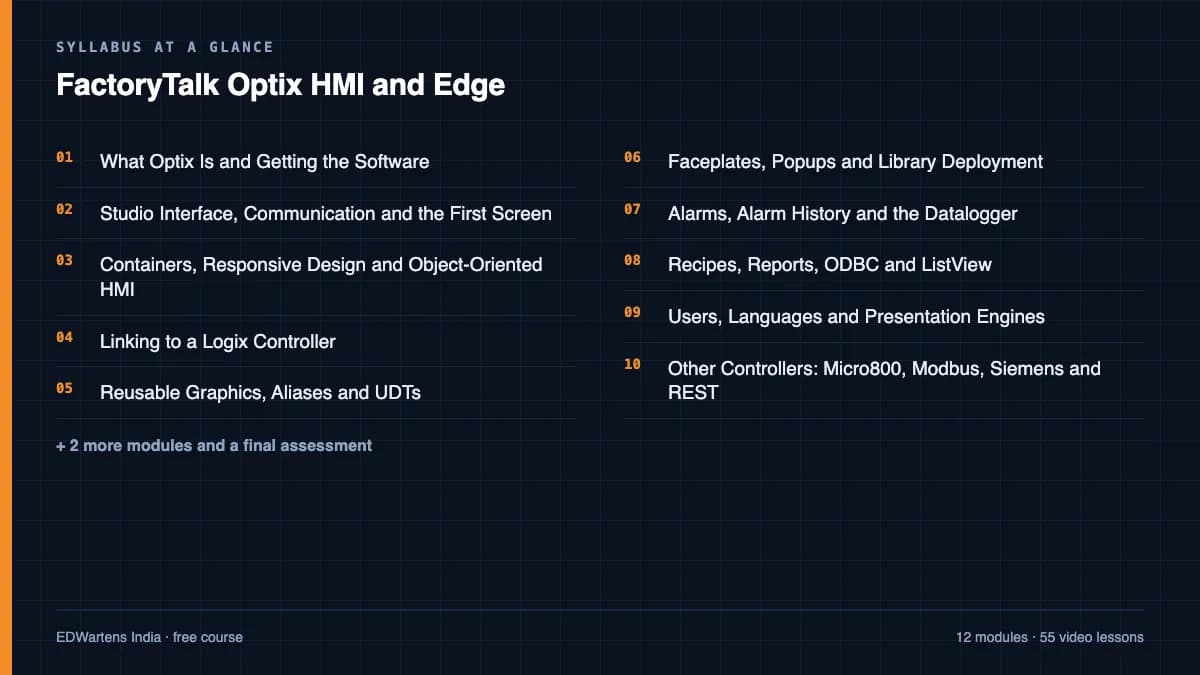
Rockwell's new HMI platform from the first screen to the edge: Optix Studio, communication, containers and responsive design, object-oriented graphics, aliases and UDTs, faceplates and libraries, alarms, datalogger, recipes, reports, users and languages, Micro800, Modbus, Siemens and REST drivers, MQTT and OPC UA, sizing and View SE integration.

Inside the course
From the lessons

What Optix Is and Getting the Software
Wayne Welk

Containers, Responsive Design and Object-Oriented HMI
Rockwell Automation
Reusable Graphics, Aliases and UDTs
Wayne Welk
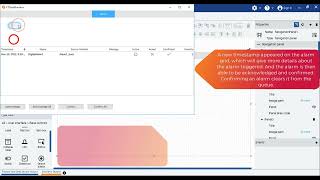
Alarms, Alarm History, Trends and the Data Logger
Rockwell Automation

Users, Languages and Presentation Engines
Rockwell Automation

Optix at the Edge: MQTT, OPC UA and NetLogic
Wayne Welk
Lesson frames belong to the creators named in the Credits below and are shown from YouTube.
What you will learn
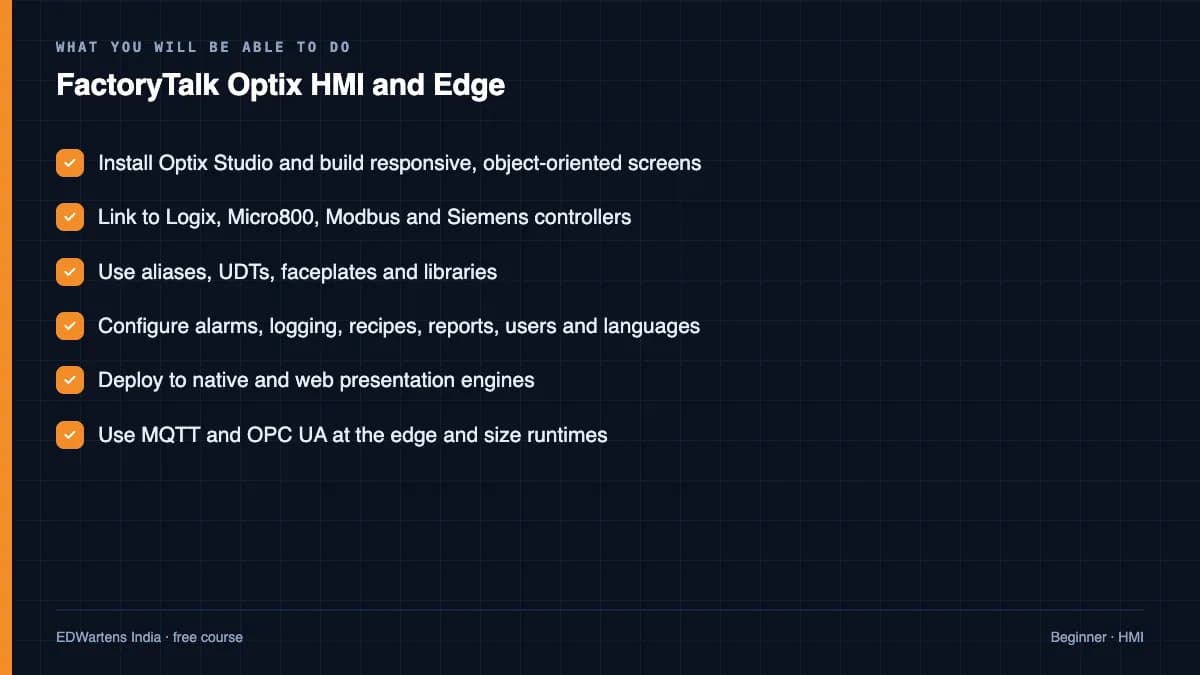
Build FactoryTalk Optix applications with responsive, object-oriented screens bound to Logix, Micro800, Modbus and Siemens controllers, use aliases, UDTs, faceplates and libraries, configure alarms, logging, recipes, reports, users and languages, deploy to native and web engines, and use Optix as an MQTT and OPC UA edge gateway.
- Install Optix Studio and build responsive, object-oriented screens
- Link to Logix, Micro800, Modbus and Siemens controllers
- Use aliases, UDTs, faceplates and libraries
- Configure alarms, logging, recipes, reports, users and languages
- Deploy to native and web presentation engines
- Use MQTT and OPC UA at the edge and size runtimes
For you
Taking FactoryTalk Optix HMI and Edge from the United States
- Free in the United States, as everywhere, and self-paced: lessons, notes and the final assessment are open at any hour, so your time zone and shift pattern do not matter.
- The optional certificate for learners in the United States is a one-off US$23.99. What you get for it
- Allen-Bradley is one of the automation brands most widely installed across the Americas, so this is a skill plants and integrators near you ask for.
- See automation and engineering jobs in the United States, and what the industry looks like in Houston, Detroit and Chicago.
- EDWartens also has a regional site for the United States, for classroom training and local support: edwartens.com/us.
The course project · about 18 hours
Tablet-coater HMI on an OptixPanel: Logix UDT aliases, alarm grid, batch report and audit trail
Design, build, test and document a FactoryTalk Optix application for a pharmaceutical tablet-coating line: responsive screens on the ISA-101 four-level hierarchy, graphics aliased to CompactLogix UDTs, an ISA-18.2 alarm list in the alarm grid, a datalogger and a PDF batch report, recipes, user roles and an audit trail of operator actions. You deliver the Optix project, your own HMI specification, tag list and FAT record, and the backup and restore note. The sample pack shows what an integrator hands over.
Sample document pack, 10 documents, filled in for the scenario
- URSUser Requirements: Coater CT-1 Operator Interface and Batch Records
- HMI specHMI Specification: Screen Hierarchy and Screen Specification, Coater CT-1
- Tag listTag List: Logix Tags, Optix Paths and Naming Convention, Coater CT-1
- Alarm philosophyAlarm Philosophy: Solid Orals Coating Area
- Alarm listAlarm List (Master Alarm Database): Coater CT-1
- SDSSoftware Design Specification: Optix Application CT1_HMI
- IP planIP Address Plan and Device List: Coating Area Network
- FATFactory Acceptance Test Record: Optix Application CT1_HMI
- O&M manualOperation and Maintenance Manual: Coater CT-1 HMI (Operation, Backup and Restore)
- Training recordOperator and Maintenance Training Record: Coater CT-1 HMI
Read inside the course and download as a workbook. The project is optional practice, marked when you submit it; the certificate needs only the modules and the final assessment.
Course content
13 modules · 54 lessons · 9h 52m
In order, at whatever pace suits you. Each module ends with a practice task that builds on the last.
- 01What Optix Is and Getting the Software3 lessons30m
- 02Studio Interface, Communication and the First Screen3 lessons11m
- 03Containers, Responsive Design and Object-Oriented HMI3 lessons22m
- 04Linking to a Logix Controller3 lessons51m
- 05Reusable Graphics, Aliases and UDTs4 lessons37m
- 06Faceplates, Popups and Library Deployment4 lessons60m
- 07Alarms, Alarm History, Trends and the Data Logger5 lessons39m
- 08Recipes, Reports, ODBC and ListView5 lessons56m
Requirements
- Who it is for
- Beginner to intermediate. Any HMI experience helps.
- Software
- FactoryTalk Optix Studio (free to develop) and Logix Echo or the Micro800 simulator What to download, and how
- Hardware
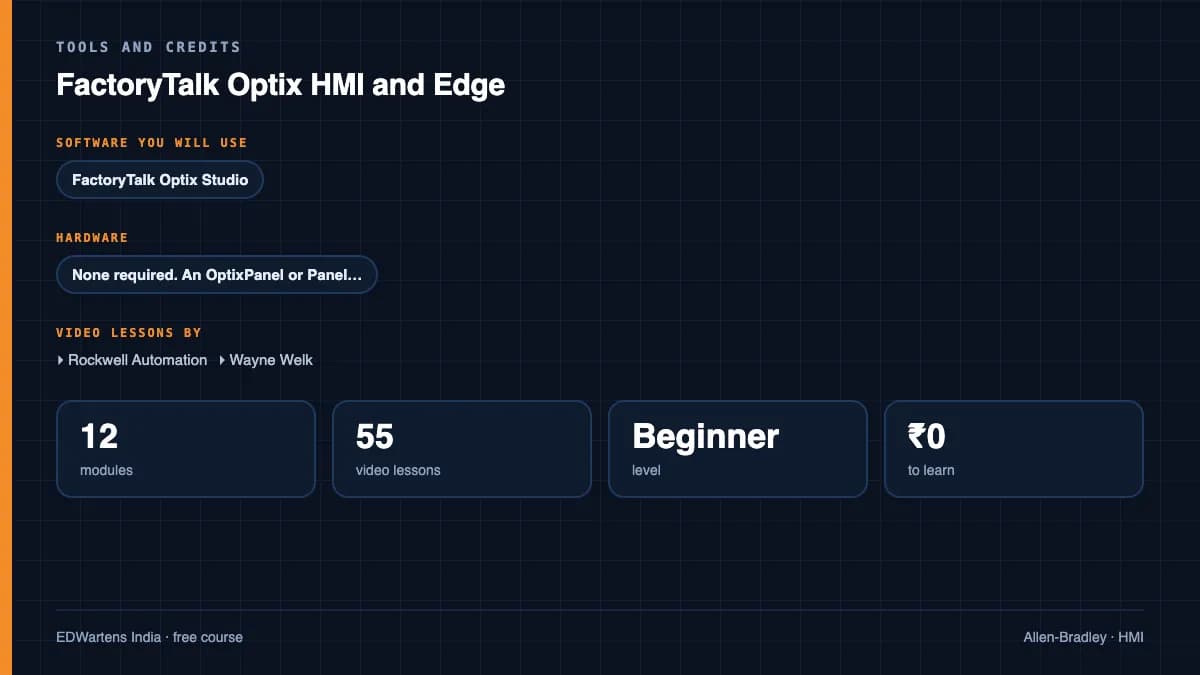
- None required. An OptixPanel or PanelView Plus 7 makes deployment real.
Software you need
What to download, where from, what it costs and how to install it. Every link goes to the maker's own site, never a mirror.
The Micro800 simulator in Connected Components Workbench gives Optix a free PLC to talk to.
Required
- 01Free edition: Studio Standard
FactoryTalk Optix Studio
Rockwell Automation
- Runs on
- Windows 10 or 11 64-bit, or Windows Server 2016 to 2025
- Account
- A free Rockwell Automation account (check the download page)
FactoryTalk Optix Studio Standard is a free download for building and testing HMI applications on your own PC. Studio Pro adds cloud features and has a 90-day cloud trial. Runtime devices need a runtime licence; unlicensed devices run in demo mode and stop after two hours.
Steps
- 1.Open the FactoryTalk Optix Try it now page on rockwellautomation.com.
- 2.Choose the free FactoryTalk Optix Studio Standard download and sign in if asked.
- 3.In the Releases section tick FactoryTalk Optix Studio, click Download Now, then accept the licence agreement.
- 4.Run the downloaded .exe, choose Customize, then Install.
- 5.Open FactoryTalk Optix Studio, create a new project and run it on your PC to test it.
- Rockwell lists 8 GB RAM and 20 GB free disk as the minimum.
- Testing on the development PC does not need a runtime licence.
Official download pagerockwellautomation.com
Optional
Useful, not needed to finish the course.
- 02Free
Connected Components Workbench Standard Edition
Rockwell Automation
- Runs on
- Windows 10 or 11 Pro or Enterprise 64-bit, or Windows Server 2019/2022
- Account
- A free Rockwell Automation account (sign in to the Product Compatibility and Download Center)
The Standard Edition is free and needs no activation. It includes a demo version of the Micro800 Simulator; the full simulator comes with the paid Developer Edition.
Steps
- 1.Open the Connected Components Workbench page on the Product Compatibility and Download Center.
- 2.Click Available downloads next to the latest version (23.00.00 on 27 Sept 2026) and sign in.
- 3.Accept the licence agreement and download the installer.
- 4.Run the setup as administrator; it installs .NET Framework 4.8 if needed.
- 5.Start Connected Components Workbench, add a Micro800 controller and open the Micro800 Simulator to test your program.
- Rockwell lists 8 GB RAM and 20 GB free disk as the minimum.
- The installer does not work on the very first Windows 10 releases (1507 and 1511); update Windows first.
Official download pagecompatibility.rockwellautomation.comAlternatives
- FactoryTalk Design Workbench: Rockwell's newer free Micro800 design tool.
Checked against each maker's own page on 27 September 2026. Trial lengths and editions change; the maker's page is the final word.
FactoryTalk Optix HMI and Edge at a glance
FactoryTalk Optix HMI and Edge is a free, self-paced online course from EDWartens for engineering students, ITI and diploma holders, and working engineers in automation and control. It has 13 modules and 9h 52m of video lessons by Rockwell Automation, Wayne Welk, The Reynolds Company and others, with written notes and worked problems, a practical project with a document pack and a 15-question final assessment (pass mark 60%). Learning is free with an account; an optional certificate with a public verification code is issued when you pass. Last updated 27 September 2026.
All course factsHide course facts
- Price
- Free, for good. No trial, no card. The only paid item is the optional certificate, a small one-off fee.
- Who it is for
- Engineering students, ITI and diploma holders, and working engineers in automation and control
- Format
- 13 self-paced modules, 9h 52m of video, written notes, a practice task per module and one final assessment.
- Level
- Beginner. Beginner to intermediate. Any HMI experience helps.
- Brand
- Allen-Bradley
- Software
- FactoryTalk Optix Studio (free to develop) and Logix Echo or the Micro800 simulator
- Hardware
- None required. An OptixPanel or PanelView Plus 7 makes deployment real.
- Certificate
- Optional EDWartens Certificate of Completion, verifiable by code. Not a vendor credential.
- Video lessons by
- Rockwell Automation, Wayne Welk, The Reynolds Company, ASEM S.r.l., Daniel Van Dam (independent creators, credited below)
- Language
- English
- Last updated
- 27 September 2026
A shareable EDWartens certificate
Finish every module and pass the final assessment, and the optional EDWartens certificate is yours. It carries a unique verification code on a public page anyone can check, so it stands up when a recruiter looks it up. See it below.
The course itself stays free whether or not you ever buy one.
Stuck? Ask a practising engineer
A free course usually means a comment section and hope. This one does not. Every module has an Ask-your-trainer panel that reaches the same engineers who teach our paid programme: people who commission panels for a living, not moderators.
Pairs well with
 PLC programming · FreeAllen-Bradley Studio 5000CompactLogix and ControlLogix from the wiring up: tags, instructions, timers, data, drives, messaging and Modbus, in Rockwell's Studio 5000.
 PLC programming · FreeAllen-Bradley RSLogix 500 and MicroLogixThe MicroLogix and SLC 500 on real hardware: file-based addressing, every instruction group, analog scaling, faults and forces, in RSLogix 500.
 PLC programming · FreeAllen-Bradley Micro800 with Connected Components WorkbenchThe Micro820/850 from wiring to motion: CCW, the simulator, bit logic, timers, counters, analog, UDFBs, high-speed counters, PTO motion, PowerFlex and Logix messaging, Modbus TCP, PID, and migration from MicroLogix.
 SCADA · FreeFactoryTalk View Site Edition SCADARockwell's plant SCADA: applications and clients, displays and navigation, Logix tag references, global objects, FactoryTalk Alarms and Events, TrendPro, data logging and databases, RecipePro+, security and e-signatures, VBA, ViewPoint, backup and migration.
More free courses: Free Allen-Bradley PLC courses · Free HMI design courses
Learning paths with this course
- Rockwell engineer path · 5 coursesRSLogix 500 for the MicroLogix and SLC base, Studio 5000 for CompactLogix and ControlLogix, the Micro800 with CCW, and FactoryTalk View for the panels.
Learner reviews
No reviews yet
Reviews here are written only by learners who have finished every module of FactoryTalk Optix HMI and Edge, and they are published exactly as written. Finish the course and yours will be the first.
Common questions
Is Optix replacing FactoryTalk View?
It sits beside View ME and SE and shares data with them; new projects increasingly start in Optix, which is why it is worth learning now.
Is the software free?
Optix Studio is free to download and develop with; only deployed runtimes are licensed.
Which PLCs can it talk to?
Logix, Micro800, Modbus TCP, Siemens S7, OPC UA servers and MQTT brokers, all covered in the course.
Is the FactoryTalk Optix HMI and Edge course really free?
Yes. Every module, practice task and assessment. You create an account so your progress is saved and the assessments can be marked. The certificate is the only paid item, and only if you want it.
What certificate do I get, and is it a vendor qualification?
An EDWartens Certificate of Completion, issued when you pass the final assessment, with a verification code anyone can check. It is not a vendor credential and is never described as one.
Who made the video lessons in the FactoryTalk Optix HMI and Edge course?
The creators named in the Credits block at the foot of this page, on their own YouTube channels. EDWartens did not make the videos and the creators are not affiliated with EDWartens. What EDWartens wrote is the study plan, the notes, the practice tasks and the assessments.
How long does the FactoryTalk Optix HMI and Edge course take?
Plan on about 15 hours in all, including the video lessons, notes and practice tasks. It is self-paced, so you work through the thirteen modules at your own speed.
What you walk away with
Your certificate for FactoryTalk Optix HMI and Edge
Finish the course, pass the final, and this is the document with your name on it.
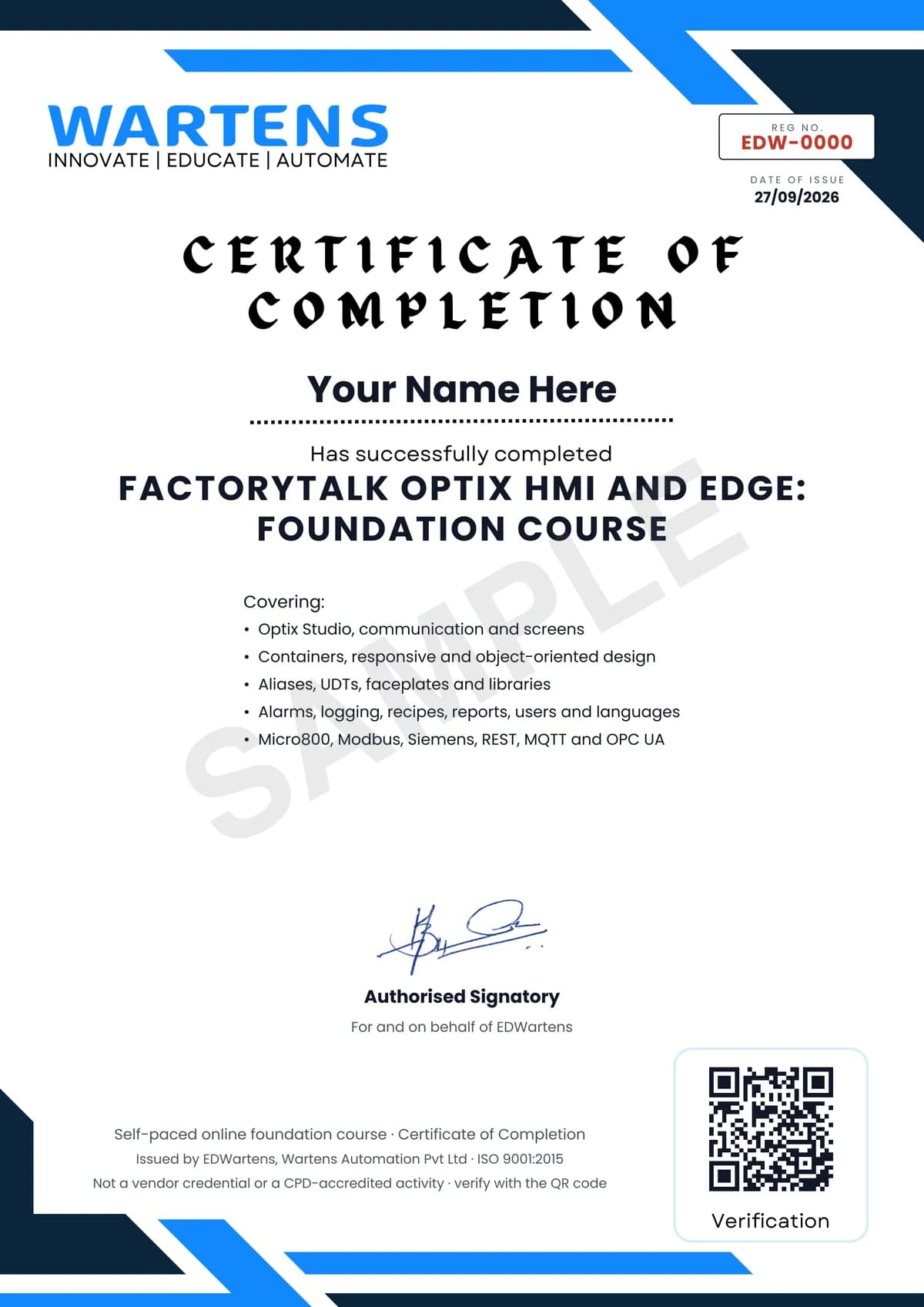
Verifiable by anyone
Adds to LinkedIn in one click
QR code on the certificate
Names what you can do
A permanent link
Earned, not attended
Learning is free. The certificate is optional.
Add it now and pay only when you have finished the course, or come back for it later. One-off, US$23.99, with a receipt.
Issued by EDWartens, the training division of Wartens, as a Certificate of Completion for this self-paced course. Sold by Wartens Ltd (England and Wales). It is not a vendor certification, a university award or a CPD-accredited activity, and it does not certify competence on live equipment. Delivered electronically; see the refund policy.
Credits
Who made the video lessons
The video lessons in this course were created by the people below, not by EDWartens. Every lesson streams from its creator's own YouTube channel; EDWartens neither hosts nor sells that footage, and the creators are not affiliated with EDWartens and do not endorse this course. What EDWartens wrote is the study plan, the notes, the practice tasks and the assessments.
- Rockwell Automationthe FactoryTalk Optix getting-started and feature series
- Wayne Welkthe Optix get-started playlist
- Wayne Welkthe Optix for HMI playlist
- Wayne Welkthe Optix for edge playlist
- Wayne Welkthe Optix PLC communications playlist
- The Reynolds Companya lesson in "Alarms, Alarm History, Trends and the Data Logger"
- ASEM S.r.l.a lesson in "Optix at the Edge: MQTT, OPC UA and NetLogic"
- Daniel Van Dama lesson in "Deploying, Sizing and View SE Integration"
If you are one of these creators and would like a lesson removed or credited differently, write to info@wartens.com.