PLC programming · Free
FATEK PLC with WinProladder
The Taiwanese value PLC on Asian-built packaging and textile machines: WinProladder install and wiring, addressing and memory, contacts, coils, set/reset, retentive memory, timers, counters, math and compare, upload, download, simulation and industrial practice problems.

Inside the course


From the lessons
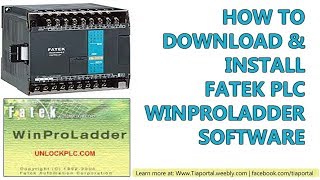
FATEK and WinProladder
The Electrical Hub

Addressing, Memory, Contacts, Coils and Latching
Ayyan Engineering Solutions

Timers and Counters
Ayyan Engineering Solutions

Math and Compare
Ayyan Engineering Solutions

Communication, Simulation and Practice
The Electrical Hub
Lesson frames belong to the creators named in the Credits below and are shown from YouTube.
What you will learn
Install WinProladder, wire NPN and PNP sensors, address X, Y, M, D and R, use contacts, coils, set/reset and edges, retentive memory, timers and counters, arithmetic and comparison, communicate, upload, download and simulate, and solve industrial practice conditions.
- Install WinProladder and wire NPN and PNP sensors
- Address X, Y, M, D and R and use retentive memory
- Use contacts, coils, set/reset and edge instructions
- Use 16- and 32-bit timers and counters
- Use arithmetic and comparison
- Communicate, upload, download, simulate and solve practice problems
For you
Taking FATEK PLC with WinProladder from the United States
- Free in the United States, as everywhere, and self-paced: lessons, notes and the final assessment are open at any hour, so your time zone and shift pattern do not matter.
- The optional certificate for learners in the United States is a one-off US$23.99. What you get for it
- Plants across the Americas most often run Allen-Bradley, Siemens and Inductive Automation; each has its own free course to take next.
- See automation and engineering jobs in the United States, and what the industry looks like in Houston, Detroit and Chicago.
- EDWartens also has a regional site for the United States, for classroom training and local support: edwartens.com/us.
The course project · about 12 hours
Flour mill packing station PK-1: load-cell batching to 25 kg, sifter interlock and bag counting on an FBs-24MA
Design, program, test and document the control system for a flour mill's sifter and 25 kg packing station: an FBs-24MAR2-AC with an FBs-6AD reading a load-cell weighing transmitter, a coarse and a dribble gate that batch 25.00 kg with an in-flight correction that learns from the last bag, a bag clamp and discharge gate sequence with the operator's foot switch, the sifter and the bin conveyor interlocked on the packing bin's level probes, bag and tonnage counters, and a Weintek MT8071iP screen over the FATEK port. You deliver the WinProladder project, your own I/O list, calibration record and FAT record, and the operator note. The sample pack shows what a small integrator hands over for the same station.
Sample document pack, 8 documents, filled in for the scenario
- Control narrativeControl Narrative: Sifter and Packing Station PK-1
- I/O listI/O List: Panel CP-PK1
- Calibration recordCalibration Record: Weighing Loop WT-1, Hopper to PLC
- Interlock listInterlock and Permissive List: PK-1
- BOMBill of Materials: Panel CP-PK1 and Field Devices
- Alarm listAlarm List: PK-1
- HMI specHMI Screen Specification: MT8071iP on PK-1
- FATFactory Acceptance Test Record: Panel CP-PK1 and Weigh Hopper
Read inside the course and download as a workbook. The project is optional practice, marked when you submit it; the certificate needs only the modules and the final assessment.
Course content
6 modules · 22 lessons · 4h 8m
In order, at whatever pace suits you. Each module ends with a practice task that builds on the last.
- 01FATEK and WinProladder4 lessons34m
- 02Addressing, Memory, Contacts, Coils and Latching7 lessons56m
- 03Timers and Counters2 lessons25m
- 04Math and Compare4 lessons37m
- 05Communication, Simulation and Practice4 lessons1h 35m
- 06Final Assessment1 lesson5m
Requirements
- Who it is for
- Beginner. No PLC experience needed.
- Software
- WinProladder (free) with simulator What to download, and how
- Hardware
- None required.
Software you need
What to download, where from, what it costs and how to install it. Every link goes to the maker's own site, never a mirror.
Required
- 01Free
WinProladder
FATEK Automation
- Runs on
- Windows PC
- Account
- A FATEK website member account may be needed to download
FATEK publishes WinProladder on its support download page for FBs and B1 series PLCs; there is no licence key. Check the vendor page for the current licence terms.
Steps
- 1.Open the FATEK Winproladder support page.
- 2.Sign in or register as a FATEK member if the download asks you to.
- 3.Download the latest WinProladder version.
- 4.Unzip the file and run setup.exe as administrator.
- 5.Start WinProladder and create a project for an FBs or B1 PLC.
- Download the WinProladder User Manual from the same page.
Official download pagefatek.com
Checked against each maker's own page on 27 September 2026. Trial lengths and editions change; the maker's page is the final word.
FATEK PLC with WinProladder at a glance
FATEK PLC with WinProladder is a free, self-paced online course from EDWartens for engineering students, ITI and diploma holders, and working engineers in automation, electrical and instrumentation. It has 6 modules and 4h 8m of video lessons by Ayyan Engineering Solutions, The Electrical Hub, with written notes and worked problems, a practical project with a document pack and a 15-question final assessment (pass mark 60%). Learning is free with an account; an optional certificate with a public verification code is issued when you pass. Last updated 27 September 2026.
All course factsHide course facts
- Price
- Free, for good. No trial, no card. The only paid item is the optional certificate, a small one-off fee.
- Who it is for
- Engineering students, ITI and diploma holders, and working engineers in automation, electrical and instrumentation
- Format
- 6 self-paced modules, 4h 8m of video, written notes, a practice task per module and one final assessment.
- Level
- Beginner. Beginner. No PLC experience needed.
- Brand
- Vendor-neutral
- Software
- WinProladder (free) with simulator
- Hardware
- None required.
- Certificate
- Optional EDWartens Certificate of Completion, verifiable by code. Not a vendor credential.
- Video lessons by
- Ayyan Engineering Solutions, The Electrical Hub (independent creators, credited below)
- Language
- English
- Last updated
- 27 September 2026
A shareable EDWartens certificate
Finish every module and pass the final assessment, and the optional EDWartens certificate is yours. It carries a unique verification code on a public page anyone can check, so it stands up when a recruiter looks it up. See it below.
The course itself stays free whether or not you ever buy one.
Stuck? Ask a practising engineer
A free course usually means a comment section and hope. This one does not. Every module has an Ask-your-trainer panel that reaches the same engineers who teach our paid programme: people who commission panels for a living, not moderators.
Pairs well with
 PLC programming · FreeSiemens TIA PortalFrom zero electrical knowledge to a working, simulated S7-1200 program, for nothing.
 PLC programming · FreeSiemens TIA Portal in Three HoursThe first three hours of the Siemens TIA Portal course, cut to end on a win: what a PLC is, how it is wired, a project configured in TIA Portal, and your first ladder program running in simulation. Finish it in an evening or two, earn a certificate, and carry straight on into the full course.
 PLC programming · FreeTIA Portal: Build a MachineOne machine, start to finish. Take a bottle filling line from a written specification and an I/O list to a structured S7-1200 program with a fill station, a capper, a reject sorter and an operator screen with alarms, then test it against a written record and archive it for hand-over. The lessons are the reference; the machine is yours, and it is what you submit.
 PLC programming · FreeSiemens S7-1200 with TIA Portal: The Tutorial SeriesEvery S7-1200 instruction, one short video at a time: bits, edges, timers, counters, comparators, maths, MOVE, conversion, analog scaling, jumps and shift registers.
More free courses: Free PLC programming courses
Learner reviews
No reviews yet
Reviews here are written only by learners who have finished every module of FATEK PLC with WinProladder, and they are published exactly as written. Finish the course and yours will be the first.
Common questions
Is WinProladder free?
Yes, from FATEK, with a simulator.
Where is FATEK used?
On packaging, textile, plastics and small process machines where a low-cost PLC with good analog and communication options is wanted.
Is this a long course?
No: about four hours of video with practice, enough to program a FATEK machine and read existing programs.
Is the FATEK PLC with WinProladder course really free?
Yes. Every module, practice task and assessment. You create an account so your progress is saved and the assessments can be marked. The certificate is the only paid item, and only if you want it.
What certificate do I get, and is it a FATEK qualification?
An EDWartens Certificate of Completion, issued when you pass the final assessment, with a verification code anyone can check. It is not a FATEK credential and is never described as one.
Who made the video lessons in the FATEK PLC with WinProladder course?
The creators named in the Credits block at the foot of this page, on their own YouTube channels. EDWartens did not make the videos and the creators are not affiliated with EDWartens. What EDWartens wrote is the study plan, the notes, the practice tasks and the assessments.
Is it suitable for complete beginners?
Yes. No PLC experience is needed: the course starts with installing WinProladder and wiring NPN and PNP sensors. WinProladder is free and has a simulator, so you do not need a FATEK PLC.
What you walk away with
Your certificate for FATEK PLC with WinProladder
Finish the course, pass the final, and this is the document with your name on it.

Verifiable by anyone
Adds to LinkedIn in one click
QR code on the certificate
Names what you can do
A permanent link
Earned, not attended
Learning is free. The certificate is optional.
Add it now and pay only when you have finished the course, or come back for it later. One-off, US$23.99, with a receipt.
Issued by EDWartens, the training division of Wartens, as a Certificate of Completion for this self-paced course. Sold by Wartens Ltd (England and Wales). It is not a vendor certification, a university award or a CPD-accredited activity, and it does not certify competence on live equipment. Delivered electronically; see the refund policy.
Credits
Who made the video lessons
The video lessons in this course were created by the people below, not by EDWartens. Every lesson streams from its creator's own YouTube channel; EDWartens neither hosts nor sells that footage, and the creators are not affiliated with EDWartens and do not endorse this course. What EDWartens wrote is the study plan, the notes, the practice tasks and the assessments.
- Ayyan Engineering Solutionsthe FATEK PLC programming course
- The Electrical Hubthe FATEK PLC programming series in English
If you are one of these creators and would like a lesson removed or credited differently, write to info@wartens.com.