IIoT · Free
Node-RED for Industrial IoT
The open-source glue of Industry 4.0: Node-RED fundamentals, core nodes and JSON, dashboards, Raspberry Pi and industrial hardware, Modbus RTU and TCP, Siemens S7-1500 with OPC UA and the IOT2050, MQTT, databases and email, APIs and cloud, Node-RED inside PLCs, and OEE and MES thinking.

Inside the course
From the lessons

IIoT and Node-RED Fundamentals
LEARNACON
Dashboards
Opto Video

Modbus RTU and Serial Devices
Fusion Automate

Siemens S7-1500, OPC UA and the IOT2050
LEARNACON

Databases, Logging and Email
ACC Automation: PLC & Industrial Control Learning

Node-RED Inside PLCs and Edge Devices
ACC Automation: PLC & Industrial Control Learning
Lesson frames belong to the creators named in the Credits below and are shown from YouTube.
What you will learn
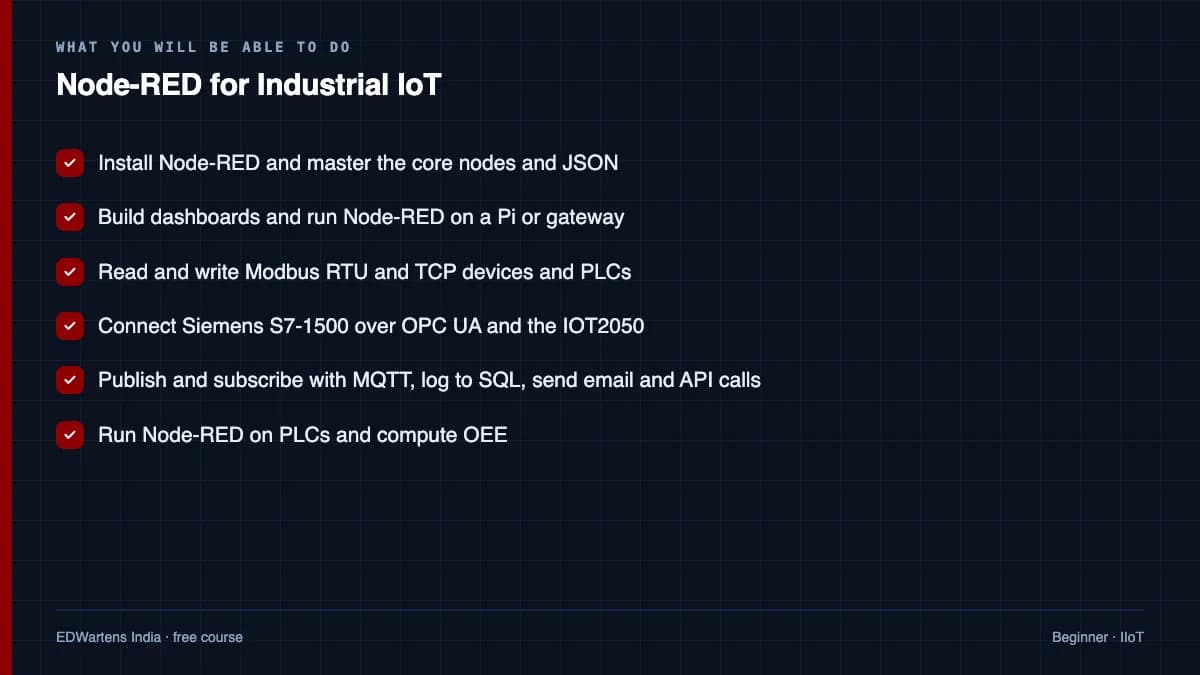
Install and structure Node-RED, build dashboards, read and write Modbus RTU and TCP devices, connect Siemens S7-1500 and other PLCs, publish and subscribe with MQTT, log to SQL and CSV, send emails and API calls, push data to Azure IoT Hub, run Node-RED on PLCs and edge devices, and compute OEE from machine data.
- Install Node-RED and master the core nodes and JSON
- Build dashboards and run Node-RED on a Pi or gateway
- Read and write Modbus RTU and TCP devices and PLCs
- Connect Siemens S7-1500 over OPC UA and the IOT2050
- Publish and subscribe with MQTT, log to SQL, send email and API calls
- Run Node-RED on PLCs and compute OEE
For you
Taking Node-RED for Industrial IoT from the United States
- Free in the United States, as everywhere, and self-paced: lessons, notes and the final assessment are open at any hour, so your time zone and shift pattern do not matter.
- The optional certificate for learners in the United States is a one-off US$23.99. What you get for it
- Plants across the Americas most often run Allen-Bradley, Siemens and Inductive Automation; each has its own free course to take next.
- See automation and engineering jobs in the United States, and what the industry looks like in Houston, Detroit and Chicago.
- EDWartens also has a regional site for the United States, for classroom training and local support: edwartens.com/us.
The course project · about 16 hours
OEE for five moulding machines: Node-RED on a Raspberry Pi as the edge gateway, Modbus TCP to MQTT to InfluxDB
Design, build, validate and document an edge gateway that counts shots and cycle time on five injection-moulding machines over Modbus TCP, publishes them as MQTT, stores them in InfluxDB and shows OEE per machine per shift on a Node-RED dashboard. You deliver the flows, your own tag and topic register, your own validation report against manual counts, and the backup and deploy procedure. The sample pack shows what an integrator hands over for a data project.
Sample document pack, 8 documents, filled in for the scenario
- URSUser Requirements: Machine Data and OEE, Moulding Shop
- SDSSoftware Design Specification: Edge Gateway EDGE-01
- RegisterTag and Topic Register: Machines IMM-01 to IMM-05
- IP planIP Plan and Device List: Moulding Shop VLAN 20
- BOMBill of Materials: Edge Gateway Panel EDGE-01 and Machine-Side Items
- Test reportValidation Report: Gateway Counts Against Manual Counts, Three Shifts
- ProcedureProcedure: Backup, Restore and Deployment of Edge Gateway EDGE-01
- Risk registerRisk Register: Edge Gateway and Machine Data
Read inside the course and download as a workbook. The project is optional practice, marked when you submit it; the certificate needs only the modules and the final assessment.
Course content
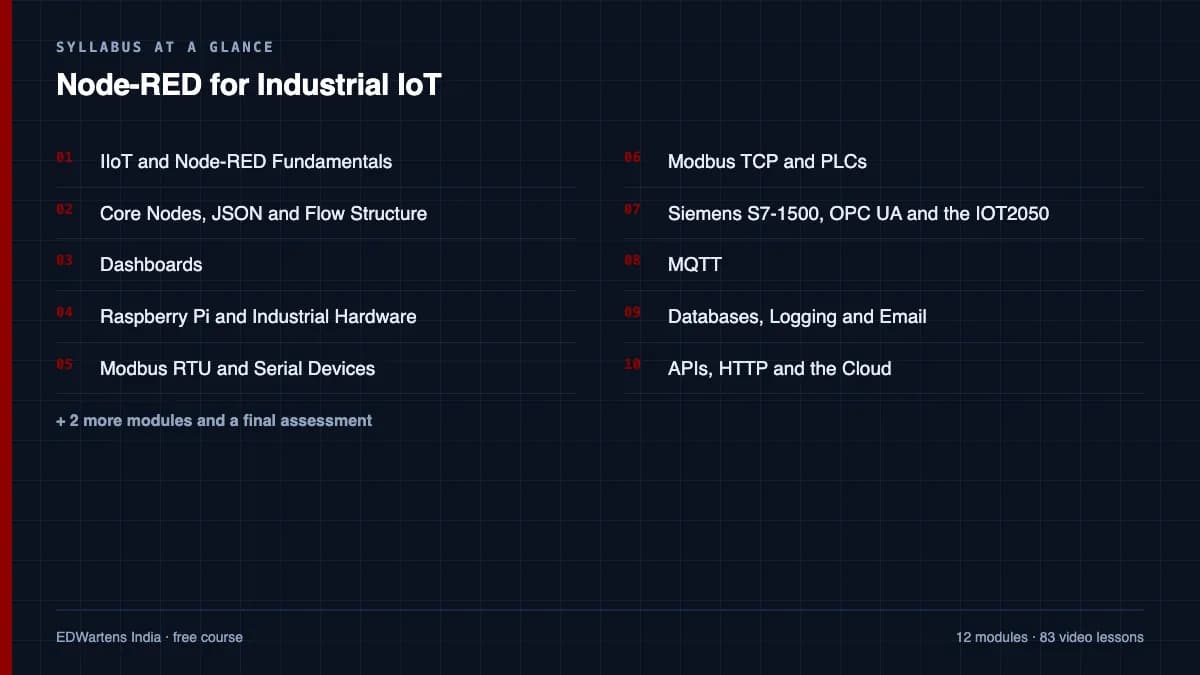
13 modules · 83 lessons · 19h 25m
In order, at whatever pace suits you. Each module ends with a practice task that builds on the last.
- 01IIoT and Node-RED Fundamentals5 lessons50m
- 02Core Nodes, JSON and Flow Structure6 lessons1h 13m
- 03Dashboards5 lessons1h 56m
- 04Raspberry Pi, Industrial Hardware and Securing Node-RED4 lessons39m
- 05Modbus RTU and Serial Devices9 lessons1h 12m
- 06Modbus TCP and PLCs5 lessons1h 11m
- 07Siemens S7-1500, OPC UA and the IOT20508 lessons2h 14m
- 08MQTT8 lessons1h 58m
Requirements
- Who it is for
- Beginner. Any PLC or IT background helps; no JavaScript needed to start.
- Software
- Node-RED (free) on a PC or Raspberry Pi What to download, and how
- Hardware
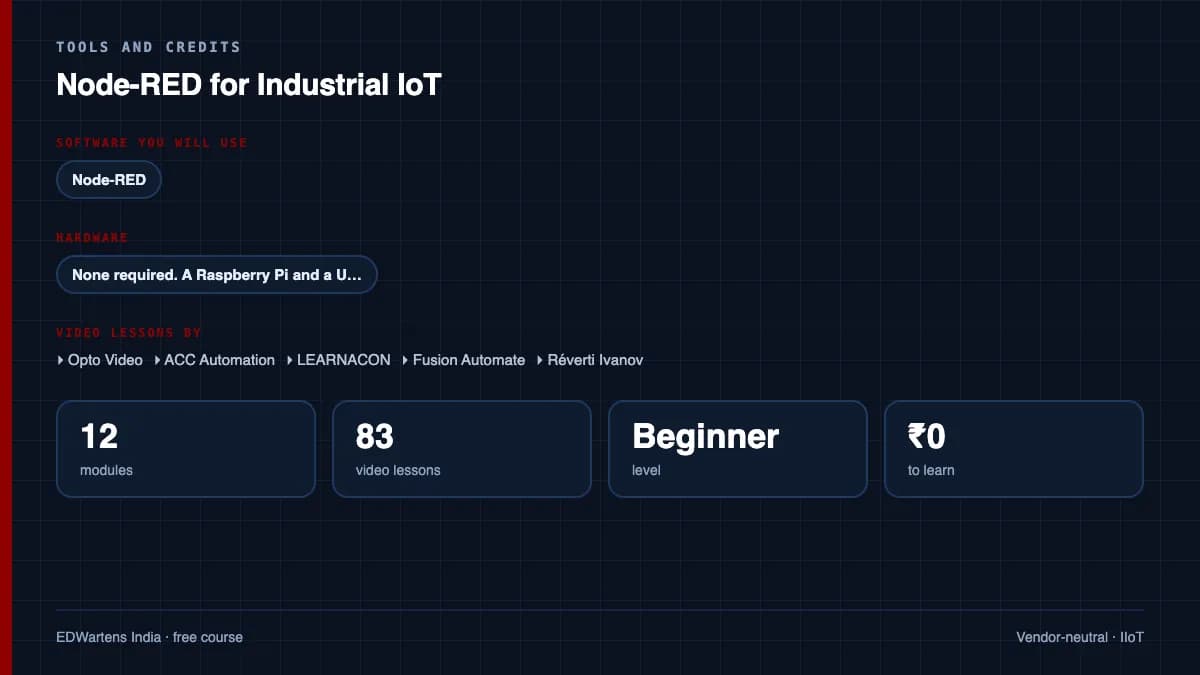
- None required. A Raspberry Pi and a USB-RS485 adapter make the hardware modules real.
Software you need
What to download, where from, what it costs and how to install it. Every link goes to the maker's own site, never a mirror.
Node-RED runs on a PC or on a Raspberry Pi.
Required
- 01Free
Node.js
OpenJS Foundation
- Runs on
- Windows, macOS and Linux
- Account
- None needed
Free, open source runtime. npm, the package manager, is installed with it.
Steps
- 1.Open nodejs.org/en/download.
- 2.Choose the LTS (long-term support) version and your system.
- 3.Download and run the installer with the default options.
- 4.Open a new terminal and run: node -v and then npm -v
- Pick LTS, not Current, unless your course says otherwise.
- Some tools need a minimum Node.js version. Node-RED 5 needs Node.js 22 or later.
Official download pagenodejs.org - 02Free
Node-RED
OpenJS Foundation (Node-RED project)
- Runs on
- Windows, macOS and Linux (needs Node.js 22 or later; Node.js 24 recommended), or Docker
- Account
- None needed
Free, open source under the Apache 2.0 licence.
Steps
- 1.Install Node.js LTS from nodejs.org.
- 2.On Windows run: npm install -g node-red (on macOS or Linux run: sudo npm install -g node-red).
- 3.Start it by running: node-red
- 4.Open http://localhost:1880 in your browser to use the editor.
- With Docker, run: docker run -it -p 1880:1880 --name mynodered nodered/node-red
- Leave the terminal window open while you use Node-RED.
Official download pagenodered.org
Checked against each maker's own page on 27 September 2026. Trial lengths and editions change; the maker's page is the final word.
Node-RED for Industrial IoT at a glance
Node-RED for Industrial IoT is a free, self-paced online course from EDWartens for engineering students, ITI and diploma holders, and working engineers and developers connecting plant data. It has 13 modules and 19h 25m of video lessons by Opto Video, ACC Automation, LEARNACON and others, with written notes and worked problems, a practical project with a document pack and a 15-question final assessment (pass mark 60%). Learning is free with an account; an optional certificate with a public verification code is issued when you pass. Last updated 27 September 2026.
All course factsHide course facts
- Price
- Free, for good. No trial, no card. The only paid item is the optional certificate, a small one-off fee.
- Who it is for
- Engineering students, ITI and diploma holders, and working engineers and developers connecting plant data
- Format
- 13 self-paced modules, 19h 25m of video, written notes, a practice task per module and one final assessment.
- Level
- Beginner. Beginner. Any PLC or IT background helps; no JavaScript needed to start.
- Brand
- Vendor-neutral
- Software
- Node-RED (free) on a PC or Raspberry Pi
- Hardware
- None required. A Raspberry Pi and a USB-RS485 adapter make the hardware modules real.
- Certificate
- Optional EDWartens Certificate of Completion, verifiable by code. Not a vendor credential.
- Video lessons by
- Opto Video, ACC Automation, LEARNACON, Fusion Automate, Réverti Ivanov, FlowFuse (independent creators, credited below)
- Language
- English
- Last updated
- 27 September 2026
A shareable EDWartens certificate
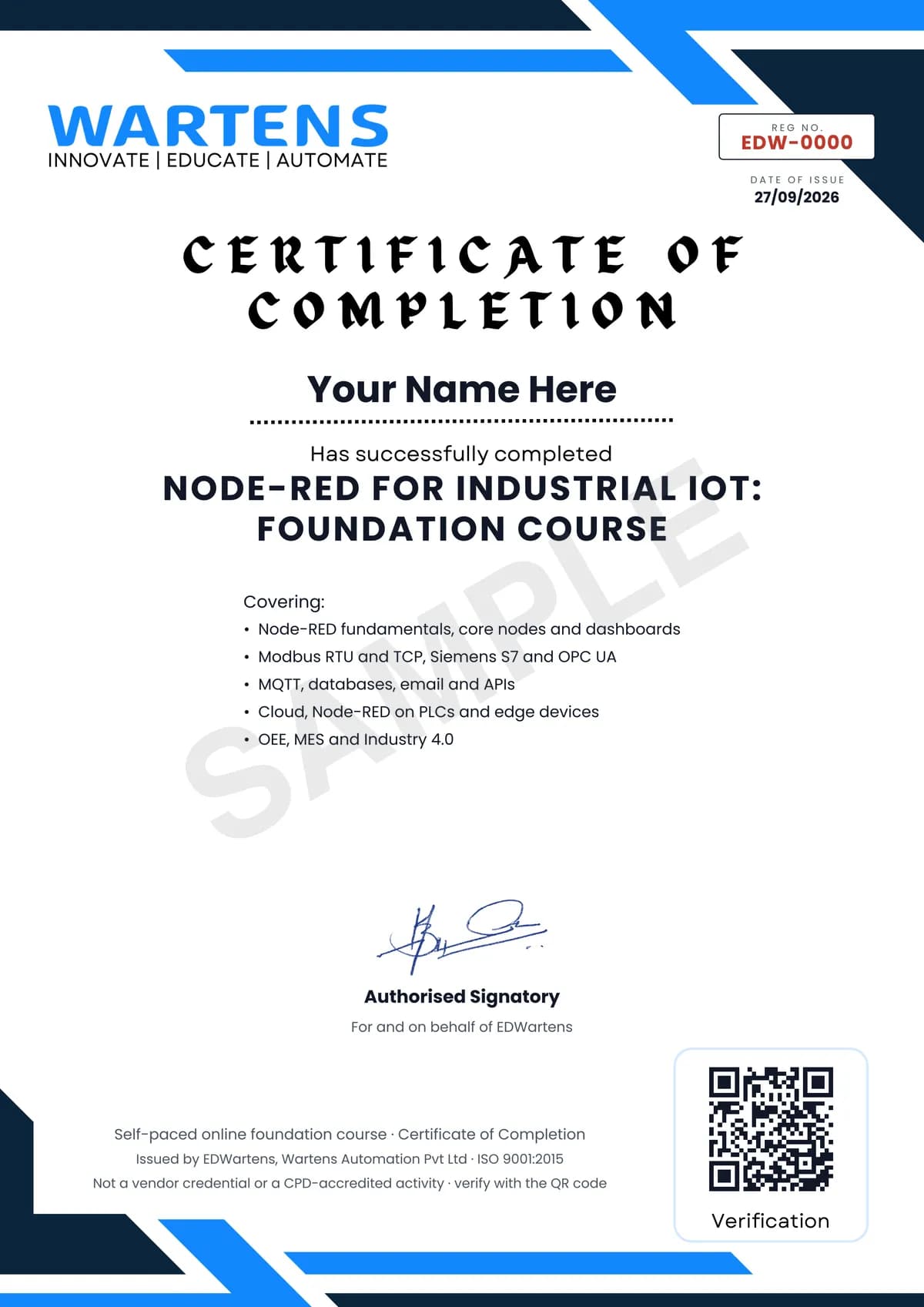
Finish every module and pass the final assessment, and the optional EDWartens certificate is yours. It carries a unique verification code on a public page anyone can check, so it stands up when a recruiter looks it up. See it below.
The course itself stays free whether or not you ever buy one.
Stuck? Ask a practising engineer
A free course usually means a comment section and hope. This one does not. Every module has an Ask-your-trainer panel that reaches the same engineers who teach our paid programme: people who commission panels for a living, not moderators.
Pairs well with
 PLC programming · FreeSiemens TIA PortalFrom zero electrical knowledge to a working, simulated S7-1200 program, for nothing.
 PLC programming · FreeSiemens TIA Portal in Three HoursThe first three hours of the Siemens TIA Portal course, cut to end on a win: what a PLC is, how it is wired, a project configured in TIA Portal, and your first ladder program running in simulation. Finish it in an evening or two, earn a certificate, and carry straight on into the full course.
 PLC programming · FreeTIA Portal: Build a MachineOne machine, start to finish. Take a bottle filling line from a written specification and an I/O list to a structured S7-1200 program with a fill station, a capper, a reject sorter and an operator screen with alarms, then test it against a written record and archive it for hand-over. The lessons are the reference; the machine is yours, and it is what you submit.
 Instrumentation · FreeInstrumentation for PLC EngineersThe half of the loop that is not code. Follow one measurement from the transmitter in the field, down the 4-20 mA loop, into the analog card, through NORM_X and SCALE_X into engineering units, out again to a valve, and back to the control room when the reading is wrong.
More free courses: Free Industry 4.0 and IIoT courses
Learning paths with this course
- IIoT and OT security · 3 coursesIndustrial networks, Node-RED for data and dashboards, and ISA/IEC 62443 to keep the plant safe once it is connected.
Learner reviews
No reviews yet
Reviews here are written only by learners who have finished every module of Node-RED for Industrial IoT, and they are published exactly as written. Finish the course and yours will be the first.
Common questions
Is Node-RED a PLC replacement?
No. It moves data, builds dashboards and integrates systems; the PLC keeps control. The course is explicit about that boundary.
Do I need hardware?
No. Node-RED on your PC with simulated devices covers every module; a Raspberry Pi and a USB-RS485 adapter make the Modbus modules real.
Do I need to code?
A little JavaScript in function nodes, taught as you go.
Is the Node-RED for Industrial IoT course really free?
Yes. Every module, practice task and assessment. You create an account so your progress is saved and the assessments can be marked. The certificate is the only paid item, and only if you want it.
What certificate do I get, and is it a vendor qualification?
An EDWartens Certificate of Completion, issued when you pass the final assessment, with a verification code anyone can check. It is not a vendor credential and is never described as one.
Who made the video lessons in the Node-RED for Industrial IoT course?
The creators named in the Credits block at the foot of this page, on their own YouTube channels. EDWartens did not make the videos and the creators are not affiliated with EDWartens. What EDWartens wrote is the study plan, the notes, the practice tasks and the assessments.
How long does the Node-RED for Industrial IoT course take?
Plan on about 26 hours in all, including the video lessons, notes and practice tasks. It is self-paced, so you work through the thirteen modules at your own speed.
What you walk away with
Your certificate for Node-RED for Industrial IoT
Finish the course, pass the final, and this is the document with your name on it.
Verifiable by anyone
Adds to LinkedIn in one click
QR code on the certificate
Names what you can do
A permanent link
Earned, not attended
Learning is free. The certificate is optional.
Add it now and pay only when you have finished the course, or come back for it later. One-off, US$23.99, with a receipt.
Issued by EDWartens, the training division of Wartens, as a Certificate of Completion for this self-paced course. Sold by Wartens Ltd (England and Wales). It is not a vendor certification, a university award or a CPD-accredited activity, and it does not certify competence on live equipment. Delivered electronically; see the refund policy.
Credits
Who made the video lessons
The video lessons in this course were created by the people below, not by EDWartens. Every lesson streams from its creator's own YouTube channel; EDWartens neither hosts nor sells that footage, and the creators are not affiliated with EDWartens and do not endorse this course. What EDWartens wrote is the study plan, the notes, the practice tasks and the assessments.
- Opto Videothe Node-RED tutorials
- ACC Automationthe Node-RED industrial automation playlist
- LEARNACONthe IOT2050 from PLC to cloud guide
- Fusion Automatethe Node-RED Modbus RTU series
- Réverti Ivanovthe Node-RED playlist of IIoT, MQTT, OPC UA and OEE lessons
- FlowFusea lesson in "Dashboards"
If you are one of these creators and would like a lesson removed or credited differently, write to info@wartens.com.