AI and machine learning · Free
Prompt Engineering for Engineers
Not fifty ChatGPT prompts. The skill of specifying a task to a language model so precisely that the output can be checked — applied to FAT reports, procedures, I/O lists, fault-code guides, code and spreadsheets — and the habit of testing a prompt with a golden set before trusting it.

Inside the course


From the lessons
A prompt is a specification
Simplilearn

Zero-shot, one-shot and few-shot examples
Analytics Vidhya
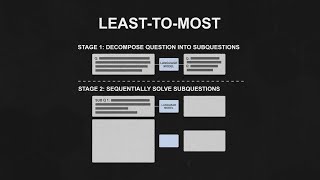
Thinking step by step
Eye on Tech

System prompts and roles
Anthropic

Structured output: JSON and tables
Telusko

Context engineering
IBM Technology
Lesson frames belong to the creators named in the Credits below and are shown from YouTube.
What you will learn
Write prompts with role, task, context, format and constraints; use few-shot examples, chain of thought and decomposition; separate system and user prompts; get JSON and CSV out reliably; assemble the right context; generate engineering documents and code from data tables with rules that stop invention; use Copilot in Excel safely; and build a tested prompt library entry with a golden set and a score.
- Write a five-part prompt with a refusal rule that turns invention into a visible blank
- Fix output format with few-shot examples and get JSON with a schema at temperature 0
- Make calculations checkable with chain of thought, and run the arithmetic as code
- Generate a FAT report section, a procedure or an I/O description column from a data table without invented facts
- Prompt for code with pinned versions and run everything; use Copilot in Excel safely
- Test a prompt against a golden set, iterate to a score and write a library entry
For you
Taking Prompt Engineering for Engineers from the United States
- Free in the United States, as everywhere, and self-paced: lessons, notes and the final assessment are open at any hour, so your time zone and shift pattern do not matter.
- The optional certificate for learners in the United States is a one-off US$23.99. What you get for it
- Plants across the Americas most often run Allen-Bradley, Siemens and Inductive Automation; each has its own free course to take next.
- See automation and engineering jobs in the United States, and what the industry looks like in Houston, Detroit and Chicago.
- EDWartens also has a regional site for the United States, for classroom training and local support: edwartens.com/us.
The course project · about 4 hours
A tested prompt library for one real engineering deliverable
Pick one document you produce at work — a FAT report section, an operating procedure, a fault-code guide, an I/O description column. Build the prompt that generates it from a data table, test it against a golden set, iterate to a score, and write it up as a library entry someone else could use.
The course project · about 2 hours
Thirty tag lines to JSON, scored by exact match
Few-shot examples plus a JSON schema, applied to thirty messy instrument lines. The score is the number of rows that match your hand-written expected JSON exactly.
Course content
12 modules · 24 lessons · 7h 45m
In order, at whatever pace suits you. Each module ends with a practice task that builds on the last.
- 01A prompt is a specification3 lessons35m
- 02Zero-shot, one-shot and few-shot examples3 lessons19m
- 03Thinking step by step3 lessons24m
- 04System prompts and roles1 lesson25m
- 05Structured output: JSON and tables2 lessons34m
- 06Context engineering2 lessons20m
- 07Engineering documents from data tables1 lesson42m
- 08Prompting for code3 lessons45m
Requirements
- Who it is for
- Beginner. No coding required for most modules; the scoring examples use a few lines of Python you can paste.
- Software
- Any chat tool (ChatGPT, Claude, Gemini, Copilot) or Google Colab with a free OpenRouter key. What to download, and how
- Hardware
- None.
Software you need
What to download, where from, what it costs and how to install it. Every link goes to the maker's own site, never a mirror.
One AI assistant
Any one is enough.
- 01Free plan with limits
ChatGPT
OpenAI, in the browser
- Runs on
- Any modern web browser, plus mobile and desktop apps
- Account
- A free OpenAI account
The Free plan allows everyday text chats. File uploads, image creation, voice and data analysis have tighter limits than paid plans, and ads may appear in some countries. Paid plans raise the limits.
Steps
- 1.Open chatgpt.com.
- 2.Click Sign up and create an account with your email, or a Google, Microsoft or Apple account.
- 3.Verify your email and confirm your details.
- 4.Type your question in the message box.
- Do not paste personal data, passwords or confidential work files.
- ChatGPT tells you when you reach a limit. Wait for it to reset or switch to a lighter task.
Open ChatGPTchatgpt.com - 02Free plan with limits
Claude
Anthropic, in the browser
- Runs on
- Any modern web browser, plus desktop and mobile apps
- Account
- A free Claude account (you must be 18 or over)
The Free plan covers chat on web, desktop and mobile, web search, file creation and Artifacts. Usage limits reset on a rolling five-hour window and depend on message length and features used. Paid plans give more usage.
Steps
- 1.Open claude.ai (or see the plans at claude.com/pricing).
- 2.Sign up with your email or Google account and confirm your email.
- 3.Confirm you are 18 or over and accept the terms.
- 4.Type your question in the message box.
- Long conversations and large files use up your limit faster. Start a new chat for a new topic.
- Do not paste personal data or confidential work files.
Open Claudeclaude.com - 03Free with limits
Google Gemini
Google, in the browser
- Runs on
- Any modern web browser, plus Android and iOS apps
- Account
- A free Google account
Free with a Google account, including a Flash model, limited access to the Pro model, image generation, Deep Research and Gems. Paid Google AI plans give higher limits. Some features require you to be 18 or over.
Steps
- 1.Open gemini.google.com.
- 2.Sign in with your Google account.
- 3.Accept the terms the first time you use it.
- 4.Type your question or upload a file in the prompt box.
- Use a personal Google account. Work or school accounts depend on your administrator's settings.
Open Google Geminigemini.google.com - 04Free
Microsoft Copilot and Microsoft 365 Copilot Chat
Microsoft, in the browser
- Runs on
- Any modern web browser, plus Windows, macOS, Android and iOS apps
- Account
- None needed
Microsoft Copilot is free for individuals; you must be at least 13 (older in some countries). Microsoft 365 Copilot Chat is included at no extra cost for organisations with an eligible Microsoft 365 licence and needs a work or school (Microsoft Entra ID) account.
Steps
- 1.Open copilot.microsoft.com.
- 2.Optionally click Sign in and use your personal Microsoft account.
- 3.Type your question in the message box.
- 4.For work or school use, sign in at microsoft365.com with your organisation account and open Copilot Chat.
- Copilot Chat with a work or school account adds enterprise data protection. Use it for work material if your organisation provides it.
Open Microsoft Copilot and Microsoft 365 Copilot Chatcopilot.microsoft.com
Optional
Useful, not needed to finish the course.
- 05Free, GPU time not guaranteed
Google Colab
Google, in the browser
- Runs on
- Any modern web browser
- Account
- A free Google account
Colab is free to use. In the free version GPUs and TPUs are heavily restricted and not guaranteed, sessions can run for at most 12 hours, and idle sessions are stopped. Paid plans give more reliable access.
Steps
- 1.Open colab.research.google.com and sign in with your Google account.
- 2.Click New notebook (or open the notebook your course links to).
- 3.For a GPU, choose Runtime, then Change runtime type, then pick a GPU if one is offered.
- 4.Type code in a cell and press Shift and Enter to run it.
- Save a copy to your Google Drive so your changes are kept.
- Files on the runtime are deleted when the session ends. Save outputs to Drive.
Open Google Colabcolab.research.google.com - 06Free models with rate limits
OpenRouter
OpenRouter, Inc., in the browser
- Runs on
- Any modern web browser (API works from any language)
- Account
- A free OpenRouter account
Models with IDs ending in :free cost nothing but are limited to 20 requests per minute and 50 requests per day. Buying at least 10 credits raises the daily free-model limit to 1,000 requests.
Steps
- 1.Open openrouter.ai and sign up.
- 2.Go to Keys in your account settings and create an API key. Copy it somewhere safe.
- 3.Pick a model whose ID ends in :free.
- 4.Call it with any OpenAI-compatible client using the base URL https://openrouter.ai/api/v1 and your key.
- Never paste your API key into shared code or public repositories.
- The list of free models changes over time. Check the model page before a class.
Open OpenRouteropenrouter.ai
Checked against each maker's own page on 27 September 2026. Trial lengths and editions change; the maker's page is the final word.
Prompt Engineering for Engineers at a glance
Prompt Engineering for Engineers is a free, self-paced online course from EDWartens for engineers, developers and students applying AI to real work. It has 12 modules and 7h 45m of video lessons by Anthropic, freeCodeCamp.org, IBM Technology and others, with written notes and worked problems, a practical project with a document pack and a 15-question final assessment (pass mark 60%). Learning is free with an account; an optional certificate with a public verification code is issued when you pass. Last updated 27 September 2026.
All course factsHide course facts
- Price
- Free, for good. No trial, no card. The only paid item is the optional certificate, a small one-off fee.
- Who it is for
- Engineers, developers and students applying AI to real work
- Format
- 12 self-paced modules, 7h 45m of video, written notes, a practice task per module and one final assessment.
- Level
- Beginner. Beginner. No coding required for most modules; the scoring examples use a few lines of Python you can paste.
- Brand
- Vendor-neutral
- Software
- Any chat tool (ChatGPT, Claude, Gemini, Copilot) or Google Colab with a free OpenRouter key.
- Hardware
- None.
- Certificate
- Optional EDWartens Certificate of Completion, verifiable by code. Not a vendor credential.
- Video lessons by
- Anthropic, freeCodeCamp.org, IBM Technology, Jeff Su, Tina Huang, Tech With Tim, Great Learning, Dave Ebbelaar, Elvis Saravia, CodeEmporium, Microsoft Developer, Kevin Stratvert, edureka!, Simplilearn, Analytics Vidhya, Telusko, Grow with Google, Eye on Tech (independent creators, credited below)
- Language
- English
- Last updated
- 27 September 2026
A shareable EDWartens certificate
Finish every module and pass the final assessment, and the optional EDWartens certificate is yours. It carries a unique verification code on a public page anyone can check, so it stands up when a recruiter looks it up. See it below.
The course itself stays free whether or not you ever buy one.
Stuck? Ask a practising engineer
A free course usually means a comment section and hope. This one does not. Every module has an Ask-your-trainer panel that reaches the same engineers who teach our paid programme: people who commission panels for a living, not moderators.
Pairs well with
 PLC programming · FreeSiemens TIA PortalFrom zero electrical knowledge to a working, simulated S7-1200 program, for nothing.
 PLC programming · FreeSiemens TIA Portal in Three HoursThe first three hours of the Siemens TIA Portal course, cut to end on a win: what a PLC is, how it is wired, a project configured in TIA Portal, and your first ladder program running in simulation. Finish it in an evening or two, earn a certificate, and carry straight on into the full course.
 PLC programming · FreeTIA Portal: Build a MachineOne machine, start to finish. Take a bottle filling line from a written specification and an I/O list to a structured S7-1200 program with a fill station, a capper, a reject sorter and an operator screen with alarms, then test it against a written record and archive it for hand-over. The lessons are the reference; the machine is yours, and it is what you submit.
 Instrumentation · FreeInstrumentation for PLC EngineersThe half of the loop that is not code. Follow one measurement from the transmitter in the field, down the 4-20 mA loop, into the analog card, through NORM_X and SCALE_X into engineering units, out again to a valve, and back to the control room when the reading is wrong.
More free courses: Free AI courses for engineers · Free generative AI and ChatGPT courses
Learning paths with this course
- AI foundations for engineers · 4 coursesFrom zero code to a working AI assistant: Python on engineering data, how large language models actually work, prompting for engineering documents, and AI agents and workflow automation with n8n.
Learner reviews
No reviews yet
Reviews here are written only by learners who have finished every module of Prompt Engineering for Engineers, and they are published exactly as written. Finish the course and yours will be the first.
Common questions
Is this just tips for ChatGPT?
No. It works in ChatGPT, Claude, Gemini, Copilot or any model through an API, and the point is the discipline — specifying, constraining and testing — not the tool. Every module ends with a prompt you keep.
Do I need to code?
Not for ten of the twelve modules. The scoring examples use a few lines of Python that are given to you; if you have never coded, paste them or score by hand in a spreadsheet.
What is the project in the Prompt Engineering for Engineers course?
You take one document you actually produce — a FAT report section, a procedure, a fault-code guide — build the prompt that generates it from a table, test it against ten or more cases with known answers, iterate to a score, and write it up as a prompt-library entry a colleague could reuse. A second short project scores a tag-list converter by exact match.
Do I need a paid AI account?
No. Any free chat tool works for most modules, and the scoring modules use OpenRouter's free models with a free key.
Is the Prompt Engineering for Engineers course really free?
Yes. Every module, practice task, project and assessment. You create an account so your progress is saved and the assessments can be marked. The certificate is the only paid item, and only if you want it.
What certificate does the Prompt Engineering for Engineers course give?
An EDWartens Certificate of Completion, issued when you have finished the modules and passed the final assessment (the project is optional practice), with a verification code anyone can check. It is not a vendor credential and is never described as one.
Who made the video lessons in the Prompt Engineering for Engineers course?
The creators named in the Credits block at the foot of this page, on their own YouTube channels. EDWartens did not make the videos and the creators are not affiliated with EDWartens. What EDWartens wrote is the study plan, the notes, the practice tasks, the projects and the assessments.
What you walk away with
Your certificate for Prompt Engineering for Engineers
Finish the course, pass the final, and this is the document with your name on it.

Verifiable by anyone
Adds to LinkedIn in one click
QR code on the certificate
Names what you can do
A permanent link
Earned, not attended
Learning is free. The certificate is optional.
Add it now and pay only when you have finished the course, or come back for it later. One-off, US$23.99, with a receipt.
Issued by EDWartens, the training division of Wartens, as a Certificate of Completion for this self-paced course. Sold by Wartens Ltd (England and Wales). It is not a vendor certification, a university award or a CPD-accredited activity, and it does not certify competence on live equipment. Delivered electronically; see the refund policy.
Credits
Who made the video lessons
The video lessons in this course were created by the people below, not by EDWartens. Every lesson streams from its creator's own YouTube channel; EDWartens neither hosts nor sells that footage, and the creators are not affiliated with EDWartens and do not endorse this course. What EDWartens wrote is the study plan, the notes, the practice tasks and the assessments.
- AnthropicPrompting 101, the prompt-engineering deep dive, Lesson 7 and the prompting tips
- freeCodeCamp.orgthe prompt engineering tutorial
- IBM Technologythe four methods of prompt engineering and context engineering explainers
- Jeff Suthe prompt formula in eight minutes
- Tina HuangGoogle's prompt engineering course in twenty minutes
- Tech With Timthe prompt engineering full course and the Cursor tutorial
- Great Learningthe prompt engineering full course
- Dave Ebbelaarstructured output explained
- Elvis Saraviafew-shot prompting explained
- CodeEmporiumchain-of-thought prompting explained
- Microsoft Developerthe prompt engineering lessons of Generative AI for Beginners
- Kevin Stratvertthe Copilot in Excel tutorial
- edureka!prompt engineering for code generation and GitHub Copilot
- Simplilearnthe introduction to prompt engineering
- Analytics Vidhyazero-, one- and few-shot prompting explained
- Teluskostructured JSON output
- Grow with Googlefew-shot prompting in Google AI Essentials
- Eye on Techchain-of-thought prompting in three minutes
If you are one of these creators and would like a lesson removed or credited differently, write to info@wartens.com.