CAD · Free
SOLIDWORKS 3D Modelling, Assemblies and Drawings
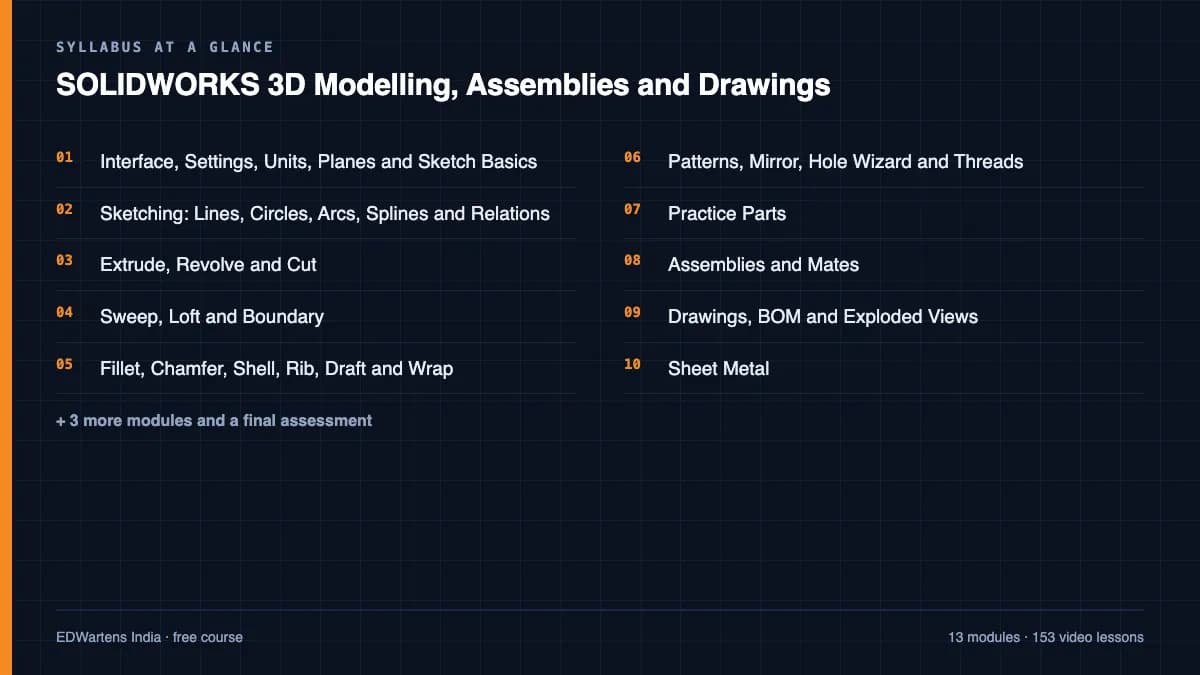
Mechanical CAD the way machine builders use it: interface, settings, units and planes, sketching with relations, extrude and revolve, sweep, loft and boundary, fillets, shells, ribs and drafts, patterns, hole wizard and threads, timed practice parts, assemblies and mates, drawings with BOM and exploded views, sheet metal, advanced surfacing, configurations and equations, materials, mass, import and export, and complete beginner courses.

Inside the course
From the lessons
Interface, Settings, Units, Planes and Sketch Basics
TriMech Group
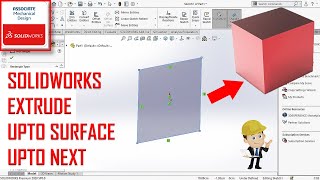
Extrude, Revolve and Cut
SOLIDWORKS AND ANSYS TUTOR

Fillet, Chamfer, Shell, Rib, Draft and Wrap
CAD CAM Tutorials

Practice Parts
Too Tall Toby

Drawings, BOM and Exploded Views
CAD CAM Tutorials
Advanced: Surfaces, Configurations, Equations and Multi-Body
CAD CAM Tutorials
Lesson frames belong to the creators named in the Credits below and are shown from YouTube.
What you will learn
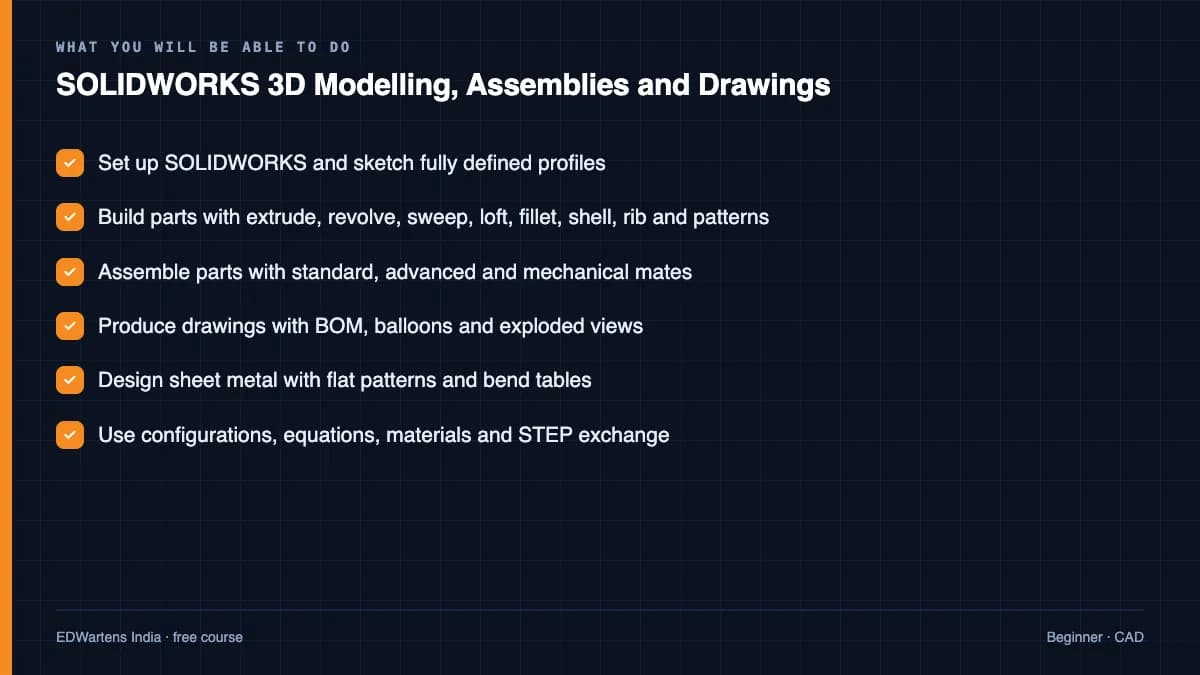
Sketch fully-defined profiles with relations, build parts with extrude, revolve, sweep, loft, fillet, shell, rib, draft, patterns and hole wizard, assemble parts with standard, advanced and mechanical mates, produce drawings with views, dimensions, GD&T, BOM and exploded views, design sheet metal with flat patterns, use configurations, equations and multi-body techniques, apply materials and mass properties, and import and export STEP and other files.
- Set up SOLIDWORKS and sketch fully defined profiles
- Build parts with extrude, revolve, sweep, loft, fillet, shell, rib and patterns
- Assemble parts with standard, advanced and mechanical mates
- Produce drawings with BOM, balloons and exploded views
- Design sheet metal with flat patterns and bend tables
- Use configurations, equations, materials and STEP exchange
For you
Taking SOLIDWORKS 3D Modelling, Assemblies and Drawings from the United States
- Free in the United States, as everywhere, and self-paced: lessons, notes and the final assessment are open at any hour, so your time zone and shift pattern do not matter.
- The optional certificate for learners in the United States is a one-off US$23.99. What you get for it
- Plants across the Americas most often run Allen-Bradley, Siemens and Inductive Automation; each has its own free course to take next.
- See automation and engineering jobs in the United States, and what the industry looks like in Houston, Detroit and Chicago.
- EDWartens also has a regional site for the United States, for classroom training and local support: edwartens.com/us.
The course project · about 18 hours
Pneumatic bearing-insertion press fixture in SOLIDWORKS: parts, configurations, GD&T drawings and a trial-fit record
Design a four-column pneumatic press fixture that inserts a 6206 ball bearing into a forged idler-pulley hub: plates, hardened nest and press pad as a three-configuration family, a Festo 200 mm cylinder, guide columns with linear bushings, a sheet-metal guard, and a drawing set with datums and feature control frames to ASME Y14.5. You deliver the SOLIDWORKS models and drawings, your own parts list and design calculation, one change notice and a trial-fit record. The sample pack shows what a design office issues to a toolroom and a production line.
Sample document pack, 7 documents, filled in for the scenario
- Parts listParts List: Bearing Press Fixture PF-1
- Drawing listDrawing and Document List: Bearing Press Fixture PF-1
- ReportDesign Calculation and Review: Press Fixture PF-1, Rev A Set
- DatasheetEquipment Datasheet: Press Cylinder DSBG-200-100 and Guide Units
- ProcedureModelling and Drawing Standard: SOLIDWORKS Parts, Assemblies, Configurations and Drawings
- Change noticeDesign Change Notice: Press Cylinder Changed from DSBG-160 to DSBG-200
- Test reportTrial-Fit and Cycle-Test Record: Press Fixture PF-1 on Production Hubs
Read inside the course and download as a workbook. The project is optional practice, marked when you submit it; the certificate needs only the modules and the final assessment.
Course content
14 modules · 154 lessons · 26h 40m
In order, at whatever pace suits you. Each module ends with a practice task that builds on the last.
- 01Interface, Settings, Units, Planes and Sketch Basics7 lessons60m
- 02Sketching: Lines, Circles, Arcs, Splines and Relations9 lessons1h 15m
- 03Extrude, Revolve and Cut9 lessons1h 19m
- 04Sweep, Loft and Boundary10 lessons1h 26m
- 05Fillet, Chamfer, Shell, Rib, Draft and Wrap9 lessons1h 29m
- 06Patterns, Mirror, Hole Wizard and Threads11 lessons1h 28m
- 07Practice Parts14 lessons3h 2m
- 08Assemblies and Mates20 lessons3h 22m
Requirements
- Who it is for
- Beginner. No CAD experience needed.
- Software
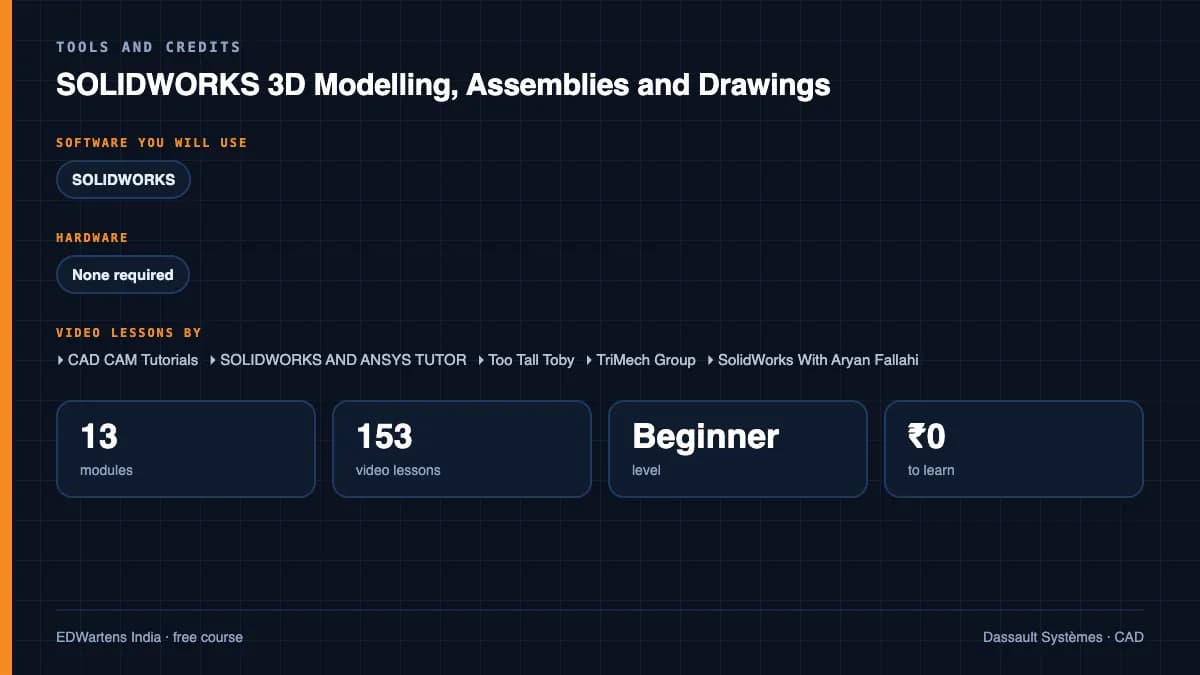
- SOLIDWORKS (education, student or trial licence) What to download, and how
- Hardware
- None required.
Software you need
What to download, where from, what it costs and how to install it. Every link goes to the maker's own site, never a mirror.
Required
- 01Free online trial
SOLIDWORKS
Dassault Systèmes SOLIDWORKS
- Runs on
- Runs in a web browser on a desktop or tablet for the online trial; the installed student edition needs a Windows PC
- Account
- A free MySolidWorks (3DEXPERIENCE ID) account
The online trial streams SOLIDWORKS Design Premium to your browser with guided lessons. Verified students can get SOLIDWORKS Design Standard free for one year and sign up again while still a student; it covers core 3D CAD, not Simulation, CAM or Electrical.
Steps
- 1.Open the SOLIDWORKS Online Product Trials page and select Try now under SOLIDWORKS Free Trial.
- 2.Sign in or create a MySolidWorks account on a desktop or tablet.
- 3.Launch the trial in your browser and follow the guided part, assembly and drawing lessons.
- 4.Save your files to the trial's home folder and download them before the session ends.
- 5.If you are a student, use the free Design Standard for Students offer for a full installed copy.
- Sessions close after a period of inactivity, so save often.
- Students whose school has the SOLIDWORKS EDU Edition should use that instead: it includes the full Premium suite.
Official download pagesolidworks.comAlternatives
- SOLIDWORKS Design Standard for Students: Free for one year for qualified students, Windows PC required.
- Autodesk Fusion for personal use: Free limited 3D CAD for home, non-commercial use.
Checked against each maker's own page on 27 September 2026. Trial lengths and editions change; the maker's page is the final word.
SOLIDWORKS 3D Modelling, Assemblies and Drawings at a glance
SOLIDWORKS 3D Modelling, Assemblies and Drawings is a free, self-paced online course from EDWartens for engineering students and design engineers. It has 14 modules and 26h 40m of video lessons by CAD CAM Tutorials, SOLIDWORKS AND ANSYS TUTOR, Too Tall Toby and others, with written notes and worked problems, a practical project with a document pack and a 15-question final assessment (pass mark 60%). Learning is free with an account; an optional certificate with a public verification code is issued when you pass. Last updated 27 September 2026.
All course factsHide course facts
- Price
- Free, for good. No trial, no card. The only paid item is the optional certificate, a small one-off fee.
- Who it is for
- Engineering students and design engineers
- Format
- 14 self-paced modules, 26h 40m of video, written notes, a practice task per module and one final assessment.
- Level
- Beginner. Beginner. No CAD experience needed.
- Brand
- Dassault Systèmes
- Software
- SOLIDWORKS (education, student or trial licence)
- Hardware
- None required.
- Certificate
- Optional EDWartens Certificate of Completion, verifiable by code. Not a vendor credential.
- Video lessons by
- CAD CAM Tutorials, SOLIDWORKS AND ANSYS TUTOR, Too Tall Toby, TriMech Group, SolidWorks With Aryan Fallahi, GoEngineer, CAD CAM 23, CAD CAM TUTORIAL BY MAHTABALAM (independent creators, credited below)
- Language
- English
- Last updated
- 27 September 2026
A shareable EDWartens certificate
Finish every module and pass the final assessment, and the optional EDWartens certificate is yours. It carries a unique verification code on a public page anyone can check, so it stands up when a recruiter looks it up. See it below.
The course itself stays free whether or not you ever buy one.
Stuck? Ask a practising engineer
A free course usually means a comment section and hope. This one does not. Every module has an Ask-your-trainer panel that reaches the same engineers who teach our paid programme: people who commission panels for a living, not moderators.
Pairs well with
 Electrical CAD · FreeSOLIDWORKS Electrical Schematic and 3DSchematic design that connects to the mechanical model: introduction and licences, projects, templates, locations and functions, title blocks and symbols, manufacturer parts and libraries, wires, marks and multiwires, terminals, relays and black boxes, PLCs and I/O, cables and harnesses, macros, reports and revisions, Electrical 3D and routing, and mechanical schematics, P&ID and PDM.
 CAD · FreeAutoCAD 2D and 3D FundamentalsThe drawing tool every engineering office expects: interface, files and navigation, drawing commands, drawing aids, modify commands, blocks, layers and properties, text, dimensions, tables and plotting, a complete beginner course, floor plan, elevation, mechanical and title block exercises, 3D basics, and the intermediate techniques that stop you staying a beginner.
 CAD · FreeAutodesk Fusion 360: 3D Design, Modelling and Manufacturing PrepCloud CAD for makers and product designers: the workspace and its key terms, sketching with constraints, extrude and revolve, fillets, shells, threads and holes, loft and sweep transitions, patterns and text, thin walls, user parameters, joints and assemblies, surfaces and T-spline forms, mesh and STL repair, moulds, sheet metal, rendering, 2D drawings and animations, practice exercises and a first CAM toolpath.
 CAD · FreeRevit MEP: Electrical BIM, HVAC, Plumbing and DocumentationBuilding services in BIM the way consultants deliver it: starting an MEP project and template, linking the architectural model with levels, grids and scope boxes, building envelope, spaces and zones, HVAC air terminals and systems, electrical families for sockets, panels and isolators, panels, switchboards and circuiting, panel schedules and load calculations, lighting plans, data, CCTV and access control, cable trays, power drawings and one-line diagrams, plumbing, piping and fire protection, views, annotations, sheets and printing, and worksharing.
More free courses: Free CAD courses
Learning paths with this course
- Mechanical and product CAD · 3 coursesAutoCAD for 2D drafting, SOLIDWORKS for machine building and Fusion 360 for products and 3D printing: three modellers, one set of habits.
Learner reviews
No reviews yet
Reviews here are written only by learners who have finished every module of SOLIDWORKS 3D Modelling, Assemblies and Drawings, and they are published exactly as written. Finish the course and yours will be the first.
Common questions
SOLIDWORKS or SOLIDWORKS Electrical?
This is the mechanical modeller; SOLIDWORKS Electrical is the schematic tool and has its own course here.
Is SOLIDWORKS free?
Students and makers have low-cost and education options and there is a trial; the course needs nothing beyond the standard package.
Do I need AutoCAD first?
No. SOLIDWORKS sketching is taught from scratch in modules 1 and 2.
Is the SOLIDWORKS 3D Modelling, Assemblies and Drawings course really free?
Yes. Every module, practice task and assessment. You create an account so your progress is saved and the assessments can be marked. The certificate is the only paid item, and only if you want it.
What certificate do I get, and is it a vendor qualification?
An EDWartens Certificate of Completion, issued when you pass the final assessment, with a verification code anyone can check. It is not a vendor credential and is never described as one.
Who made the video lessons in the SOLIDWORKS 3D Modelling, Assemblies and Drawings course?
The creators named in the Credits block at the foot of this page, on their own YouTube channels. EDWartens did not make the videos and the creators are not affiliated with EDWartens. What EDWartens wrote is the study plan, the notes, the practice tasks and the assessments.
How long does the SOLIDWORKS 3D Modelling, Assemblies and Drawings course take?
Plan on about 34 hours in all, including the video lessons, notes and practice tasks. It is self-paced, so you work through the fourteen modules at your own speed.
What you walk away with
Your certificate for SOLIDWORKS 3D Modelling, Assemblies and Drawings
Finish the course, pass the final, and this is the document with your name on it.
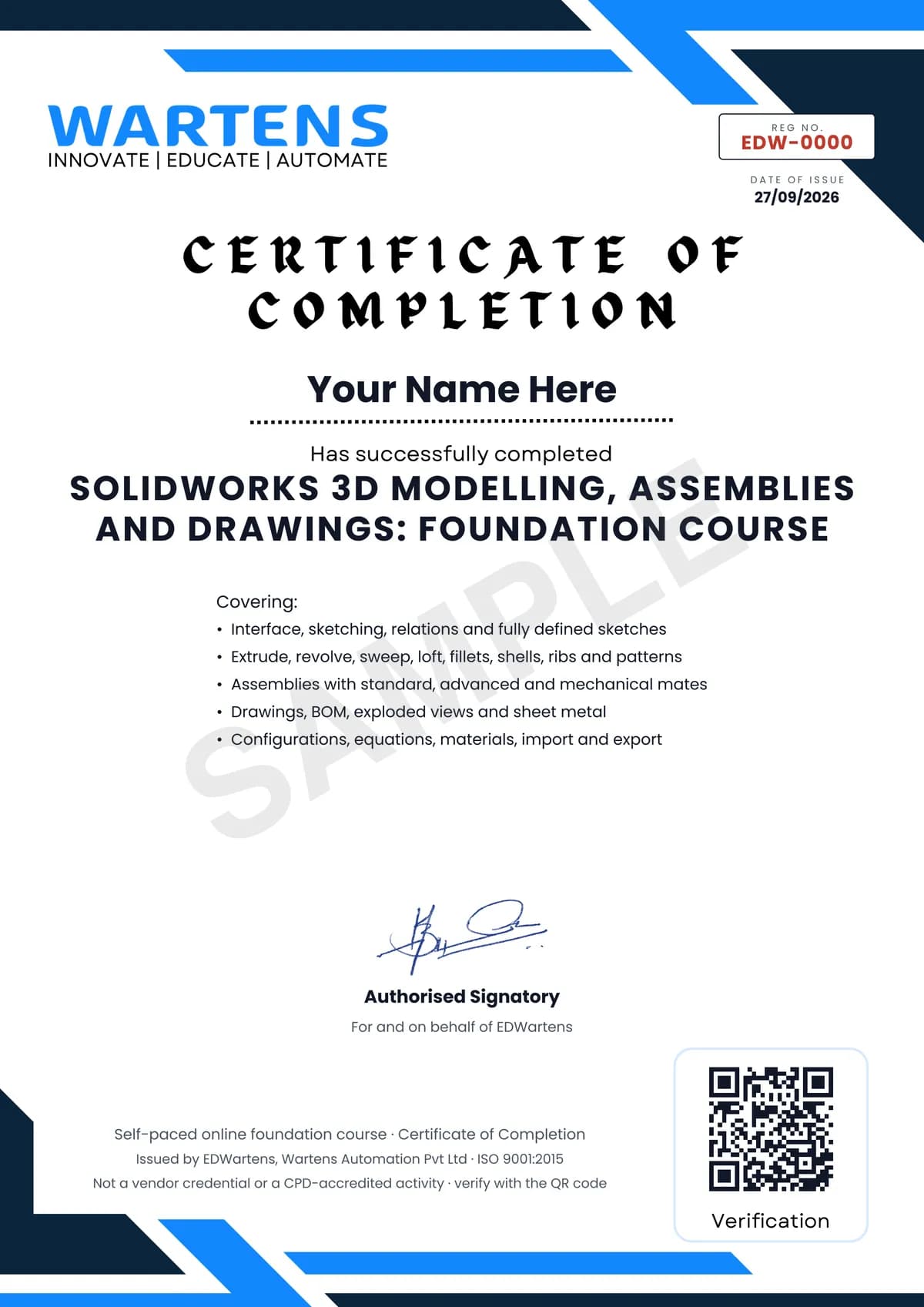
Verifiable by anyone
Adds to LinkedIn in one click
QR code on the certificate
Names what you can do
A permanent link
Earned, not attended
Learning is free. The certificate is optional.
Add it now and pay only when you have finished the course, or come back for it later. One-off, US$23.99, with a receipt.
Issued by EDWartens, the training division of Wartens, as a Certificate of Completion for this self-paced course. Sold by Wartens Ltd (England and Wales). It is not a vendor certification, a university award or a CPD-accredited activity, and it does not certify competence on live equipment. Delivered electronically; see the refund policy.
Credits
Who made the video lessons
The video lessons in this course were created by the people below, not by EDWartens. Every lesson streams from its creator's own YouTube channel; EDWartens neither hosts nor sells that footage, and the creators are not affiliated with EDWartens and do not endorse this course. What EDWartens wrote is the study plan, the notes, the practice tasks and the assessments.
- CAD CAM Tutorialsthe SolidWorks tutorial for beginners with exercises
- SOLIDWORKS AND ANSYS TUTORthe beginner to expert complete course
- Too Tall Tobythe step-by-step tutorials and timed practice parts
- TriMech Groupthe SOLIDWORKS basics and quick tips
- SolidWorks With Aryan Fallahithe step-by-step beginner courses
- GoEngineer3 lessons in "Sheet Metal and Weldments"
- CAD CAM 23a lesson in "Sheet Metal and Weldments"
- CAD CAM TUTORIAL BY MAHTABALAMa lesson in "Sheet Metal and Weldments"
If you are one of these creators and would like a lesson removed or credited differently, write to info@wartens.com.