Data and analytics · Free
SQL for PLC and SCADA Engineers
A first database for engineers who already read tags: what a relational database holds and how it differs from a CSV export, installing MySQL or SQL Server and connecting a client, tables, data types, keys and constraints, INSERT, UPDATE and DELETE, SELECT with filters, sorting, limits and calculated columns, aggregates and GROUP BY, string, date and number functions, the whole join family, UNION and temporary tables, subqueries, EXISTS and views, and normalisation up to third normal form. The video lessons teach standard SQL; the plant framing, the practice tasks and the assessments are written by EDWartens.

Inside the course
From the lessons

Why plant data ends up in a database
Simplilearn

Statements, tables and data types
Software Testing Mentor

Writing rows: INSERT, UPDATE and DELETE
Software Testing Mentor

Ranges, patterns, lists and missing values
Software Testing Mentor

Aggregates and GROUP BY: the shift report
Software Testing Mentor

Joining tables
Software Testing Mentor
Lesson frames belong to the creators named in the Credits below and are shown from YouTube.
What you will learn
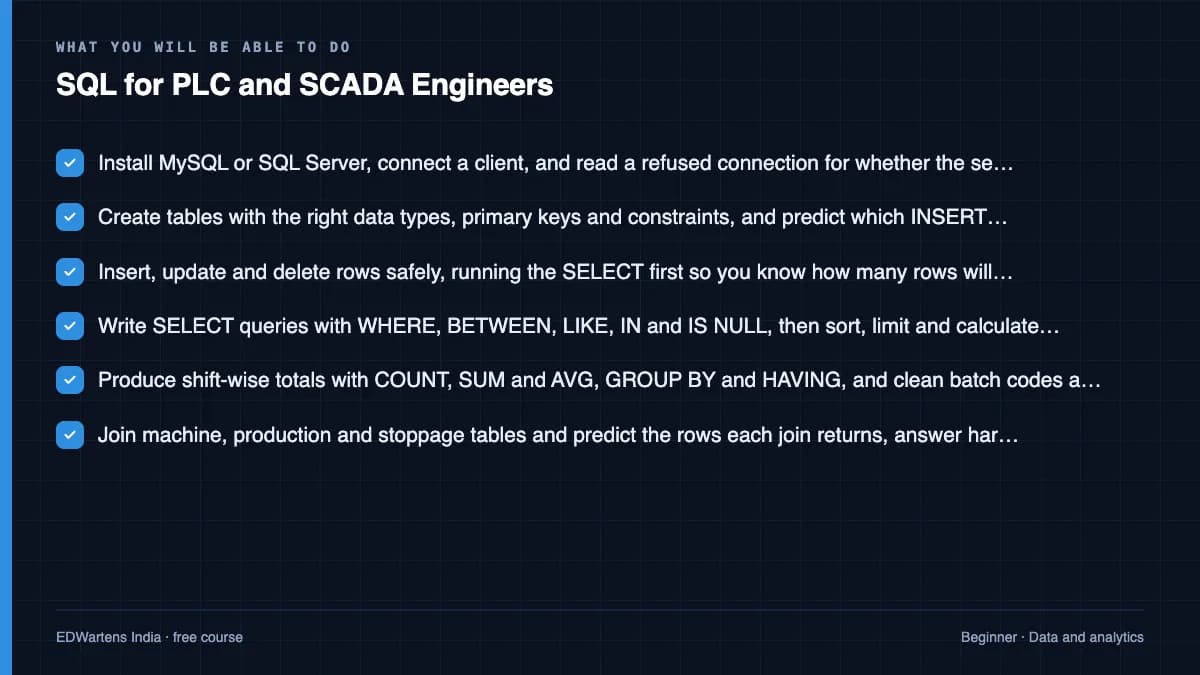
Install MySQL or SQL Server and connect a client to it; create tables with the right data types and constraints; insert, update and delete rows without damaging a table; write SELECT queries with filters, sorting, limits and calculated columns; total and group rows with the aggregate functions, GROUP BY and HAVING; clean codes and timestamps with the string and date functions; join tables and predict what an inner, left, cross or self join will return before you run it; answer a question with a subquery, EXISTS or a view; and take a flat spreadsheet to a normalised schema with keys you can defend in a design review. Every one of those is ordinary SQL. What makes it a plant course is EDWartens' own notes, practice tasks and assessments, which set all of it on machine, production, alarm and downtime records.
- Install MySQL or SQL Server, connect a client, and read a refused connection for whether the server, the port or the password is wrong
- Create tables with the right data types, primary keys and constraints, and predict which INSERT a constraint will reject
- Insert, update and delete rows safely, running the SELECT first so you know how many rows will change
- Write SELECT queries with WHERE, BETWEEN, LIKE, IN and IS NULL, then sort, limit and calculate columns inside the query
- Produce shift-wise totals with COUNT, SUM and AVG, GROUP BY and HAVING, and clean batch codes and timestamps with the string and date functions
- Join machine, production and stoppage tables and predict the rows each join returns, answer harder questions with subqueries, EXISTS and views, and take a flat spreadsheet to third normal form
For you
Taking SQL for PLC and SCADA Engineers from the United States
- Free in the United States, as everywhere, and self-paced: lessons, notes and the final assessment are open at any hour, so your time zone and shift pattern do not matter.
- The optional certificate for learners in the United States is a one-off US$23.99. What you get for it
- Plants across the Americas most often run Allen-Bradley, Siemens and Inductive Automation; each has its own free course to take next.
- See automation and engineering jobs in the United States, and what the industry looks like in Houston, Detroit and Chicago.
- EDWartens also has a regional site for the United States, for classroom training and local support: edwartens.com/us.
The course project · about 14 hours
SCADA production database for a three-line packaging plant: schema, tag mapping, nightly ETL and OEE queries validated against paper logs
Design and build the reporting database behind a flexible-packaging plant's SCADA: a normalised schema for lines, jobs, batches, downtime and quality with the keys and indexes defended in writing, a tag-to-column register for the logger, a nightly job that turns raw tag rows into batch and OEE tables, the shift and Pareto queries with their expected results, and a validation against one week of paper shift logs. You deliver the DDL, the loaded database, your own register, queries, validation report and O&M manual. The sample pack shows what a SCADA engineer hands to a plant that has only ever had Excel.
Sample document pack, 7 documents, filled in for the scenario
- URSUser Requirements: Production Reporting Database, Łódź Plant
- SDSSoftware Design Specification: Schema, Keys, Indexes and the Nightly Build
- RegisterTag-to-Column Register: Logger Tags to Database Columns
- ProcedureProcedure: Nightly Build, Backup and Restore Test
- ReportReport Definitions and Expected Results: OEE by Shift, Downtime Pareto, Traceability
- Test reportValidation Report: Schema, Load, One Week Against the Paper Logs, Traceability, ETL and Backup
- O&M manualOperation and Maintenance Manual: Production Reporting Database
Read inside the course and download as a workbook. The project is optional practice, marked when you submit it; the certificate needs only the modules and the final assessment.
Course content
15 modules · 54 lessons · 9h 31m
In order, at whatever pace suits you. Each module ends with a practice task that builds on the last.
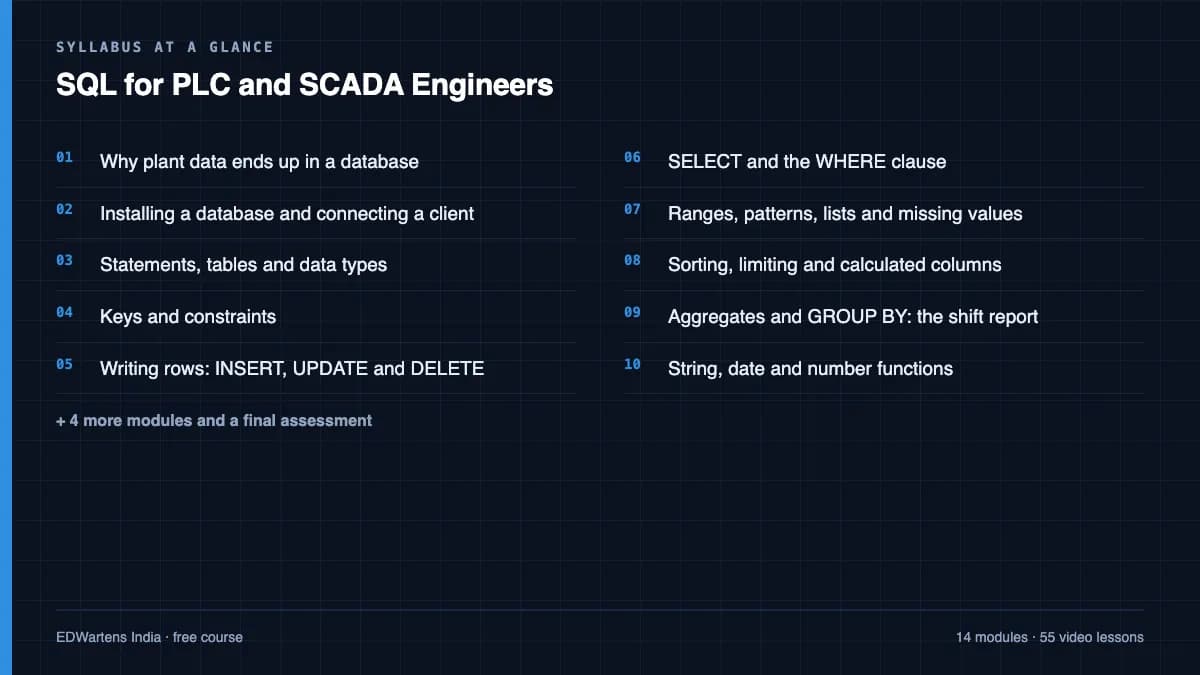
- 01Why plant data ends up in a database3 lessons20m
- 02Installing a database and connecting a client5 lessons1h 9m
- 03Statements, tables and data types4 lessons41m
- 04Keys and constraints4 lessons33m
- 05Writing rows: INSERT, UPDATE and DELETE4 lessons53m
- 06SELECT and the WHERE clause4 lessons34m
- 07Ranges, patterns, lists and missing values4 lessons29m
- 08Sorting, limiting and calculated columns3 lessons21m
Requirements
- Who it is for
- Beginner. No database experience assumed and no programming background needed. If you can read a PLC tag list and a shift report, you can follow this course.
- Software
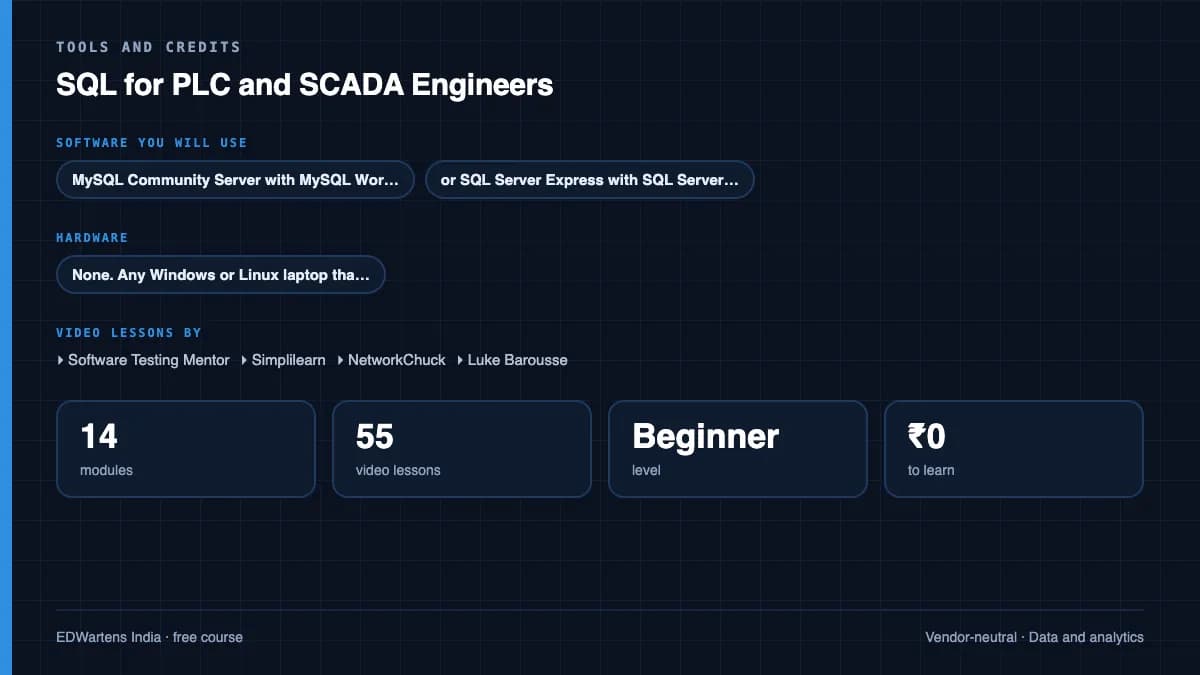
- MySQL Community Server with MySQL Workbench, or SQL Server Express with SQL Server Management Studio. Both are free downloads and a laptop is enough. What to download, and how
- Hardware
- None. Any Windows or Linux laptop that can run a database server locally.
Software you need
What to download, where from, what it costs and how to install it. Every link goes to the maker's own site, never a mirror.
One database with its editor
Any one is enough.
- 01Free
MySQL Community Server and MySQL Workbench
Oracle
- Runs on
- Windows 64-bit, macOS, Ubuntu, Debian, Red Hat / Oracle Linux, Fedora, SUSE and generic Linux
- Account
- None needed
- Size
- Windows MSI installer about 126 MB (server) and about 261 MB (Workbench)
MySQL Community Server and MySQL Workbench Community are free and open source under the GPL.
Steps
- 1.Open dev.mysql.com/downloads/mysql and choose your operating system.
- 2.Pick the version your course uses (the LTS release is the safest choice) and click Download next to the Windows MSI Installer.
- 3.On the next page, click "No thanks, just start my download." You do not need an Oracle account.
- 4.Run the installer, set a root password you will remember, and keep the default port 3306.
- 5.Download MySQL Workbench from dev.mysql.com/downloads/workbench the same way, install it and connect to localhost.
- Workbench on Windows needs Microsoft .NET Framework 4.5 and the Visual C++ Redistributable for Visual Studio 2019.
- Write down the root password. You need it every time you connect.
Official download pagedev.mysql.com - 02Free
SQL Server Express and SQL Server Management Studio (SSMS)
Microsoft
- Runs on
- SQL Server: Windows (also Linux). SSMS 22: Windows 11 64-bit (including Arm64) or Windows Server 2019, 2022 or 2025; not Windows 10.
- Account
- None needed
- Size
- SSMS 22 needs 4 GB to 50 GB of free space depending on features (typical 20 GB to 50 GB)
SQL Server Express is free, including for small production apps, with limits: 50 GB per database, 1,410 MB buffer pool memory, and the lesser of 1 socket or 4 cores. Developer editions are also free but only for development and testing. SSMS is free.
Steps
- 1.Open the SQL Server downloads page and click Download under Express.
- 2.Run the installer and choose Basic for a quick default install.
- 3.Note the instance name it shows (usually SQLEXPRESS).
- 4.Download the SSMS 22 installer (vs_SSMS.exe) from Microsoft Learn and run it as an administrator.
- 5.In the Visual Studio Installer, click Install, then open SSMS and connect to localhost\SQLEXPRESS.
- SSMS 22 does not support Windows 10. On Windows 10 use Visual Studio Code with the SQL Server (mssql) extension, or an older SSMS release.
- SSMS needs at least 4 GB of RAM; 16 GB is recommended.
Official download pagemicrosoft.comAlternatives
- SQL Server Management Studio install page: Download link and step-by-step guide for SSMS 22.
Checked against each maker's own page on 27 September 2026. Trial lengths and editions change; the maker's page is the final word.
SQL for PLC and SCADA Engineers at a glance
SQL for PLC and SCADA Engineers is a free, self-paced online course from EDWartens for automation engineers working with plant data. It has 15 modules and 9h 31m of video lessons by Software Testing Mentor, Simplilearn, NetworkChuck and others, with written notes and worked problems, a practical project with a document pack and a 15-question final assessment (pass mark 60%). Learning is free with an account; an optional certificate with a public verification code is issued when you pass. Last updated 27 September 2026.
All course factsHide course facts
- Price
- Free, for good. No trial, no card. The only paid item is the optional certificate, a small one-off fee.
- Who it is for
- Automation engineers working with plant data
- Format
- 15 self-paced modules, 9h 31m of video, written notes, a practice task per module and one final assessment.
- Level
- Beginner. Beginner. No database experience assumed and no programming background needed. If you can read a PLC tag list and a shift report, you can follow this course.
- Brand
- Vendor-neutral
- Software
- MySQL Community Server with MySQL Workbench, or SQL Server Express with SQL Server Management Studio. Both are free downloads and a laptop is enough.
- Hardware
- None. Any Windows or Linux laptop that can run a database server locally.
- Certificate
- Optional EDWartens Certificate of Completion, verifiable by code. Not a vendor credential.
- Video lessons by
- Software Testing Mentor, Simplilearn, NetworkChuck, Luke Barousse (independent creators, credited below)
- Language
- English
- Last updated
- 27 September 2026
A shareable EDWartens certificate
Finish every module and pass the final assessment, and the optional EDWartens certificate is yours. It carries a unique verification code on a public page anyone can check, so it stands up when a recruiter looks it up. See it below.
The course itself stays free whether or not you ever buy one.
Stuck? Ask a practising engineer
A free course usually means a comment section and hope. This one does not. Every module has an Ask-your-trainer panel that reaches the same engineers who teach our paid programme: people who commission panels for a living, not moderators.
Pairs well with
 PLC programming · FreeSiemens TIA PortalFrom zero electrical knowledge to a working, simulated S7-1200 program, for nothing.
 PLC programming · FreeSiemens TIA Portal in Three HoursThe first three hours of the Siemens TIA Portal course, cut to end on a win: what a PLC is, how it is wired, a project configured in TIA Portal, and your first ladder program running in simulation. Finish it in an evening or two, earn a certificate, and carry straight on into the full course.
 PLC programming · FreeTIA Portal: Build a MachineOne machine, start to finish. Take a bottle filling line from a written specification and an I/O list to a structured S7-1200 program with a fill station, a capper, a reject sorter and an operator screen with alarms, then test it against a written record and archive it for hand-over. The lessons are the reference; the machine is yours, and it is what you submit.
 Instrumentation · FreeInstrumentation for PLC EngineersThe half of the loop that is not code. Follow one measurement from the transmitter in the field, down the 4-20 mA loop, into the analog card, through NORM_X and SCALE_X into engineering units, out again to a valve, and back to the control room when the reading is wrong.
More free courses: Free SCADA courses · Free Industry 4.0 and IIoT courses
Learner reviews
No reviews yet
Reviews here are written only by learners who have finished every module of SQL for PLC and SCADA Engineers, and they are published exactly as written. Finish the course and yours will be the first.
Common questions
Do I need any database experience?
No. The course starts at what a table, a row and a column are, and assumes only that you can read a tag list and a shift report. There is no programming prerequisite. If you keep production or downtime records in Excel today, the first module will feel familiar and the rest shows you what a database does that a spreadsheet cannot.
Do the video lessons use plant data?
No, and it is worth being plain about it. Every video lesson in this course teaches SQL in general. Not one of them mentions a historian, a plant tag, SCADA or a production database, because no free course of that kind exists. The plant application is written by EDWartens: the notes, the worked examples, the practice tasks and every assessment question are set on machine, production, alarm and downtime records. You take the language from the lessons and apply it to your plant in the practice.
Is this the same as an Oracle or Microsoft database certification?
No. Oracle's Database SQL certification and Microsoft's data platform exams are sat with those vendors and paid for separately. This course is preparation for the SQL they test and for the SQL a plant or MES job asks for. It is not that certification, it does not count towards one, and it is never described as one.
MySQL or SQL Server, which should I install?
Either, and the course walks through installing both. Nearly everything taught here is standard SQL that runs on both, and the places where they differ, such as LIMIT against TOP and FETCH FIRST, are pointed out where they come up. MySQL Community Server with Workbench is the lighter download; SQL Server Express with SSMS is the same family as the SQL Server that many SCADA, historian and MES products are installed against.
What will I practise on?
Each module ends with a written task on your own line's records: the ten things a shift records and which table each belongs in, a downtime table with its keys and constraints, the LIKE patterns that match your tag families, the row counts an inner join and a left join would each return. One worked example runs through the course, a machine master with a production log and a downtime log, so a learner who is not in a plant today can do every task on that instead.
Is the SQL for PLC and SCADA Engineers course really free?
Yes. Every module, practice task and assessment. You create an account so your progress is saved and the assessments can be marked. The certificate is the only paid item, and only if you want it.
What certificate does the SQL for PLC and SCADA Engineers course give?
An EDWartens Certificate of Completion, issued when you have worked through every module and passed the final assessment at 60%, with a verification code anyone can check. It is not a vendor credential and is never described as one.
Who made the video lessons in the SQL for PLC and SCADA Engineers course?
The creators named in the Credits block at the foot of this page, on their own YouTube channels. EDWartens did not make the videos and the creators are not affiliated with EDWartens. What EDWartens wrote is the study plan, the notes, the practice tasks and the assessments.
What you walk away with
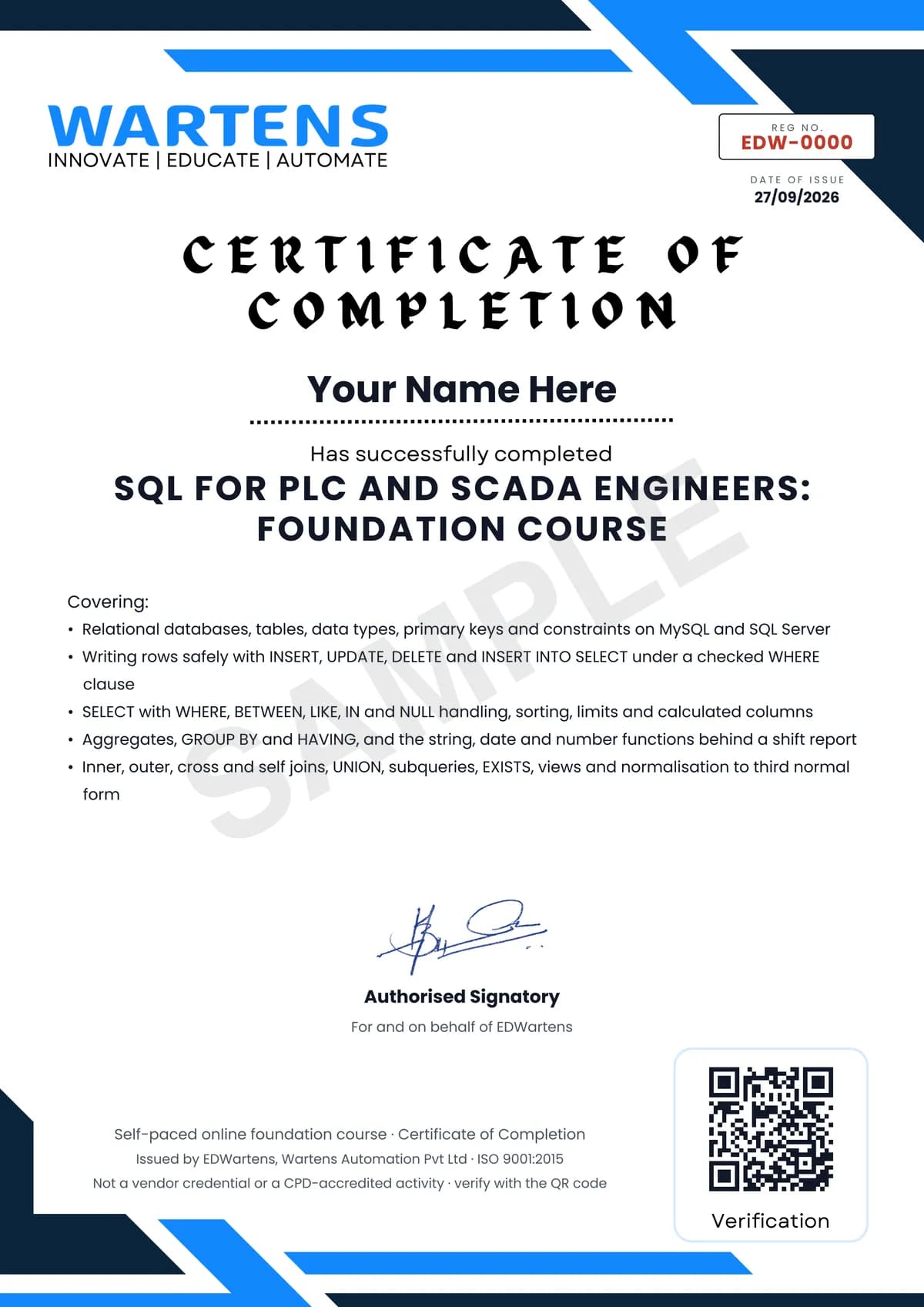
Your certificate for SQL for PLC and SCADA Engineers
Finish the course, pass the final, and this is the document with your name on it.
Verifiable by anyone
Adds to LinkedIn in one click
QR code on the certificate
Names what you can do
A permanent link
Earned, not attended
Learning is free. The certificate is optional.
Add it now and pay only when you have finished the course, or come back for it later. One-off, US$23.99, with a receipt.
Issued by EDWartens, the training division of Wartens, as a Certificate of Completion for this self-paced course. Sold by Wartens Ltd (England and Wales). It is not a vendor certification, a university award or a CPD-accredited activity, and it does not certify competence on live equipment. Delivered electronically; see the refund policy.
Credits
Who made the video lessons
The video lessons in this course were created by the people below, not by EDWartens. Every lesson streams from its creator's own YouTube channel; EDWartens neither hosts nor sells that footage, and the creators are not affiliated with EDWartens and do not endorse this course. What EDWartens wrote is the study plan, the notes, the practice tasks and the assessments.
- Software Testing Mentorthe numbered SQL Tutorial series that carries most of the course: statements and syntax, DDL against DML, creating databases and tables, data types, constraints, INSERT, UPDATE and DELETE, SELECT and WHERE, the operators, sorting and limits, aggregates, GROUP BY and HAVING, the string, date and maths functions, the joins, UNION, subqueries and views
- Simplilearnthe two-minute introduction to SQL, the MySQL, SQL Server and Ubuntu installation walkthroughs, and the long-form sessions on joins, GROUP BY and HAVING, temporary tables, subqueries, date types, ER diagrams and normalisation
- NetworkChuckthe opening case for learning SQL now, with a first query run in the video
- Luke Baroussethe analyst's walkthrough of SELECT, ORDER BY and LIMIT used in the sorting and calculated columns module
If you are one of these creators and would like a lesson removed or credited differently, write to info@wartens.com.