PLC programming · Free
Mitsubishi FX with GX Works2
The Mitsubishi FX family instruction by instruction: devices, contacts, timers, counters, data, analog and high-speed counting in GX Works2, with a look ahead to GX Works3.

Inside the course
From the lessons

The FX Family and GX Works2
The Tech Guy

Contacts, Coils, Inversion and Comments
Tech Talk Lalitesh

Program Flow: MC/MCR, CJ, CALL, FEND and SRET
Tech Talk Lalitesh
Counters: 16-bit, 32-bit, Latched and Bi-directional
Tech Talk Lalitesh

Comparison Contacts: =, <>, <=, >= and Limits
Tech Talk Lalitesh

Floating Point and Type Conversion
Tech Talk Lalitesh
Lesson frames belong to the creators named in the Credits below and are shown from YouTube.
What you will learn
Create and download a GX Works2 project, use X, Y, M, D, T and C devices correctly, write ladder with LD, LDI, OUT, SET, RST, PLS, PLF and pulse contacts, control flow with MC/MCR, CJ and CALL, use timers, counters, MOV, CMP and comparison contacts, do integer and floating-point arithmetic and word logic, scale analog I/O, count an encoder, upload and download, and read a GX Works3 project.
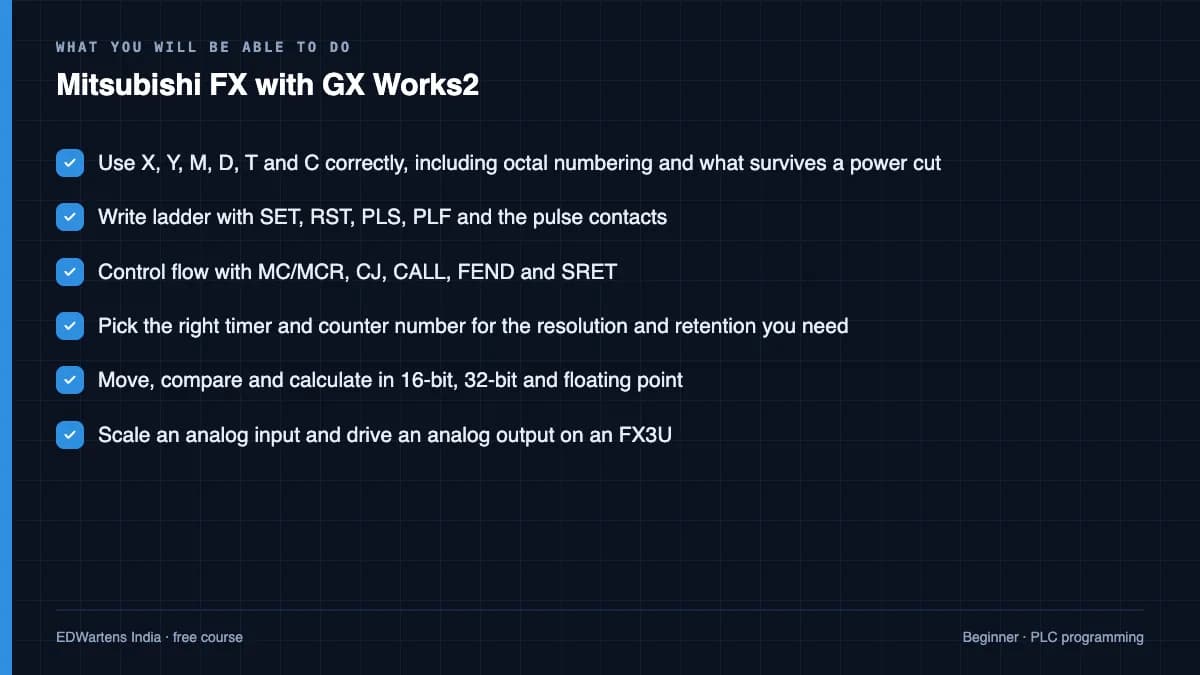
- Use X, Y, M, D, T and C correctly, including octal numbering and what survives a power cut
- Write ladder with SET, RST, PLS, PLF and the pulse contacts
- Control flow with MC/MCR, CJ, CALL, FEND and SRET
- Pick the right timer and counter number for the resolution and retention you need
- Move, compare and calculate in 16-bit, 32-bit and floating point
- Scale an analog input and drive an analog output on an FX3U
- Count an encoder with the high-speed counter and compute RPM
- Open a GX Works3 project and find your way around
For you
Taking Mitsubishi FX with GX Works2 from the United States
- Free in the United States, as everywhere, and self-paced: lessons, notes and the final assessment are open at any hour, so your time zone and shift pattern do not matter.
- The optional certificate for learners in the United States is a one-off US$23.99. What you get for it
- Plants across the Americas most often run Allen-Bradley, Siemens and Inductive Automation; each has its own free course to take next.
- See automation and engineering jobs in the United States, and what the industry looks like in Houston, Detroit and Chicago.
- EDWartens also has a regional site for the United States, for classroom training and local support: edwartens.com/us.
The course project · about 16 hours
Bag-making machine BM-2: sequence, seal temperature and a witnessed FAT on an FX3U
Design, program, test and document the control retrofit of a bottom-seal bag making machine: encoder-measured index feed, a timed heat seal and cut, seal-bar temperature from a 4-20 mA transmitter through an FX3U-4AD, bag and batch counters, guard and E-stop safety through a safety relay, and a GOT2000 screen. You deliver the GX Works2 project, your own I/O list and FAT record, and the operator note. The sample pack shows what a system integrator hands over for the same machine.
Sample document pack, 8 documents, filled in for the scenario
- Control narrativeSequence of Operations: Bag Making Machine BM-2 Control Retrofit
- I/O listI/O List: Panel CP-BM2
- SRSSafety Requirements Specification: BM-2 Safety Functions
- BOMBill of Materials: Panel CP-BM2 and Machine-Mounted Devices
- Tag listPLC Device List and Naming Convention
- Alarm listAlarm List: BM-2
- FATFactory Acceptance Test Record: Panel CP-BM2
- O&M manualOperation and Maintenance Manual: BM-2 (Operation section)
Read inside the course and download as a workbook. The project is optional practice, marked when you submit it; the certificate needs only the modules and the final assessment.
Course content
17 modules · 72 lessons · 7h 27m
In order, at whatever pace suits you. Each module ends with a practice task that builds on the last.
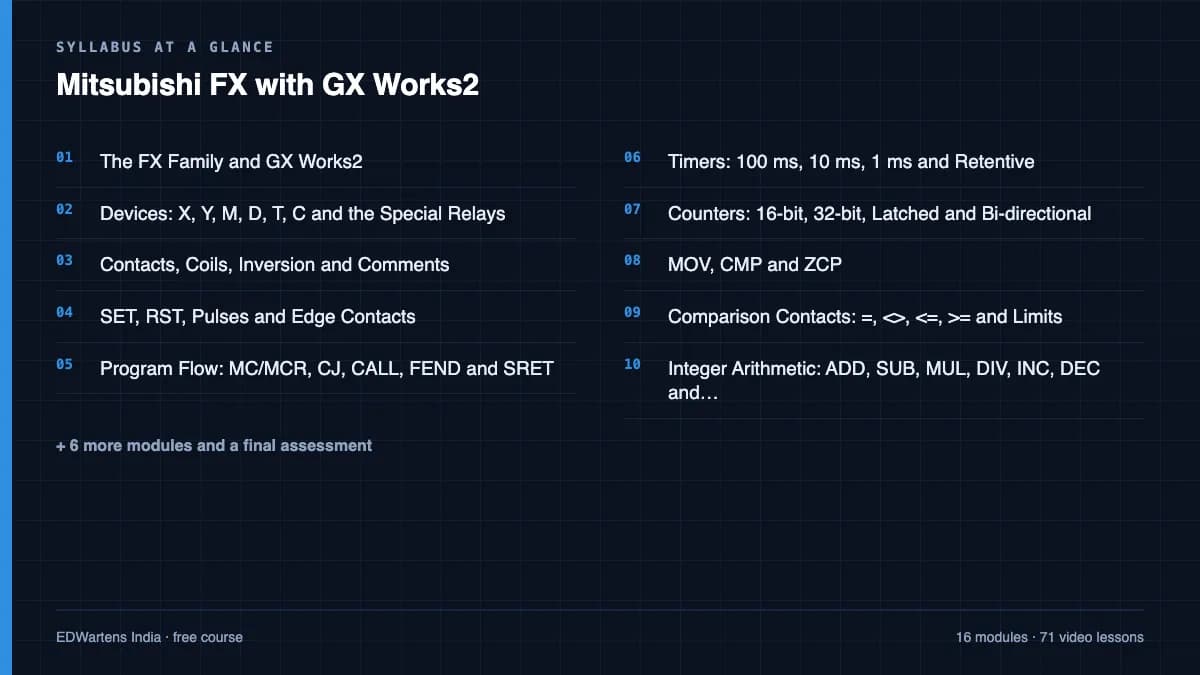
- 01The FX Family and GX Works24 lessons15m
- 02Devices: X, Y, M, D, T, C and the Special Relays5 lessons25m
- 03Contacts, Coils, Inversion and Comments2 lessons24m
- 04SET, RST, Pulses and Edge Contacts5 lessons25m
- 05Program Flow: MC/MCR, CJ, CALL, FEND and SRET4 lessons30m
- 06Timers: 100 ms, 10 ms, 1 ms and Retentive5 lessons44m
- 07Counters: 16-bit, 32-bit, Latched and Bi-directional4 lessons36m
- 08MOV, CMP and ZCP5 lessons30m
Requirements
- Who it is for
- Beginner. No Mitsubishi experience assumed.
- Software
- MELSOFT GX Works2 (trial on request from Mitsubishi Electric) with its built-in simulator; GX Works3 optional, for the final study module What to download, and how
- Hardware
- None. The GX Works2 simulator runs every exercise.
Software you need
What to download, where from, what it costs and how to install it. Every link goes to the maker's own site, never a mirror.
GX Works3 is only for the final module.
Required
- 01Trial on request
MELSOFT GX Works2
Mitsubishi Electric
- Runs on
- Windows PC (check the operating environment in the vendor catalogue)
- Account
- A free Mitsubishi Electric FA website account for your region, plus a trial licence from Mitsubishi Electric or its local distributor
GX Works2 is paid software and the installer asks for a product ID. Mitsubishi Electric does not publish a self-service trial on its global pages; a time-limited trial licence is given on request by Mitsubishi Electric or its distributor, so check with your regional office.
Steps
- 1.Open the Mitsubishi Electric FA download page and choose your country or region.
- 2.Register for the regional FA website and sign in.
- 3.Ask your regional Mitsubishi Electric office or distributor for a GX Works2 trial product ID.
- 4.Download the GX Works2 installer from the regional software download section.
- 5.Run the installer and enter the product ID when asked.
- GX Works2 is for the older FX, L and Q series. For iQ-R and iQ-F controllers use GX Works3.
- GX Works2 includes a simulation function, so you can test logic without a PLC.
Official download pagemitsubishielectric.comAlternatives
- CODESYS Development System: Free IEC 61131-3 programming tool with a SoftPLC that runs in 2-hour demo sessions.
- OpenPLC Editor: Free, open-source PLC editor for Windows, macOS and Linux.
Optional
Useful, not needed to finish the course.
- 02Trial on request
MELSOFT GX Works3 (with GT Works3 / GT Designer3)
Mitsubishi Electric
- Runs on
- Windows PC (check the operating environment in the vendor catalogue)
- Account
- A free Mitsubishi Electric FA website account for your region, plus a trial licence from Mitsubishi Electric or its local distributor
GX Works3 is paid software and the installer asks for a product ID. Mitsubishi Electric Americas says a free 30-day trial can be provided for its GX Works3 training classes; otherwise ask your regional Mitsubishi office or distributor for a trial licence.
Steps
- 1.Open the Mitsubishi Electric FA download page and choose your country or region.
- 2.Register for the regional FA website and sign in.
- 3.Ask your regional Mitsubishi Electric office or distributor for a GX Works3 trial product ID.
- 4.Download GX Works3 (and GT Works3 if you need GT Designer3 for GOT screens).
- 5.Install, enter the product ID, then use the built-in simulator to test your program.
- GX Works3 has an integrated simulator, so you can debug a program without PLC hardware.
- GX Works3 is for MELSEC iQ-R, iQ-F and MX controllers; older FX, L and Q series use GX Works2.
Official download pagemitsubishielectric.comAlternatives
- CODESYS Development System: Free IEC 61131-3 programming tool with a SoftPLC that runs in 2-hour demo sessions.
- OpenPLC Editor: Free, open-source PLC editor for Windows, macOS and Linux.
Checked against each maker's own page on 27 September 2026. Trial lengths and editions change; the maker's page is the final word.
Mitsubishi FX with GX Works2 at a glance
Mitsubishi FX with GX Works2 is a free, self-paced online course from EDWartens for engineering students, ITI and diploma holders, and working engineers in automation, electrical and instrumentation. It has 17 modules and 7h 27m of video lessons by Tech Talk Lalitesh, Learn Engineering With Amirul, The Tech Guy, with written notes and worked problems, a practical project with a document pack and a 15-question final assessment (pass mark 60%). Learning is free with an account; an optional certificate with a public verification code is issued when you pass. Last updated 27 September 2026.
All course factsHide course facts
- Price
- Free, for good. No trial, no card. The only paid item is the optional certificate, a small one-off fee.
- Who it is for
- Engineering students, ITI and diploma holders, and working engineers in automation, electrical and instrumentation
- Format
- 17 self-paced modules, 7h 27m of video, written notes, a practice task per module and one final assessment.
- Level
- Beginner. Beginner. No Mitsubishi experience assumed.
- Brand
- Mitsubishi Electric
- Software
- MELSOFT GX Works2 (trial on request from Mitsubishi Electric) with its built-in simulator; GX Works3 optional, for the final study module
- Hardware
- None. The GX Works2 simulator runs every exercise.
- Certificate
- Optional EDWartens Certificate of Completion, verifiable by code. Not a vendor credential.
- Video lessons by
- Tech Talk Lalitesh, Learn Engineering With Amirul, The Tech Guy (independent creators, credited below)
- Language
- English
- Last updated
- 27 September 2026
A shareable EDWartens certificate
Finish every module and pass the final assessment, and the optional EDWartens certificate is yours. It carries a unique verification code on a public page anyone can check, so it stands up when a recruiter looks it up. See it below.
The course itself stays free whether or not you ever buy one.
Stuck? Ask a practising engineer
A free course usually means a comment section and hope. This one does not. Every module has an Ask-your-trainer panel that reaches the same engineers who teach our paid programme: people who commission panels for a living, not moderators.
Pairs well with
 PLC programming · FreeMitsubishi GX Works3: MELSEC iQ-R and iQ-FThe current Mitsubishi platform: GX Works3, iQ-R and FX5U hardware, communication and setup, I/O and CC-Link cards, the ladder editor with labels, sequence basics with the GOT simulator, timers, counters, data moves, index registers, arithmetic, CC-Link IE Field, built-in functions, MELSOFT Navigator and Mitsubishi's e-learning.
 PLC programming · FreeSiemens TIA PortalFrom zero electrical knowledge to a working, simulated S7-1200 program, for nothing.
 PLC programming · FreeSiemens TIA Portal in Three HoursThe first three hours of the Siemens TIA Portal course, cut to end on a win: what a PLC is, how it is wired, a project configured in TIA Portal, and your first ladder program running in simulation. Finish it in an evening or two, earn a certificate, and carry straight on into the full course.
 PLC programming · FreeTIA Portal: Build a MachineOne machine, start to finish. Take a bottle filling line from a written specification and an I/O list to a structured S7-1200 program with a fill station, a capper, a reject sorter and an operator screen with alarms, then test it against a written record and archive it for hand-over. The lessons are the reference; the machine is yours, and it is what you submit.
More free courses: Free Mitsubishi PLC course · Free PLC programming courses
Learning paths with this course
- Machine-builder PLCs · 4 coursesMitsubishi, Omron, Schneider and Delta: the compact controllers inside packaging, textile, plastics and food machines.
- Japanese PLC platforms · 4 coursesOmron Sysmac and CX-Programmer, Mitsubishi GX Works3 and GX Works2: the controllers inside many packaging, textile and automotive machines, especially in Asia.
Learner reviews
No reviews yet
Reviews here are written only by learners who have finished every module of Mitsubishi FX with GX Works2, and they are published exactly as written. Finish the course and yours will be the first.
Common questions
Do I need GX Works2?
For the exercises, yes. Mitsubishi Electric gives trials on request through its regional offices, and many colleges hold licences. The simulator built into GX Works2 runs every exercise without a PLC.
GX Works2 or GX Works3?
GX Works2 programs the FX3 generation and earlier, which is still most of the installed base. GX Works3 programs the FX5 and iQ-R. The course is GX Works2 throughout, with a final module on what changes in GX Works3.
Do I need an FX PLC?
No. The simulator runs everything. The analog and encoder modules show an FX3U so you know the wiring.
Why are X and Y numbered in octal?
Mitsubishi numbers inputs and outputs in base eight: X0 to X7, then X10. It trips everyone once; the course makes sure it only trips you once.
What computer do I need for the Mitsubishi FX with GX Works2 course?
A 64-bit Windows 10 machine with 8 GB of RAM. GX Works is Windows-only.
Is the Mitsubishi FX with GX Works2 course really free?
Yes. Every module, practice task and assessment. You create an account so your progress is saved and the assessments can be marked. The certificate is the only paid item, and only if you want it.
What certificate do I get, and is it a Mitsubishi qualification?
An EDWartens Certificate of Completion, issued when you pass the final assessment, with a verification code anyone can check. It is not a Mitsubishi Electric credential and is never described as one.
Who made the video lessons in the Mitsubishi FX with GX Works2 course?
The creators named in the Credits block at the foot of this page, on their own YouTube channels. EDWartens did not make the videos and the creators are not affiliated with EDWartens. What EDWartens wrote is the study plan, the notes, the practice tasks and the assessments.
What you walk away with
Your certificate for Mitsubishi FX with GX Works2
Finish the course, pass the final, and this is the document with your name on it.
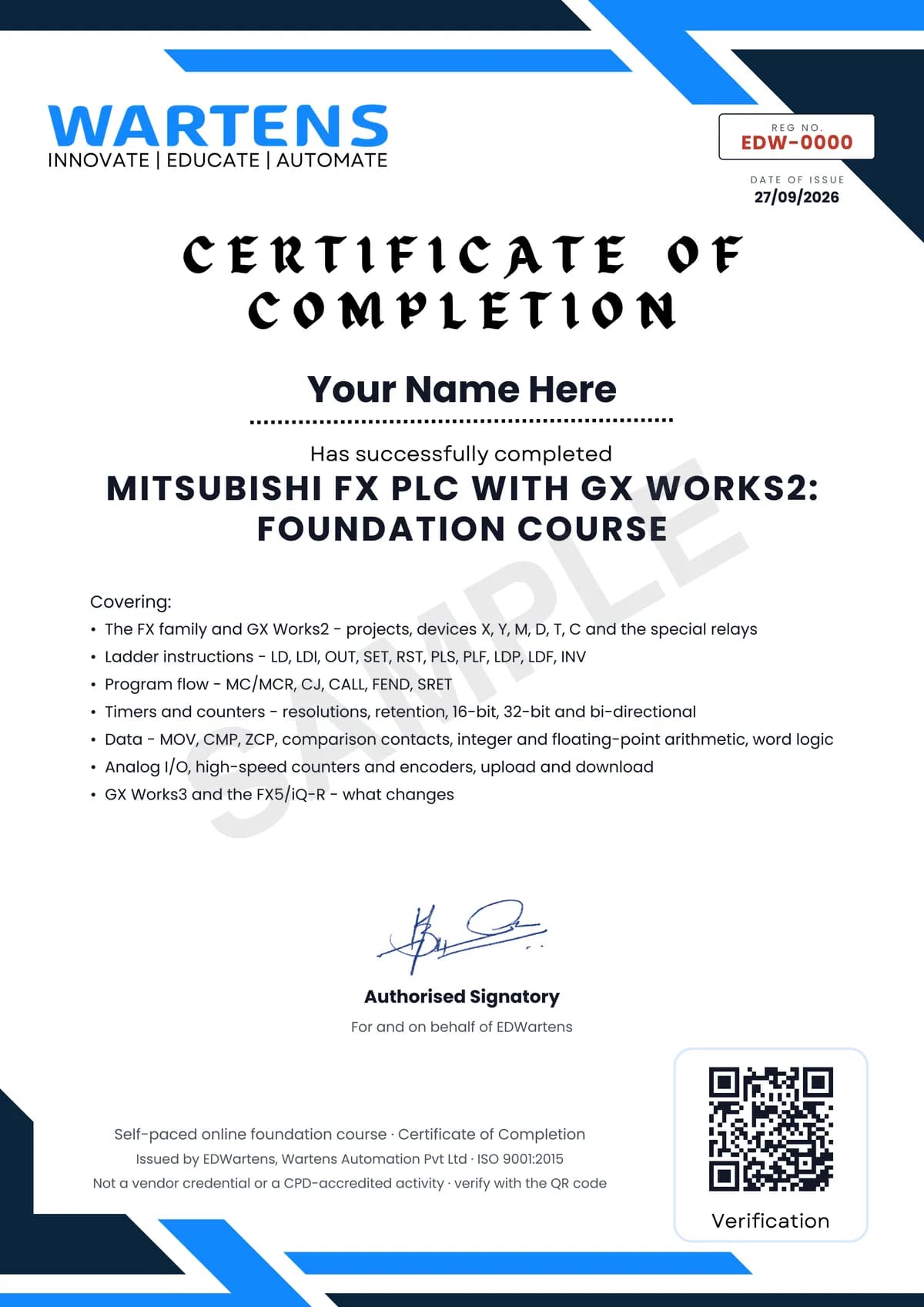
Verifiable by anyone
Adds to LinkedIn in one click
QR code on the certificate
Names what you can do
A permanent link
Earned, not attended
Learning is free. The certificate is optional.
Add it now and pay only when you have finished the course, or come back for it later. One-off, US$23.99, with a receipt.
Issued by EDWartens, the training division of Wartens, as a Certificate of Completion for this self-paced course. Sold by Wartens Ltd (England and Wales). It is not a vendor certification, a university award or a CPD-accredited activity, and it does not certify competence on live equipment. Delivered electronically; see the refund policy.
Credits
Who made the video lessons
The video lessons in this course were created by the people below, not by EDWartens. Every lesson streams from its creator's own YouTube channel; EDWartens neither hosts nor sells that footage, and the creators are not affiliated with EDWartens and do not endorse this course. What EDWartens wrote is the study plan, the notes, the practice tasks and the assessments.
- Tech Talk Laliteshthe GX Works2 instruction-by-instruction series
- Learn Engineering With Amiruldevices, timers, counters, floats, analog, high-speed counter and upload/download lessons
- The Tech Guythe GX Works3 basics series
If you are one of these creators and would like a lesson removed or credited differently, write to info@wartens.com.