Robotics · Free
Yaskawa Motoman Robot Programming
Motoman robots the way welding and handling shops run them: DX100, DX200 and YRC1000 controllers and pendants, jobs and interpolation, TCP, user frames and home, variables, counters and I/O, arc welding with weaving and anti-sticking, spot welding and tip dressing, alarms and recovery, backups, the Smart Pendant and MotoSim offline programming.

Inside the course
From the lessons

Yaskawa Robots, Controllers and the Pendant
Robotic Guyss

Creating and Managing Jobs
Robotic Guyss

Variables, Counters, I/O and Program Flow
Robotic Guyss

Spot Welding and Tip Dressing
Robotic Guyss

Backups and Maintenance
Robotic Guyss

MotoSim: Cells, Models and Layout
Yaskawa Motoman Robotics
Lesson frames belong to the creators named in the Credits below and are shown from YouTube.
What you will learn
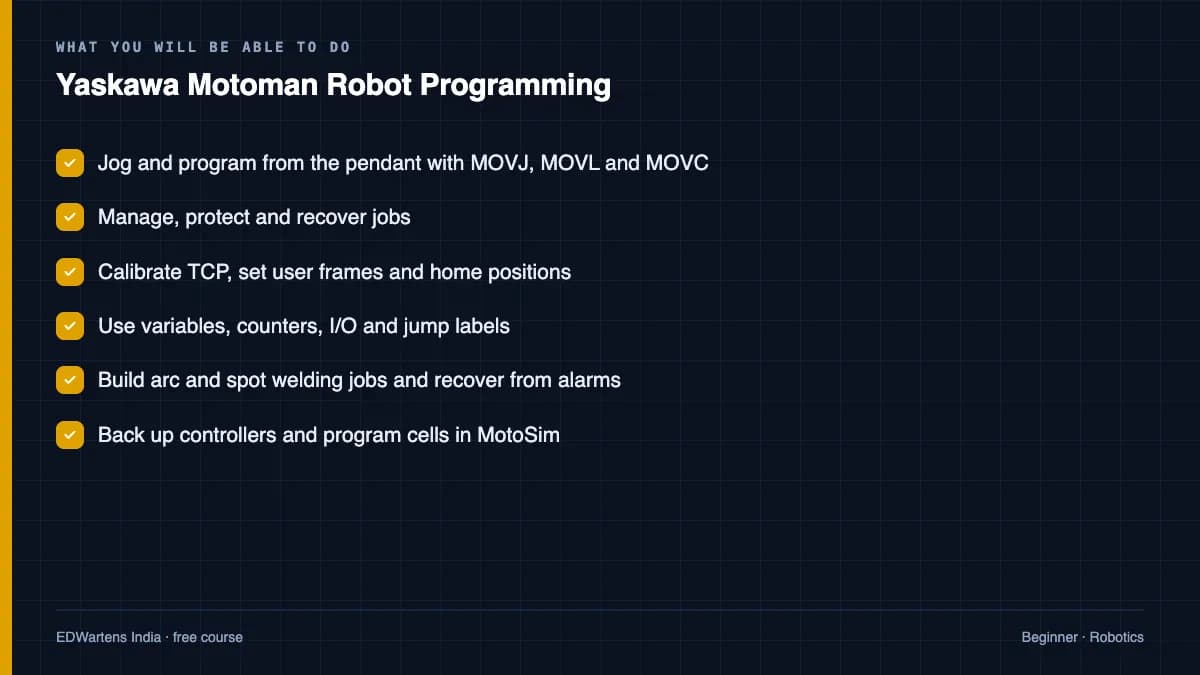
Jog and program Motoman robots from the pendant with MOVJ, MOVL and MOVC, manage jobs, set TCP, user frames and home, use variables, counters, I/O and jump labels, build arc and spot welding jobs, recover from alarms, back up and restore controllers, program with the Smart Pendant and build cells and jobs in MotoSim.
- Jog and program from the pendant with MOVJ, MOVL and MOVC
- Manage, protect and recover jobs
- Calibrate TCP, set user frames and home positions
- Use variables, counters, I/O and jump labels
- Build arc and spot welding jobs and recover from alarms
- Back up controllers and program cells in MotoSim
For you
Taking Yaskawa Motoman Robot Programming from the United States
- Free in the United States, as everywhere, and self-paced: lessons, notes and the final assessment are open at any hour, so your time zone and shift pattern do not matter.
- The optional certificate for learners in the United States is a one-off US$23.99. What you get for it
- Plants across the Americas most often run Allen-Bradley, Siemens and Inductive Automation; each has its own free course to take next.
- See automation and engineering jobs in the United States, and what the industry looks like in Houston, Detroit and Chicago.
- EDWartens also has a regional site for the United States, for classroom training and local support: edwartens.com/us.
The course project · about 18 hours
Two-wheeler frame welding cell on an AR1440: INFORM jobs, weld schedule, FX5U handshake and cell FAT
Design, program, safeguard and document a Motoman arc-welding cell in which one AR1440 on a YRC1000 welds motorcycle rear sub-frames on a two-station rotating positioner, with a Fronius power source on Weldcom, under a Mitsubishi FX5U cell PLC. You deliver the INFORM job set with its arc files and weld schedule, your own PLC-robot handshake table and risk register, an FSU configuration, a cell FAT record and the operator's recovery note. The sample pack shows what a welding-cell integrator hands over.
Sample document pack, 10 documents, filled in for the scenario
- Cell layoutWeld Cell 2 Layout and Safeguarding: Rear Sub-frame Welding Cell
- Risk registerRisk Assessment Register: Weld Cell 2 (ISO 12100, task-based)
- SRSSafety Requirements Specification: Weld Cell 2 Safety Functions
- I/O handshakePLC-Robot I/O Handshake Table: CP-201 to YRC1000
- Control narrativeCycle Description and Modes: Weld Cell 2 Rear Sub-frame Welding
- SDSSoftware Design Specification: Robot Job Set, Weld Schedule and Cell PLC
- Test reportStopping Time and Distance Measurement: AR1440 and Positioner Sweep in Weld Cell 2
- FATCell Acceptance Test Record: Weld Cell 2 at the Integrator's Workshop
- O&M manualOperation and Maintenance Manual: Weld Cell 2 (Operation and Recovery sections)
- Training recordOperator and Maintenance Training Record: Weld Cell 2
Read inside the course and download as a workbook. The project is optional practice, marked when you submit it; the certificate needs only the modules and the final assessment.
Course content
14 modules · 91 lessons · 6h 47m
In order, at whatever pace suits you. Each module ends with a practice task that builds on the last.
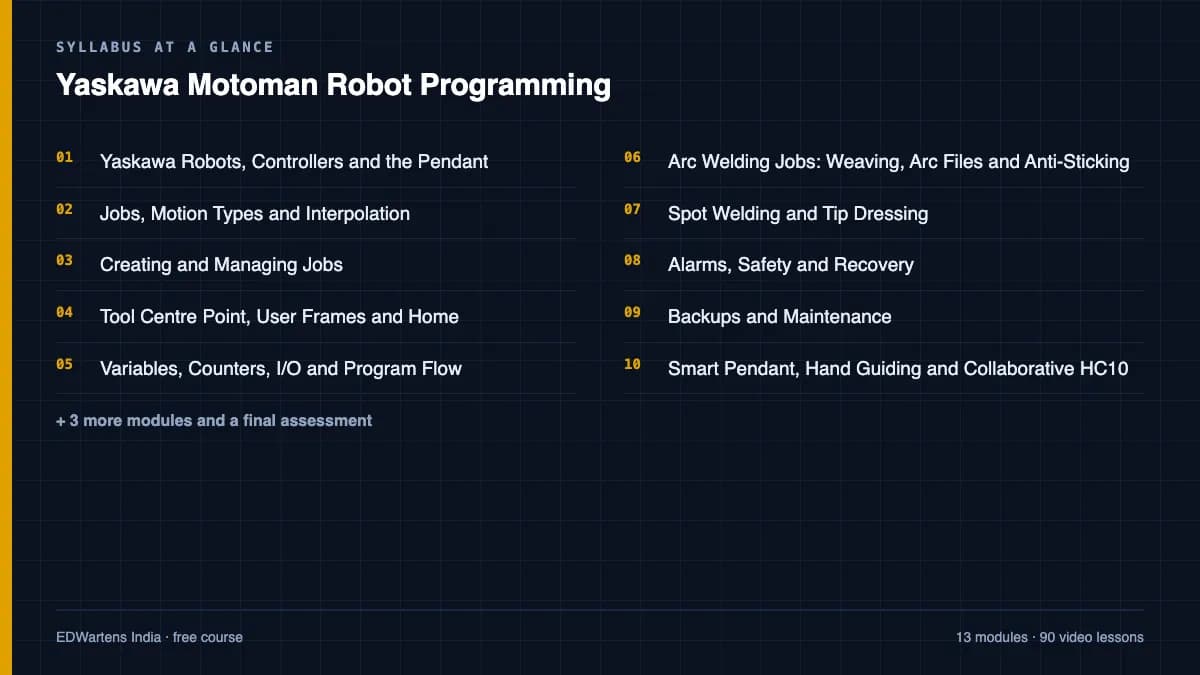
- 01Yaskawa Robots, Controllers and the Pendant5 lessons27m
- 02Jobs, Motion Types and Interpolation6 lessons30m
- 03Creating and Managing Jobs7 lessons25m
- 04Tool Centre Point, User Frames and Home10 lessons56m
- 05Variables, Counters, I/O and Program Flow6 lessons34m
- 06Arc Welding Jobs: Weaving, Arc Files and Anti-Sticking8 lessons37m
- 07Spot Welding and Tip Dressing2 lessons11m
- 08Alarms, Safety and Recovery8 lessons31m
Requirements
- Who it is for
- Beginner to intermediate. Any robot or PLC exposure helps.
- Software
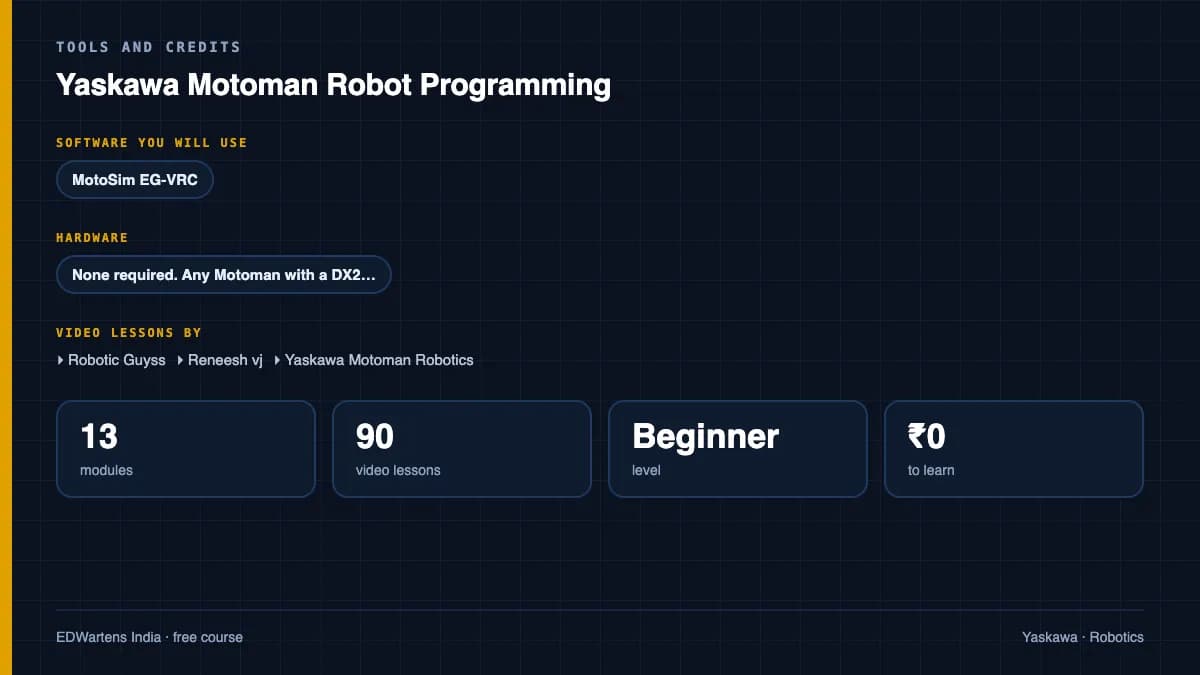
- MotoSim EG-VRC (trial) What to download, and how
- Hardware
- None required. Any Motoman with a DX200 or YRC1000 makes the pendant modules real.
Software you need
What to download, where from, what it costs and how to install it. Every link goes to the maker's own site, never a mirror.
Required
- 01Licensed systems only
MotoSim EG-VRC
Yaskawa
- Runs on
- Windows
- Account
- A Yaskawa customer account or a quote from Yaskawa sales
Yaskawa sells MotoSim EG-VRC through its sales teams. Yaskawa America asks you to request a quote, and Yaskawa Europe's software download portal is only for Yaskawa Europe customers. There is no public self-service trial on the vendor pages.
Steps
- 1.Open the MotoSim EG-VRC page on motoman.com.
- 2.Select Get Started to ask Yaskawa sales for a quote or evaluation.
- 3.If you are a Yaskawa Europe customer, register in the Yaskawa Robotics Software Download Portal instead.
- 4.Install MotoSim EG-VRC on a Windows PC with the licence key Yaskawa supplies.
- 5.Load the robot model and controller version that match your course.
- Ask your employer or training centre first: many Motoman users already hold MotoSim licences.
Yaskawa product pagemotoman.comLegitimate free routes
- RoboDK: 30-day trial with Yaskawa Motoman robots and a Motoman post processor.
- MotoSim EG-VRC for Education: School licence with a network key for 20 seats, bought by the institution.
- Yaskawa Europe download portal: For existing Yaskawa Europe customers.
Checked against each maker's own page on 27 September 2026. Trial lengths and editions change; the maker's page is the final word.
Yaskawa Motoman Robot Programming at a glance
Yaskawa Motoman Robot Programming is a free, self-paced online course from EDWartens for engineering students, ITI and diploma holders, and working engineers in manufacturing and robotics. It has 14 modules and 6h 47m of video lessons by Robotic Guyss, Reneesh vj, Yaskawa Motoman Robotics and others, with written notes and worked problems, a practical project with a document pack and a 15-question final assessment (pass mark 60%). Learning is free with an account; an optional certificate with a public verification code is issued when you pass. Last updated 27 September 2026.
All course factsHide course facts
- Price
- Free, for good. No trial, no card. The only paid item is the optional certificate, a small one-off fee.
- Who it is for
- Engineering students, ITI and diploma holders, and working engineers in manufacturing and robotics
- Format
- 14 self-paced modules, 6h 47m of video, written notes, a practice task per module and one final assessment.
- Level
- Beginner. Beginner to intermediate. Any robot or PLC exposure helps.
- Brand
- Yaskawa
- Software
- MotoSim EG-VRC (trial)
- Hardware
- None required. Any Motoman with a DX200 or YRC1000 makes the pendant modules real.
- Certificate
- Optional EDWartens Certificate of Completion, verifiable by code. Not a vendor credential.
- Video lessons by
- Robotic Guyss, Reneesh vj, Yaskawa Motoman Robotics, Dan Staifer, YASKAWA UK & Ireland, Kevin Berisso, C&E Advanced Technologies, Neff Power - Robotics & Automation (independent creators, credited below)
- Language
- English
- Last updated
- 27 September 2026
A shareable EDWartens certificate
Finish every module and pass the final assessment, and the optional EDWartens certificate is yours. It carries a unique verification code on a public page anyone can check, so it stands up when a recruiter looks it up. See it below.
The course itself stays free whether or not you ever buy one.
Stuck? Ask a practising engineer
A free course usually means a comment section and hope. This one does not. Every module has an Ask-your-trainer panel that reaches the same engineers who teach our paid programme: people who commission panels for a living, not moderators.
Pairs well with
 Robotics · FreeFANUC Robot Programming with the Teach Pendant and ROBOGUIDEFrom jogging and frames to TP programs, registers, branching, offsets, pick-and-place, ROBOGUIDE simulation, palletising, error recovery and PLC integration.
 Robotics · FreeABB Robot Programming with RobotStudio and RAPIDRobotStudio from install to a running pick-and-place: stations, jogging, the FlexPendant, frames, paths, RAPID, collision checking, signals, physics, sharing and RobotStudio Cloud.
 Robotics · FreeKUKA Robot Programming with KUKA.Sim, smartPAD and WorkVisualSimulation in KUKA iiQWorks.Sim (formerly KUKA.Sim), KRL structure and programming on the smartPAD, WorkVisual configuration, fieldbus and PLC integration, safety, advanced KRL, backups and the new KRC5 micro with iiQKA.OS.
 Robotics · FreeUniversal Robots Cobot Programming with PolyScopeCollaborative robots the way integrators use them: the UR family, tool and payload setup, the safety configuration, PolyScope programs, pick-and-place and palletising, force and blends, URSim, URScript, RTDE, sockets, PROFINET and real machine-tending and vision applications.
More free courses: Free Yaskawa Motoman robot course · Free industrial robot programming courses
Learning paths with this course
- Industrial robotics · 7 coursesFANUC, ABB and KUKA, three of the robot brands most common on automotive and electronics lines, plus the servo and motion control they sit on.
Learner reviews
No reviews yet
Reviews here are written only by learners who have finished every module of Yaskawa Motoman Robot Programming, and they are published exactly as written. Finish the course and yours will be the first.
Common questions
Which controllers are covered?
YRC1000 as the current generation, with DX100, DX200, XRC and FS100 where the videos show them; the pendant logic is consistent across them.
Is this only for welding?
Arc and spot welding get their own modules because that is where most Motoman robots work, but jobs, frames, I/O and MotoSim apply to handling and palletising too.
Is MotoSim free?
There is a trial; every MotoSim exercise can be done in it.
Is the Yaskawa Motoman Robot Programming course really free?
Yes. Every module, practice task and assessment. You create an account so your progress is saved and the assessments can be marked. The certificate is the only paid item, and only if you want it.
What certificate do I get, and is it a vendor qualification?
An EDWartens Certificate of Completion, issued when you pass the final assessment, with a verification code anyone can check. It is not a vendor credential and is never described as one.
Who made the video lessons in the Yaskawa Motoman Robot Programming course?
The creators named in the Credits block at the foot of this page, on their own YouTube channels. EDWartens did not make the videos and the creators are not affiliated with EDWartens. What EDWartens wrote is the study plan, the notes, the practice tasks and the assessments.
How long does the Yaskawa Motoman Robot Programming course take?
Plan on about 13 hours in all, including the video lessons, notes and practice tasks. It is self-paced, so you work through the fourteen modules at your own speed.
What you walk away with
Your certificate for Yaskawa Motoman Robot Programming
Finish the course, pass the final, and this is the document with your name on it.
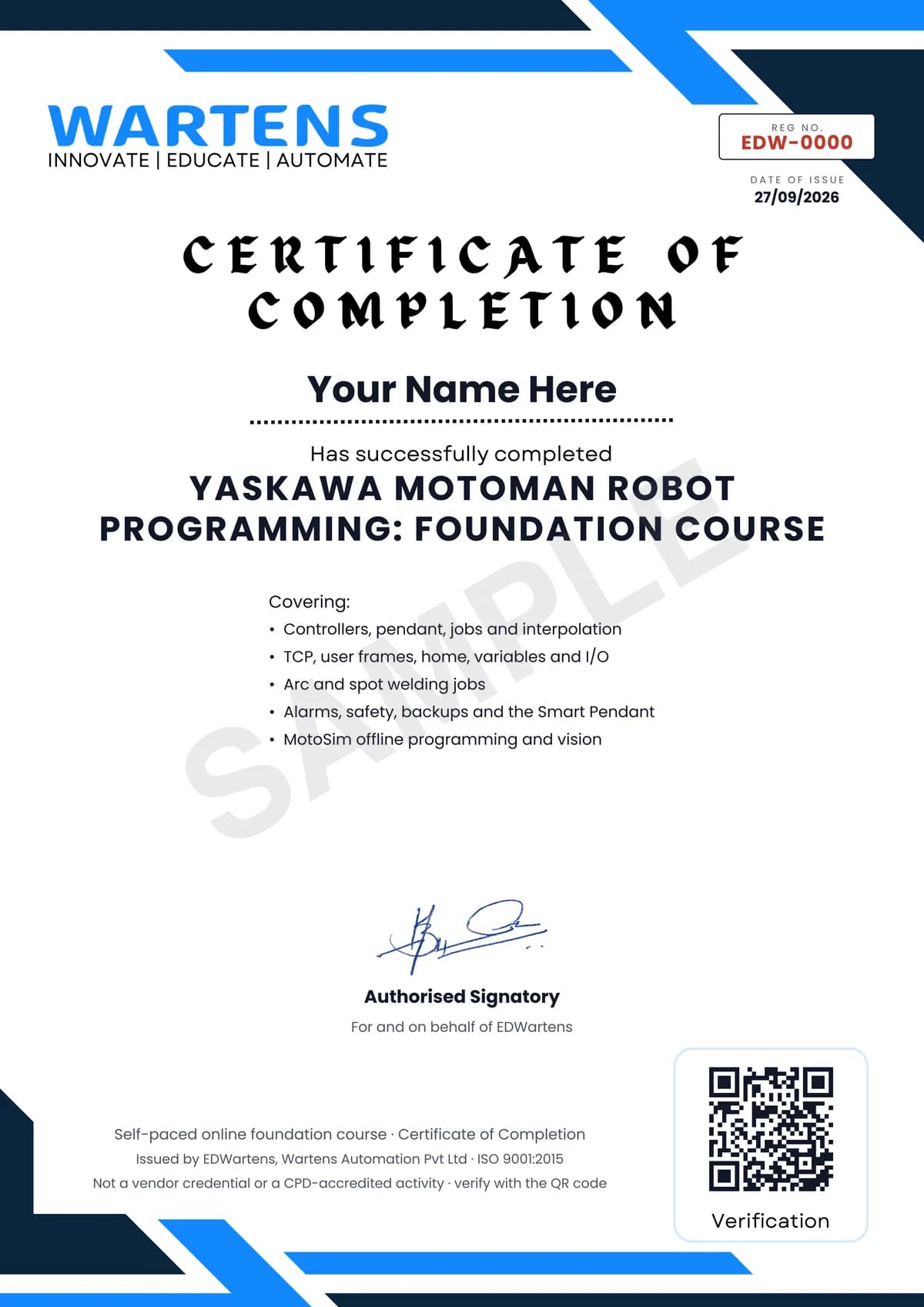
Verifiable by anyone
Adds to LinkedIn in one click
QR code on the certificate
Names what you can do
A permanent link
Earned, not attended
Learning is free. The certificate is optional.
Add it now and pay only when you have finished the course, or come back for it later. One-off, US$23.99, with a receipt.
Issued by EDWartens, the training division of Wartens, as a Certificate of Completion for this self-paced course. Sold by Wartens Ltd (England and Wales). It is not a vendor certification, a university award or a CPD-accredited activity, and it does not certify competence on live equipment. Delivered electronically; see the refund policy.
Credits
Who made the video lessons
The video lessons in this course were created by the people below, not by EDWartens. Every lesson streams from its creator's own YouTube channel; EDWartens neither hosts nor sells that footage, and the creators are not affiliated with EDWartens and do not endorse this course. What EDWartens wrote is the study plan, the notes, the practice tasks and the assessments.
- Robotic Guyssthe Yaskawa robot programming tutorials in English
- Reneesh vjthe Yaskawa tutorial playlist
- Yaskawa Motoman Roboticsthe MotoSim offline programming series
- Yaskawa Motoman Roboticsthe how-to videos
- Dan Staifera lesson in "Yaskawa Robots, Controllers and the Pendant"
- YASKAWA UK & Ireland2 lessons in "Yaskawa Robots, Controllers and the Pendant" and "Vision, MLX300 and Weld Sensing"
- Kevin Berissoa lesson in "Tool Centre Point, User Frames and Home"
- C&E Advanced Technologies2 lessons in "Alarms, Safety and Recovery" and "Smart Pendant, Hand Guiding and Collaborative HC10"
- Neff Power - Robotics & Automationa lesson in "Backups and Maintenance"
If you are one of these creators and would like a lesson removed or credited differently, write to info@wartens.com.