ALLEN-BRADLEY PLC
Allen-Bradley PLC Training: A Studio 5000 Guide for Beginners
What Allen-Bradley training covers, how Studio 5000 organises a project, the instructions you use first, and how to learn Rockwell PLCs free with simulation.
Allen-Bradley PLC training teaches you to program Rockwell Automation controllers, chiefly CompactLogix and ControlLogix in Studio 5000 Logix Designer, and the smaller Micro800 in Connected Components Workbench. The core skills are tag-based ladder logic, tasks and routines, I/O configuration and EtherNet/IP, and you can learn them free with simulation.
In this lesson by Tim Wilborne, you meet the three bit instructions every Logix rung is built from: XIC, XIO and OTE. It is the lesson for the "Bit Instructions" module of the free Studio 5000 course, whose practice task is a motor start/stop with a seal-in, tested in the emulator. Follow along, then use the notes below to place it in the bigger picture.
The Rockwell family and its software
Allen-Bradley is Rockwell Automation's controller brand. Three pieces of software cover almost everything you will meet:
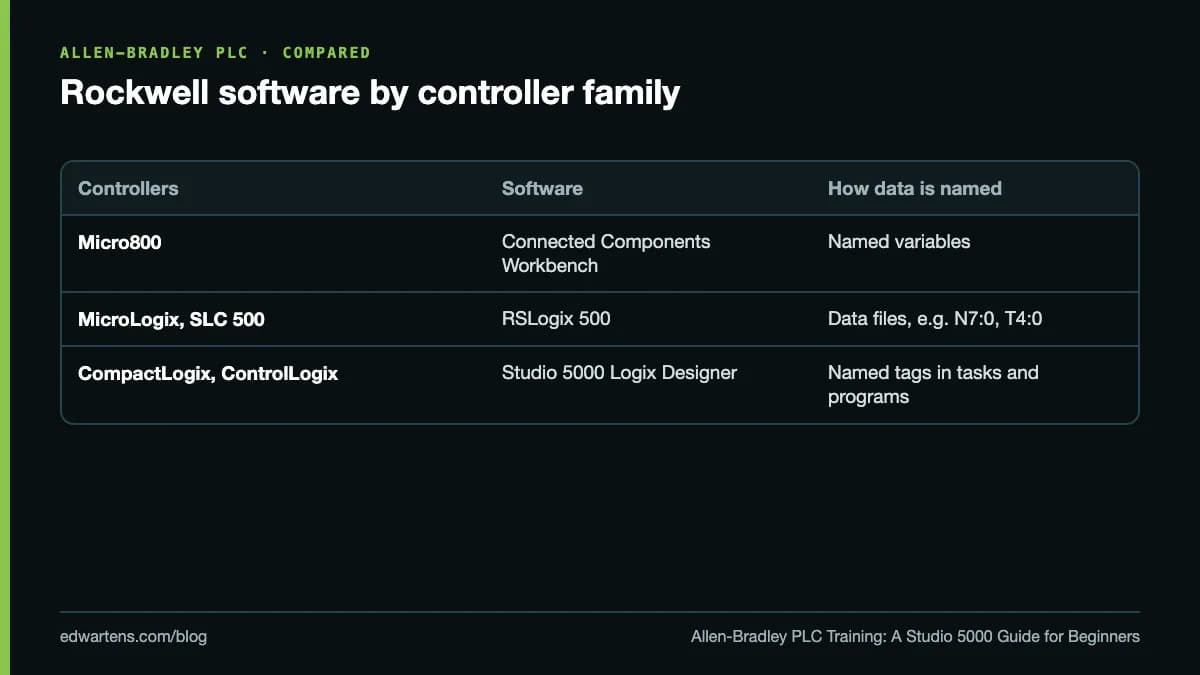
Studio 5000 Logix Designer was called RSLogix 5000 until version 21, so older tutorials and job adverts use both names. RSLogix 500 is still worth knowing because many MicroLogix and SLC 500 machines are running, but new projects are Logix or Micro800.
Tags, not addresses
The first real change for anyone coming from older PLCs is that Logix controllers use tags. Instead of a timer in slot T4:0, you create a tag called Fill_Timer of type TIMER and use Fill_Timer.DN in your logic.
- Controller-scoped tags can be used anywhere in the project.
- Program-scoped tags belong to one program, so two programs can each have a tag called Step without clashing.
- Data types matter: BOOL for bits, DINT for whole numbers (Logix handles 32-bit integers natively, so DINT is the usual choice), REAL for measurements, plus arrays and user-defined types (UDTs) for structured data.
- Alias tags give a readable name to a physical I/O point such as Local:1:I.Data.0, so the code says Start_PB rather than a module address.
Tasks, programs and routines
A Studio 5000 project is organised in three layers:
- Tasks decide when code runs. There can be one continuous task, which runs over and over, plus periodic tasks that run at a fixed interval (good for PID) and event tasks triggered by an input or a message.
- Programs sit inside tasks and hold their own tags and routines.
- Routines hold the logic. Each program has a main routine, which calls the others with JSR instructions.
A tidy project gives each machine area its own program, so a technician can find the conveyor logic without searching the whole file.
The instructions you will use first
- XIC, XIO and OTE: examine if closed, examine if open, output energise. Note that XIC and XIO examine the state of a bit, not the type of switch wired to it.
- OTL and OTU: latch and unlatch, for states that must survive until something resets them.
- TON, TOF and RTO: on-delay, off-delay and retentive timers.
- CTU and CTD: up and down counters.
- MOV, CPT, EQU, GRT, LES: move, compute and compare values.
- ONS: one-shot, so an action happens once per button press rather than every scan.
A classic beginner mistake is writing the same tag with OTE on two different rungs. Only the last rung wins, and the output appears to ignore the first one.
EtherNet/IP and I/O
Logix controllers talk over EtherNet/IP, which carries the CIP protocol and is managed by ODVA. You add each I/O module, drive or remote rack to the I/O configuration tree, set its IP address and requested packet interval (RPI), and the software creates its tags. Add-on profiles let you drop in devices such as PowerFlex drives and get named tags for speed, status and faults; our VFD start-up and parameter setup walkthrough covers the drive side. Between controllers you share data with produced and consumed tags or with MSG instructions. If you also work on Siemens plants, our comparison of EtherNet/IP and PROFINET sets the two networks side by side.
Structure: UDTs and Add-On Instructions
Once you have a working motor rung, wrap it in an Add-On Instruction (AOI): one definition with inputs, outputs and local tags, used for every motor in the plant. Combined with UDTs, AOIs are how large Rockwell projects stay consistent. They are also where good and poor code differ most, so they are worth learning properly.
When the controller faults
A major fault stops the controller; a minor fault is logged while it keeps running. Common causes for a beginner are an array index out of range and a watchdog timeout from a task that runs too long. The controller properties show the fault type and code, and a fault routine can clear recoverable faults under control. Knowing how to read these screens is a large part of maintenance work.
Can you learn it free?
Mostly, yes. Rockwell offers Connected Components Workbench (CCW) Standard Edition as a free download, and it includes a demo version of the Micro800 Simulator. That is enough to learn ladder, function blocks, structured text and user-defined function blocks in Rockwell's style, as our first Micro800 ladder program shows. Studio 5000 is licensed software, and our guide to free Allen-Bradley software explains which Rockwell tools are free and which are not.
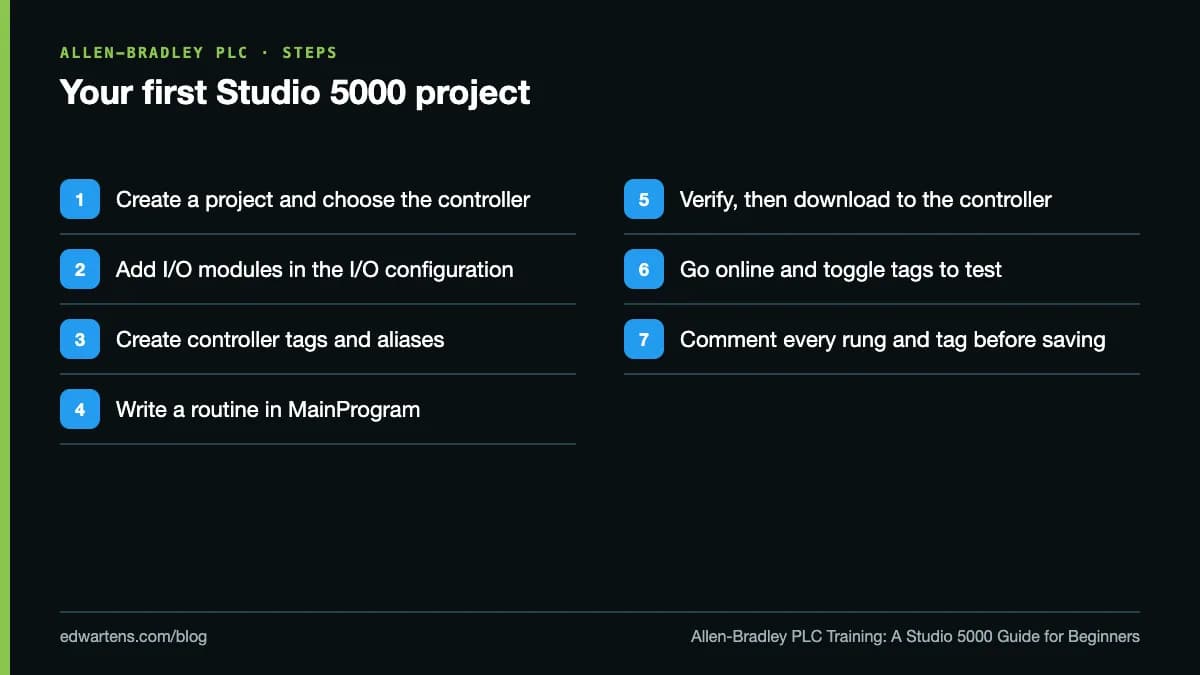
Here is the order to follow once you have Studio 5000 in front of you:
Free Allen-Bradley PLC training on EDWartens
For how these compare with other providers' free PLC courses, see best free PLC courses with certificate.
- Allen-Bradley Studio 5000 (beginner): wiring a CompactLogix, tag-based ladder, timers, counters, data types, indirect addressing, Ethernet modules, a PowerFlex 525 drive, produced and consumed tags, MSG and Modbus TCP, and fault recovery.
- Allen-Bradley Studio 5000 Advanced (intermediate): tasks and programs, GSV and SSV, remote I/O, FBD, ST and SFC, motion, AOIs and CIP messaging.
- Allen-Bradley Micro800 with CCW (beginner): the free-software route.
- Allen-Bradley PowerFlex Drives (beginner): the drives most Logix machines control.
The Rockwell engineer path and the Allen-Bradley courses page list the rest, including RSLogix 500 and FactoryTalk HMI.
Learning is free in full: video lessons from independent YouTube creators credited on each course page, written notes, a practice task per module and a 15-question final assessment (60% to pass, three attempts, then a 24-hour wait). Create a free account so progress is saved.
The optional EDWartens Certificate of Completion is a small one-off fee, US$8.99 for a beginner course. Anyone can check it at edwartens.com/verification. It is not a Rockwell Automation certification and is not accredited.
Take the free course



Questions
Is Studio 5000 free?
No, Studio 5000 Logix Designer is licensed software. Rockwell's free option is Connected Components Workbench Standard Edition, which programs Micro800 controllers and includes a demo Micro800 Simulator. The free EDWartens Studio 5000 course shows in its first module where to find Rockwell's trial.
What is the difference between RSLogix 5000 and Studio 5000?
They are the same product line. RSLogix 5000 was renamed Studio 5000 Logix Designer from version 21 onwards. Tutorials for either apply to CompactLogix and ControlLogix, allowing for menu changes between versions.
What is the difference between CompactLogix and ControlLogix?
Both run the same Logix engine and are programmed in Studio 5000 with the same tags and instructions. ControlLogix is chassis-based for large systems and redundancy; CompactLogix is smaller and suits individual machines.
Should I learn CCW or Studio 5000 first?
If you want to spend nothing, start on CCW with the Micro800 Simulator: the ladder habits carry over. If you have access to Studio 5000 through a trial or employer, start there, because that is what most Rockwell job adverts ask for.
Is the EDWartens certificate a Rockwell certification?
No. It is an EDWartens Certificate of Completion, issued after you pass the course's final assessment and checkable at edwartens.com/verification. It is not a Rockwell Automation credential.
Sources
- Rockwell Automation: Design and configuration software (CCW Standard Edition, Micro800 Simulator demo)
- Rockwell Automation: Studio 5000 Logix Designer
- ODVA: EtherNet/IP technology
Written by the EDWartens engineering team for general education. Product names are trademarks of their owners; mentioning them does not imply endorsement. Prices and terms of other providers were checked on the date shown and can change.

AI Copilots for PLC Programming in 2026: Siemens, Rockwell, CODESYS and Beckhoff
How to Choose a PLC Training Provider: A Checklist for Any Country

Free PLC Simulators Compared: PLCSIM, CCW, CODESYS, OpenPLC and Browser Simulators
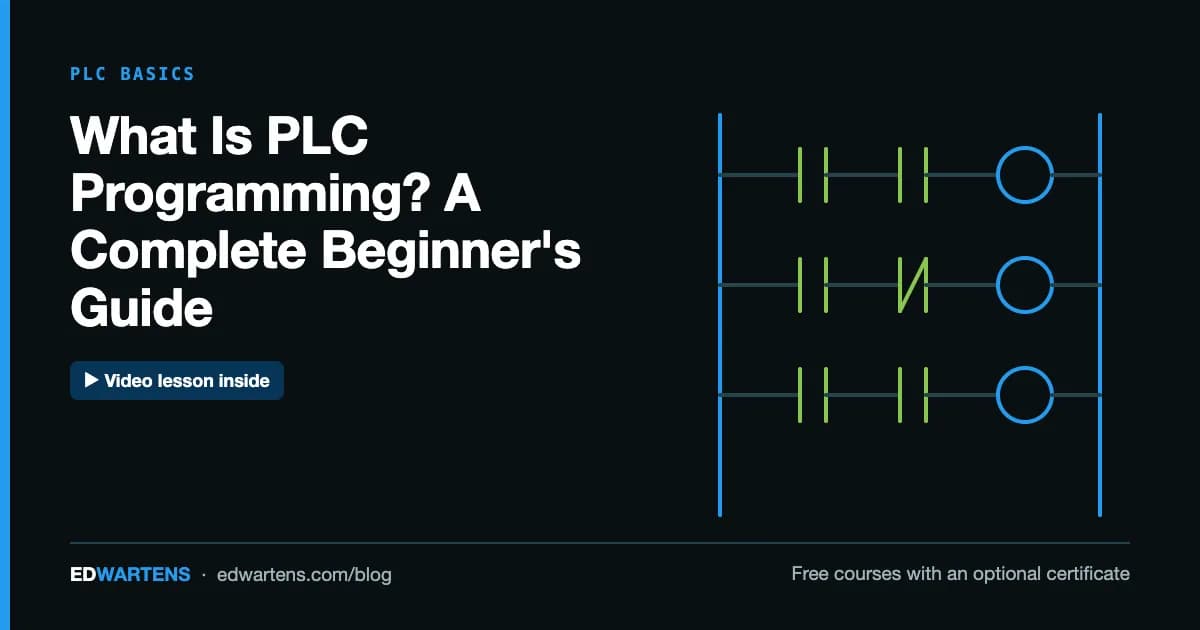
What Is PLC Programming? A Complete Beginner's Guide

VFD Training: A Practical Guide to Variable Frequency Drives
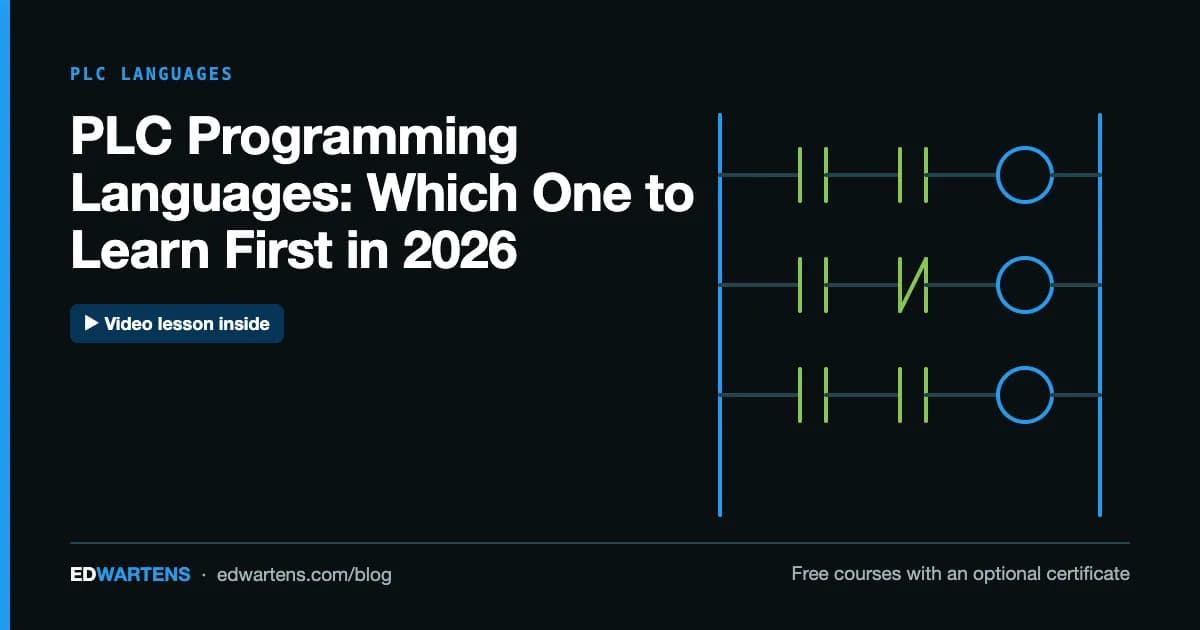
PLC Programming Languages: Which One to Learn First in 2026