Primavera P6 vs Microsoft Project comes down to size and context. Learn P6 if you aim at large construction, energy or infrastructure projects with thousands of activities and shared resources. Learn Microsoft Project if you work on small or medium projects, or in a team that already lives in Microsoft 365. Both calculate the same critical path, so the first skill is the same for either: the critical path method, which you can learn by hand and for free. This guide compares them fairly, explains the 2026 Project Online retirement, and gives a six-week plan.
Oracle makes Primavera P6 and Microsoft makes Project. EDWartens is affiliated with neither. ProjectManager.com, one of our sources, sells a competing tool, so we use it only for facts it states and mark it as a vendor.
Primavera P6 vs Microsoft Project: the short answer by situation
| Your situation | Lean towards | Why |
|---|---|---|
| Large construction, energy or infrastructure | Primavera P6 | Built for big schedules and shared resources |
| Contract or client asks for P6 files | Primavera P6 | The format is part of the contract |
| Small or medium projects | Microsoft Project | Easier to start and to share |
| Team already on Microsoft 365 | Microsoft Project | Fits the tools around it |
| You do not know yet | Neither, start with the method | Both rest on the critical path method |
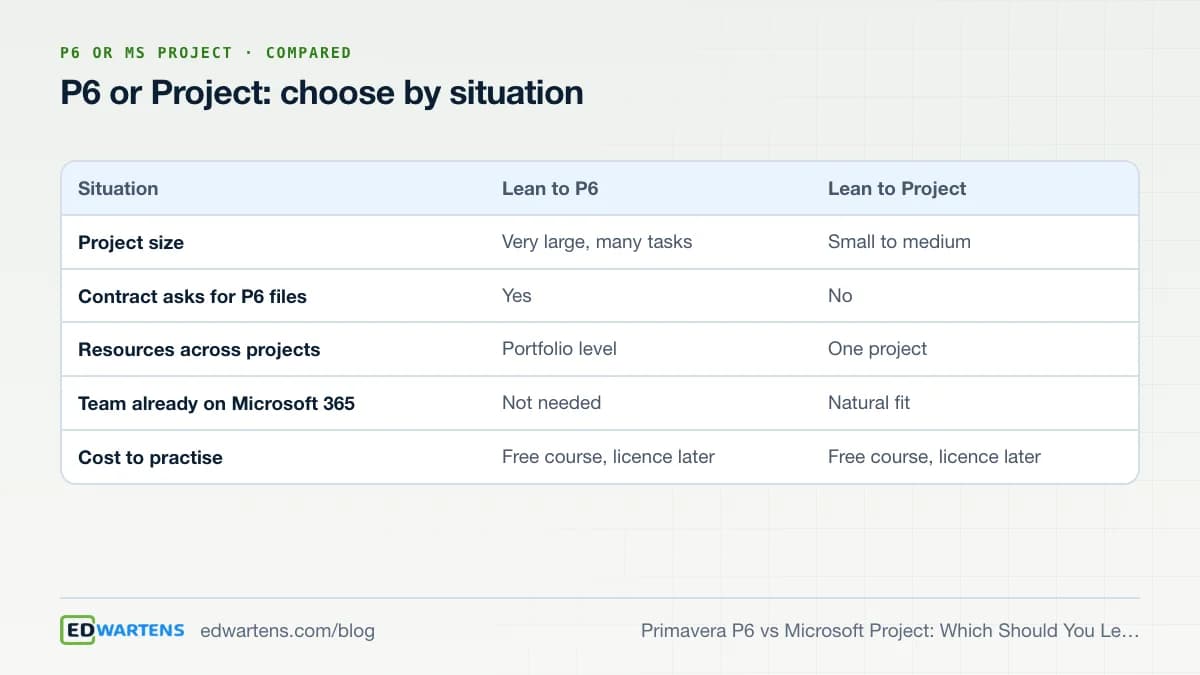
ProjectManager.com positions P6 for "thousands" of tasks and portfolio-level resources. That is a vendor's framing, but it matches how planners describe the split. Project size is the main driver, then what the contract and your employer ask for.
What both do the same
Both tools build a schedule from activities, durations and logic links, then calculate the critical path, float and a baseline. The words come from the critical path method (CPM), and Oracle's help defines them plainly. Oracle says: "If the Early Start date and Late Start date for an activity are the same, the activity is said to have zero float." It also says "A project with negative float is behind schedule."
Here is a worked example you can do by hand with five activities, in days.
| Activity | Duration | Follows | Early start | Early finish | Late start | Float |
|---|---|---|---|---|---|---|
| A | 3 | none | 0 | 3 | 0 | 0 |
| B | 4 | A | 3 | 7 | 3 | 0 |
| C | 2 | A | 3 | 5 | 5 | 2 |
| D | 5 | B and C | 7 | 12 | 7 | 0 |
| E | 2 | D | 12 | 14 | 12 | 0 |
The forward pass gives the early dates. Activity D cannot start until both B (finishes at 7) and C (finishes at 5) are done, so it starts at 7. The project takes 14 days. The backward pass gives the late dates: E must start by 12, D by 7, B by 3 and C by 5. Float is late start minus early start. A, B, D and E have zero float, so they are the critical path. C has 2 days of float.
The video below shows the same forward and backward pass.
Either tool will do this for you in a second. But if you cannot do it by hand, you cannot tell whether the tool's answer is right.
Where P6 is different
P6 is built around an enterprise structure. Our course describes setting up an enterprise project structure, an organisation breakdown, calendars and a work breakdown structure, then building activities with the right types, durations and codes. That setup is why P6 feels heavier at the start. It pays back on big programmes, where many projects share resources and reports.
Typical reasons teams ask for P6 are portfolio-level resource planning, standard exports they can send to clients, and the way delay analysis is done on large contracts. These are common uses, not rules, so check the contract or the employer. Energy projects, such as battery storage, are gated by documents as well as tasks, and our guide to UL 9540, UL 9540A and NFPA 855 lists the papers a planner ends up chasing. ProjectManager.com's page lists P6 Professional at 2,500 US dollars in one place and 2,570 US dollars a year in another, which is an example of why you should confirm any price with Oracle.
Where Microsoft Project is different
Microsoft Project is familiar to anyone who has used Office. It is easier for small teams to pick up and share, and it connects to Planner and other Microsoft 365 tools. The free Microsoft Project for Planning Engineers course covers how to build a programme in it, and our post on Microsoft Project versus Planner explains how the Microsoft tools fit together and where P6 sits.
The Project Online retirement. Microsoft's announcement, last updated on 24 August 2026, says Project Online "will officially retire on September 30, 2026". It also says the change is exclusive to Project Online and does not affect Project desktop, Project Server or Planner. That date has now passed. The page we read describes it as future, and user comments in October 2026 reported mixed behaviour, which are not official statements. So check your own tenant and Microsoft's live page. For a learner, the lesson is narrow: Project Online is a hosted service, and Project desktop is a different product that was not part of the retirement.
What employers ask for
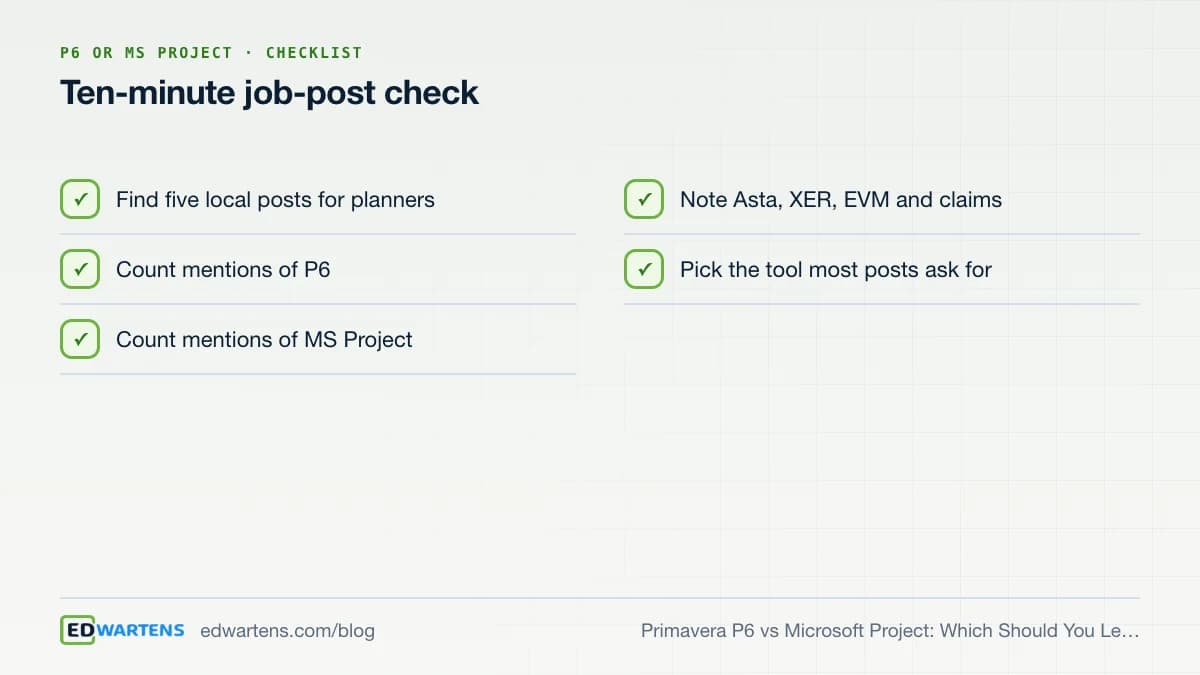
Do not trust anyone's general claim about your region, including ours. Run a ten-minute check.
- Search five local job posts for planner or scheduler roles.
- Count how many mention P6, how many mention MS Project.
- Note other terms: Asta, XER files, earned value, delay claims.
- Pick the tool most posts ask for.
If the posts are split, learn the method and one tool, then add the second later. A planner who can do the method by hand and use one tool can pick up the other. The EDWartens jobs board lists roles from company career pages by country and skill, which helps with the count. Applying happens on the employer's page, and EDWartens is not a recruitment agency.
Cost to start learning
Practice does not need a licence on day one.
| Step | Cost to you |
|---|---|
| Critical path by hand | Free, pencil and paper |
| EDWartens P6 and MS Project courses | Free to learn in full |
| Running the software yourself | A licence, a trial, or one your university or employer provides |
ProjectManager.com's 9 November 2026 page lists Microsoft Project Standard 2024 at 679.99 US dollars and Professional 2024 at 1,129.99 US dollars, one-off. Treat those as a vendor's dated snapshot and confirm them with Microsoft before you decide.
Mistakes when choosing
- Choosing by price alone. Free practice is available for both, so the licence price should not decide what you learn first.
- Skipping the method. A learner who knows the buttons but not the critical path cannot spot a wrong schedule.
- Learning one tool as if it were the profession. The skills that transfer are logic, calendars, float, baselines and clear reporting.
- Trusting a single comparison page. Most comparison pages come from a tool vendor. Read two or three, and check the claims against the vendors' own documents.
A six-week learning plan
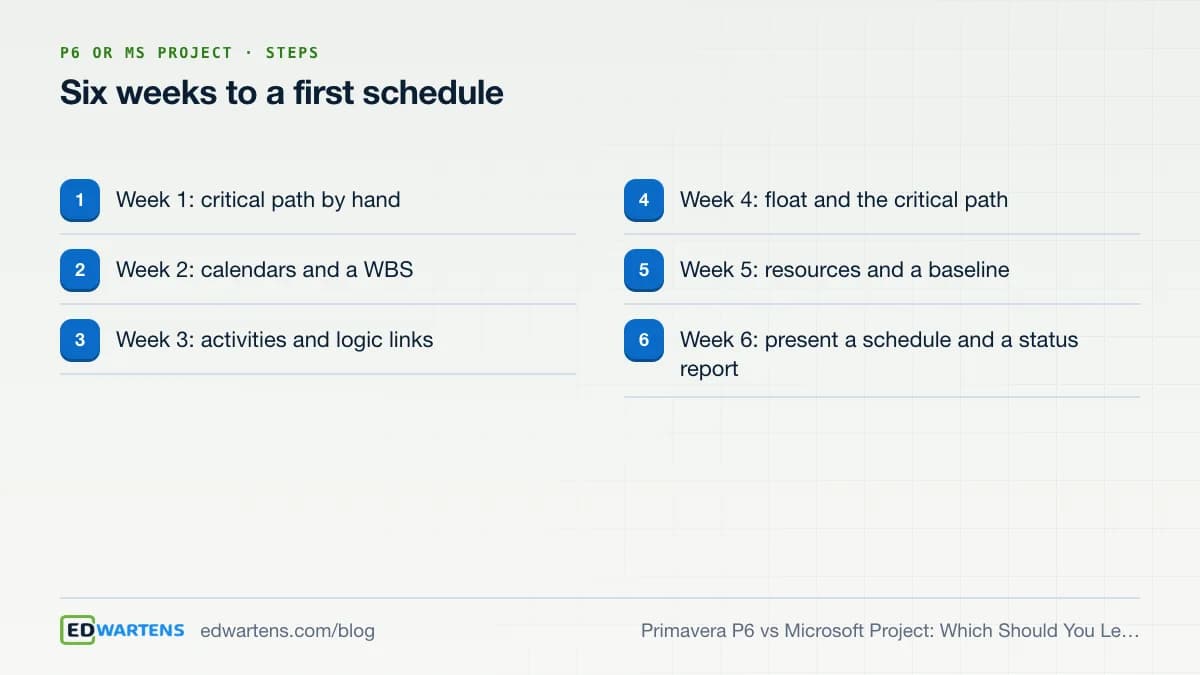
Week 1 is the method by hand, with the example above and then two networks of your own. In weeks 2 to 4 you move into the tool of your choice: calendars and a work breakdown structure, activities and links, then float and the critical path. Week 5 adds resources and a baseline. In week 6 you present a schedule and write a short status report.
The free Primavera P6 Planning and Scheduling for Engineers course starts with the critical path by hand and then builds a P6 schedule. Project Management for Engineers gives the wider theory, and AI for Project Managers covers planning, risk and reporting with AI. The project management hub lists more.
To practise the job, the Engineering Project Coordinator job simulation has you build a RAID log, a status report and a document register and handle a late vendor, as a working day at a simulated company. It is practice, not employment. The free Project Planning internship runs for 4 weeks online with a critical path and a P6 schedule; it is a training programme with no stipend. For more, read a RAID log example for engineering projects, how to use AI in project management and the AI project management internship roadmap. Show your result in a portfolio, as described in an engineering portfolio from course projects.
Every course is free to learn in full. The optional certificate of completion for a beginner course is a one-off US$8.99, and anyone can check it on the verification page. It is an EDWartens certificate. It is not an Oracle or Microsoft credential.
Practise with us
Internships
Project work you can show
Free internships, 4 weeks each, with a free certificate. The Engineer-verified internship is optional.
See all internshipsRoles
Quality and projects
Roles that ask for this skill, 52 open in this country now. Free to see and to apply. We are not a recruitment agency.
See rolesTake the free course
 Free
Project management · Beginner · Free
Primavera P6 Planning and Scheduling for Engineers
 Free
Project management · Beginner · Free
Microsoft Project for Planning Engineers
 Free
Project management · Beginner · Free
Project Management for Engineers
 Free
AI for professionals · Beginner · Free
AI for Project Managers: Planning, Risk and Reporting
Questions
Is Primavera P6 better than Microsoft Project?
Neither is better everywhere. P6 is built for large, resource-heavy construction and energy schedules, and Microsoft Project is familiar and easier for smaller projects and Microsoft 365 teams. The better tool is the one your employer or contract asks for.
Should a beginner learn Primavera or MS Project first?
Learn the critical path method by hand first, because both tools run on it. Then check five local job posts and pick the tool most of them name. If you cannot tell, start with whichever your current or target employer already uses.
Is Primavera P6 hard to learn?
The ideas, activities, logic links, calendars and float, are the same ones you learn by hand. P6 has more setup, such as an enterprise project structure and codes, so the first week feels heavier than Project. Practice on a small project makes it routine.
Can I learn Primavera P6 for free?
You can learn the planning method and the P6 workflow for free. The EDWartens Primavera P6 course is free to learn in full with a free account. A licence to run the software yourself is separate, so ask whether your university or employer provides one.
Is Microsoft Project being discontinued?
No, not Project desktop. Microsoft's announcement says Project Online was to retire on 30 September 2026 and that the change does not affect Project desktop, Project Server or Planner. Check your own tenant, because that date has now passed.
Do I need to know the critical path method before using either?
Yes, it helps a lot. Both tools calculate the critical path and float for you, but you cannot judge the result without understanding forward and backward passes. A small network done by hand takes about an hour and pays back quickly.
Sources
- Oracle Primavera P6 EPPM help: About Critical Path Activities (read 23 November 2026)
- Microsoft Planner blog: Microsoft Project Online is retiring, what you need to know, updated 24 August 2026 (read 23 November 2026)
- ProjectManager.com: Primavera P6 vs Microsoft Project, 9 November 2026, a competing tool vendor (read 23 November 2026)
Written by the EDWartens engineering team for general education. Product names are trademarks of their owners; mentioning them does not imply endorsement. Prices and terms of other providers were checked on the date shown and can change.

How Long Does It Take to Become a Construction Estimator?

How Long Does It Take to Learn STAAD.Pro? A Plan

ETABS to SAFE: Export a Floor and Check the Foundation
OT Security Career Path: How to Start With No Experience

Software Engineer to Controls Engineer: A No-Hardware Route

Free virtual internship with certificate for engineering students (2026)