Robotics Engineer job simulation, Premium
The whole project, days 1 to 20, at Brackenridge Automation Ltd (simulated company). A capstone reviewed by an engineer, an AI viva and the graded certificate, included.
Everything in Free, plus
The same project, taken all the way
- Days 6 to 20The project goes on: a change request, site work, faults and a handover, ticket by ticket.
- A capstone reviewed by an engineerYou hand in a finished deliverable and an engineer reviews it.
- An AI viva on your own workQuestions written from your own hand-ins, answered in text and scored.
- The graded certificateA score and band, a verification page and a QR code. It is included, so you pay for it once.
- A work record PDFYour skill scores and logged hours in one document, with the simulated company named.
- Priority helpQuestions from Premium learners are answered first by our team.
The plan
Days 6 to 20, ticket by ticket
Day 6
about 1 h 20 min- Review the robot and PLC handshake sequenceDocument review · 1 h 20 min
Day 7
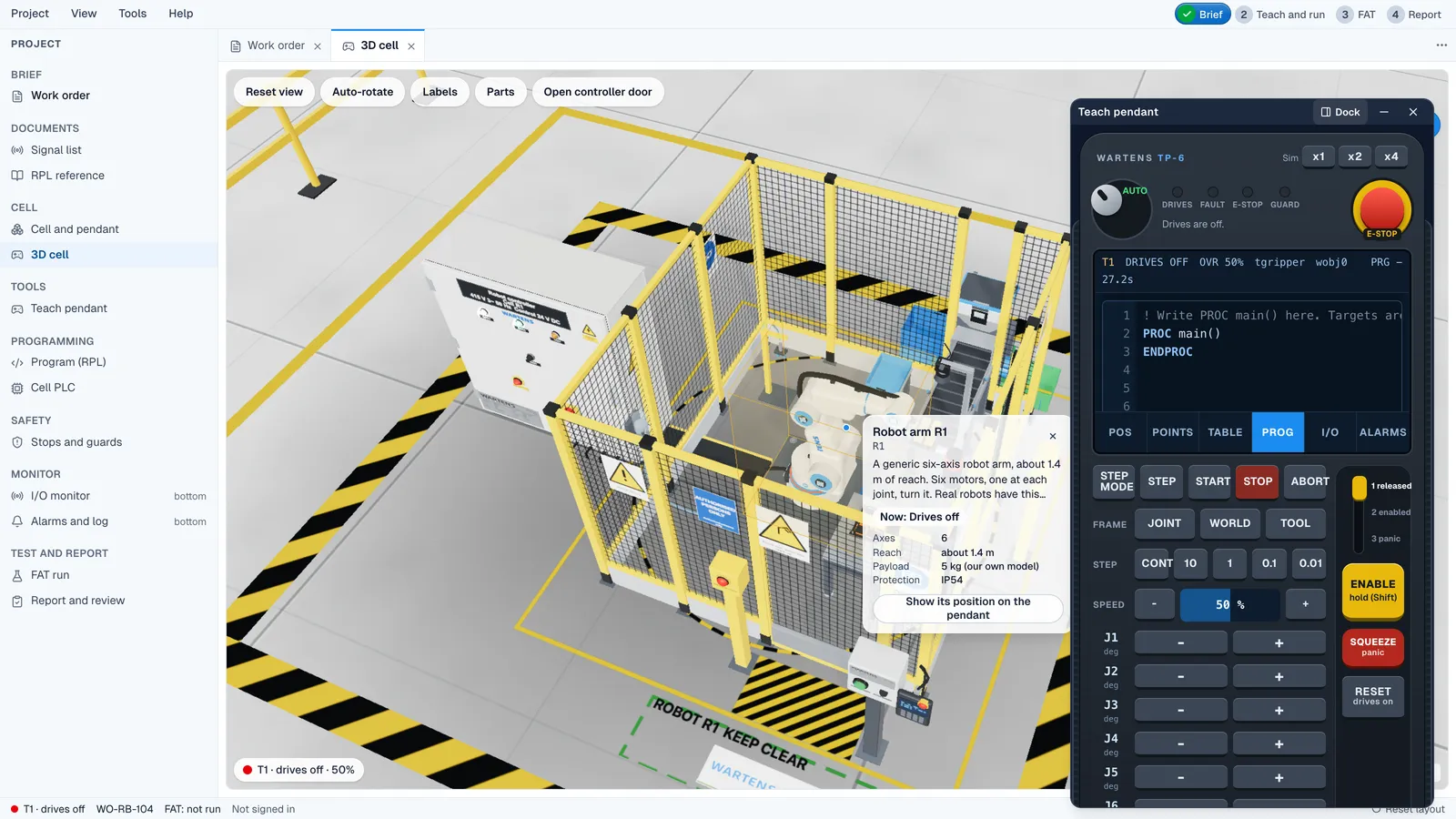
about 1 h 30 min- Palletise twelve parts in the robotics lab3D lab · 1 h 30 min
Day 8
about 1 h 40 min- Change impact note for CR-01Writing · 1 h 40 min
Day 9
about 1 h 5 min- Can the robot reach the new corner?Calculation · 1 h 5 min
Day 10
about 1 h 10 min- Cycle-time study: how to get from 11.4 s to 10 sCalculation · 1 h 10 min
Day 11
about 1 h 50 min- Complete the safety validation recordTable · 1 h 50 min
Day 12
about 2 h 5 min- Safety validation in the robotics lab3D lab · 1 h 20 min
- Sign the validation as passed?Decision · 45 min
Day 13
about 1 h 35 min- Near-miss report: the robot hit a caseWriting · 1 h 35 min
Day 14
about 1 h 30 min- Fault finding in a loading cell3D lab · 1 h 30 min
Day 15
about 55 min- Acceptance run: fault ratesCalculation · 55 min
Day 16
about 1 h 20 min- Match each stop to the right recoveryTable · 1 h 20 min
Day 17
about 1 h 15 min- Check the handover dossier indexDocument review · 1 h 15 min
Day 18
about 4 h- Capstone: the robot cell design and safety packHand-in · 4 h
Day 19
about 1 h- Day-one note for the operatorsWriting · 1 h
Day 20
about 45 min- A conversation about your own workViva · 45 min
Real documents
The documents that arrive in Premium
- PAL610-HS-001Robot and PLC handshake sequence, draft
- PAL610-LAY-001Cell layout and reach study, change to Rev C
- PAL610-CYC-001Cycle-time study
- PAL610-VAL-001Safety validation record
- PAL610-NM-001Near-miss notes, collision at the pick position
- PAL610-SOP-001Fault recovery and restart procedure
- PAL610-HOV-001Handover dossier index, robot cell
Free, certificate or Premium
Compare the three
| What you get | Free | Certificate (optional) | Premium |
|---|---|---|---|
| Length | Days 1 to 5, self-paced | For the free days | Days 1 to 20 |
| What you get |
|
|
|
| Price | Free | ₹499 | ₹1,499 |
No pressure
Start free and upgrade any time
Your free days carry over. Start free today and upgrade when you are ready. What you paid for the certificate is credited against Premium for the same simulation.
Questions
Quick answers
What does the Premium Robotics Engineer job simulation add?
Days 6 to 20: change requests, site work, faults and a handover, then a capstone deliverable reviewed by an engineer and an AI viva on your own work. The graded certificate and a work record PDF are included.
Is the certificate included?
Yes. Premium includes the graded certificate. If you bought the certificate for this simulation first, what you paid is credited when you upgrade, so you do not pay twice.
Can I start free and upgrade later?
Yes. Days 1 to 5 are free, and your answers carry over if you upgrade. Premium days follow on from the free days.
How long does it take?
It is self-paced. A day opens when you hand in the previous day's tickets. All the tickets together are about 32 h 35 min, and your logged hours are the active hours you spend on EDWartens.
Who reviews the capstone?
An engineer reviews your capstone deliverable. The company, client and site in the story are fictional, and the people in the story are roles, not real people.
Does Premium show on my profile as work experience?
It shows on your EDWartens profile under Work experience, marked as a job simulation, with the simulated company named. A job simulation is a realistic training project at a simulated company. It is not employment, an internship or a work placement. Hours are active hours the learner logged on EDWartens.
Robotics Engineer job simulation, Premium
The certificate is included. Practice, not employment.