Free online engineering labs, in one place
If you are looking for free online engineering labs, the EDWartens Lab is built for exactly that. It is free to start, it runs in your browser, and there is nothing to install. You open a page, pick a lab and start work on a job that looks like the real thing, drawn in 3D.
The video above is a short tour. This post explains what you are looking at and how to use it.
What the tour shows
The labs cover the main areas of modern plant work. You will find a PLC lab for ladder logic, a control panel lab for wiring, a robotics lab, a process control lab, an AI workbench, an AI data centre, a substation and motor control centre lab, a solar and EV charging lab, and an OT security lab. Each one is its own small workplace with its own tools.
How a lab job works
Every lab follows the same pattern, so once you have learned one you can move to the next.
- Choose a lab. Pick the area you want to practise, such as PLC or panel wiring.
- Open a job. Each job is a short, real-style task, not a quiz. You see the machine, panel or site in 3D.
- Do the work with real tools. Write the program, wire the circuit, jog the robot or test the equipment, using the same kind of steps an engineer would use.
- Check it with an acceptance test. The job is marked by a test, so you find out whether it actually works rather than whether you guessed an answer.
That last step matters. In a real plant nobody asks how confident you feel; they ask whether the machine passed. The lab is built around that habit.
Who it is for
Students who have no hardware at home can practise at their own pace on a phone or a laptop. Working technicians can try an area next to their own, such as a PLC person learning panel wiring. Teachers can point a class to a lab and set a job as homework. You do not need an account to look around.
Where to start
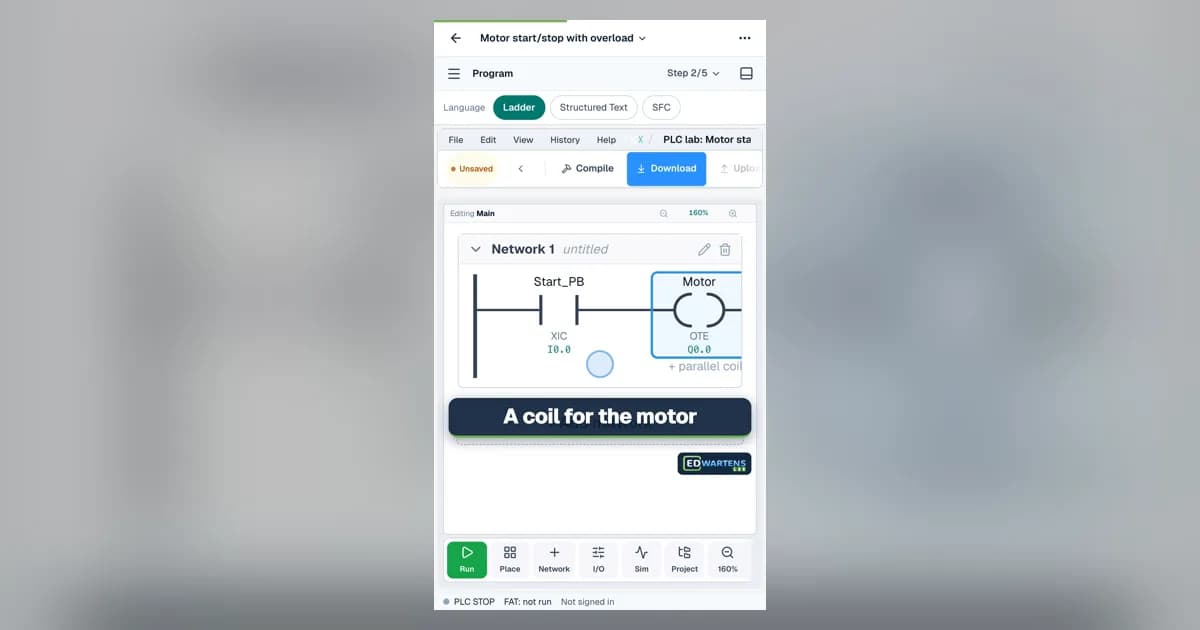
If you are new, start with the PLC lab and write a simple ladder program, then move to the control panel lab to see how the same machine is wired. If you already work with electrical equipment, the substation and MCC lab is a good first stop. If you work with machines, try the robotics lab.
The tour clip is only twenty seconds, so the quickest way to understand the lab is to open it and try one job. Open the free EDWartens Lab and pick a lab.
Keep going
See what other learners have finished on the learner wins page.
If you want a guided route as well, the free courses on this site pair well with the labs: learn an idea in a course, then prove it in a lab job.
Practise with us
Internship
Electrical Design
Free internship: 4 weeks, a free certificate and nothing to buy. Premium adds mentor calls and the graded certificate.
See the internshipRoles
Electrical design
Roles that ask for this skill, 72 open in this country now. Free to see and to apply. We are not a recruitment agency.
See rolesTake the free course

Questions
Is the EDWartens Lab really free?
Yes, it is free to start and runs in your browser. There is nothing to download.
Do I need a PLC or any hardware?
No. The machines, panels and sites are simulated in 3D, so you practise without hardware.
Does it work on a phone?
Yes. The lab is designed to work on a phone as well as a laptop, so you can practise anywhere.

Internships for Electrical Engineering Students

Factory Acceptance Test Checklist for PLC Panels
A Free Industrial Automation Course With Certificate: A 12-Week Curriculum

Control Panel Wiring Simulator: Wire a DOL Starter Free Online
Free PLC Simulator Online: Ladder Logic and a Live Plant

AI Agents Internship Online: What You Build